


DOOMCHICKEN
New Participant
October 3, 2020
Answered

Could I do this in Animate? (Tween a nested animation in perspective)

  • October 3, 2020
  • 1 reply
  • 1167 views

I wanted to learn how to do rig based animation and I'm still very new to how everything works in this program. I wanted to know how to get this effect where the face can be a nested animation and rotated through tweening. Here's an example with the effect im looking for.

This topic has been closed for replies.
Correct answer n. tilcheff

Inside the head you have all facial features as symbols, each on its own layer.

You move them in relation to the head oval in a way that simulates parallactic displacement and three-dimensionality.

You combine this with subtle rotation of the whole head symbol on the outside so that it looks organic.


Try with something simple first.


Here is a small animation test that I've done, employing this technique:
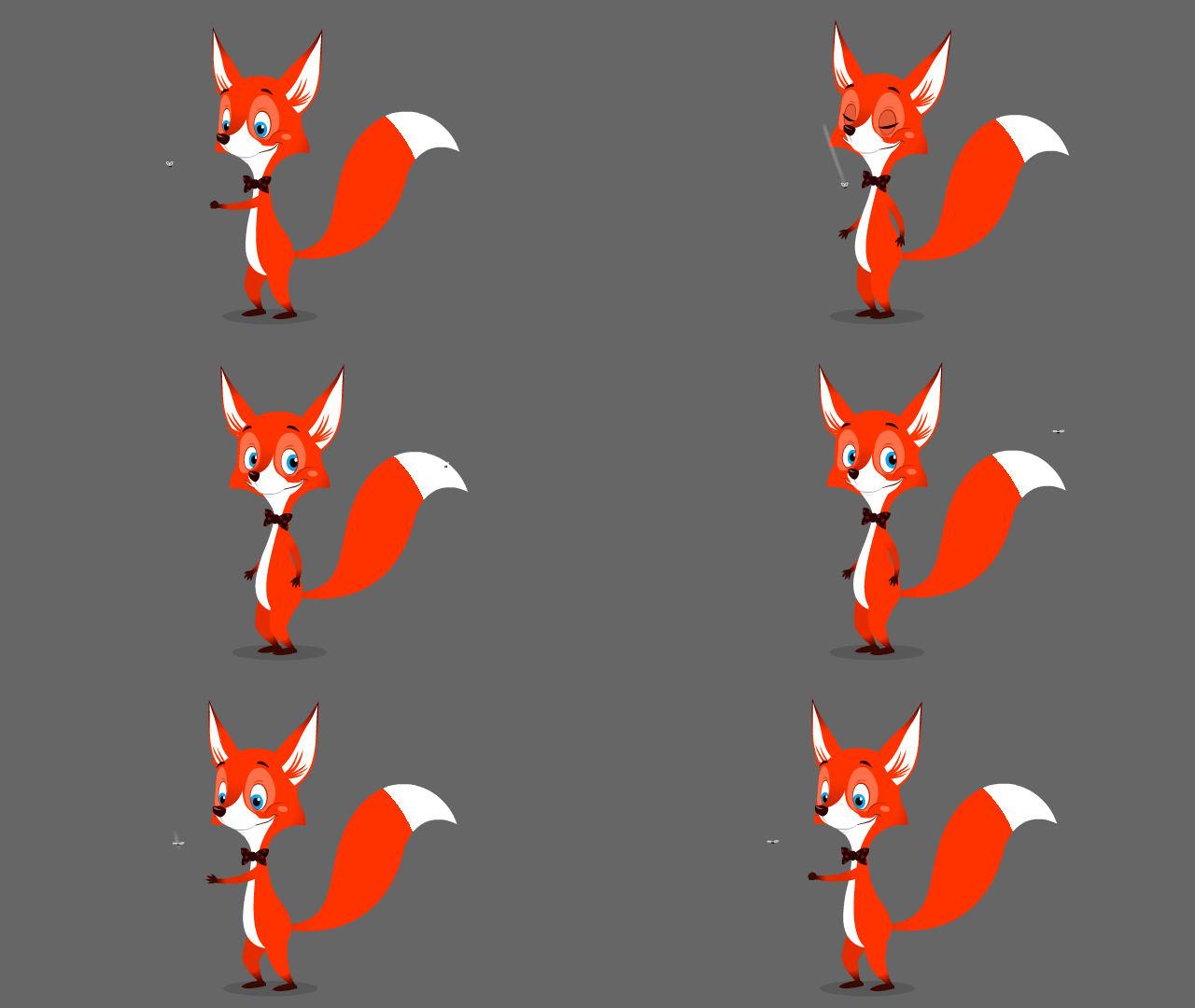
It works and is very easy to do.


1 reply

n. tilcheff
Brainiac
October 3, 2020

Hi mate,


Yes, very easy.

You nest all facial features inside the head symbol, run the head symbol in sync with the character timeline and tween the positions of facial features inside in sync with some rotation from the outside to achieve the effect of 3-dimensionality.


Here is a step by step guide to rigging for Flash: https://flash-powertools.com/character-rigging-for-flash-animation/


Nick - Character Designer and Animator, Flash user since 1998 | Member of the Flanimate Power Tools team - extensions for character animation
DOOMCHICKEN
New Participant
October 3, 2020

I appreciate the link, but could you explain how I'd do the rotating?  I tried using the 3d rotation tool, but it doesn't work on graphic symbols. Thanks again for the help.

n. tilcheff
n. tilcheffCorrect answer
Brainiac
October 3, 2020

Inside the head you have all facial features as symbols, each on its own layer.

You move them in relation to the head oval in a way that simulates parallactic displacement and three-dimensionality.

You combine this with subtle rotation of the whole head symbol on the outside so that it looks organic.


Try with something simple first.


Here is a small animation test that I've done, employing this technique:

It works and is very easy to do.


Nick - Character Designer and Animator, Flash user since 1998 | Member of the Flanimate Power Tools team - extensions for character animation