


Creating actions in Animate just like in Photoshop
Hello!
I'm a long time user of Animate, but I'm not a coder and never learned action script, so forgive me if this is too basic a question.
Is there a way to create actions in Animate, the same way as there is in Photoshop? Here is what I want to do: my workflow makes it so I'm constantly changing the looping behavior on symbols (from "play single frame," to "loop," to "play once," etc.)
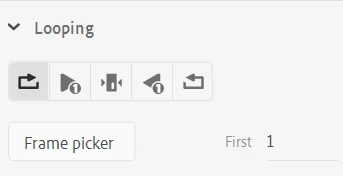
These buttons are not available in the hot-key menu, so I am constantly having to click on them with my mouse. It would be nice to map these to a hot-key, since it would make my workflow much faster. It ocurred to me that Photoshop has the actions panel, which lets you "record" button clicks and then play them back. There is an "Actions" panel in animate, but all I can find about it is how to use it inside of a published project, to add custom behaviors. Is there a way to use this panel to achieve the thing I'm trying to do? Alternatively, are there extensions that will help me do what I'm trying to do?
Thanks in advance!
 AdChoices