


Participating Frequently
May 1, 2021
Question

Distortion of imported .SVG & .AI files

  • May 1, 2021
  • 1 reply
  • 5077 views

Whenever I import a vector file (.SVG or .AI) like this one into Animate, the center of the file becomes distorted and pixelated. They're vector files, so they can in theory be displayed at any resolution.

I have spent a long time trying to figure this out with no luck.

Any ideas on how to get these files to display cleanly? Does Animate limit imported image data? Is there a way to overrie this?


I've tried increasing artboard/image size in Illustrator and unchecking the "responsive" option when exporting SVG, to no avail.


Thanks in advance!
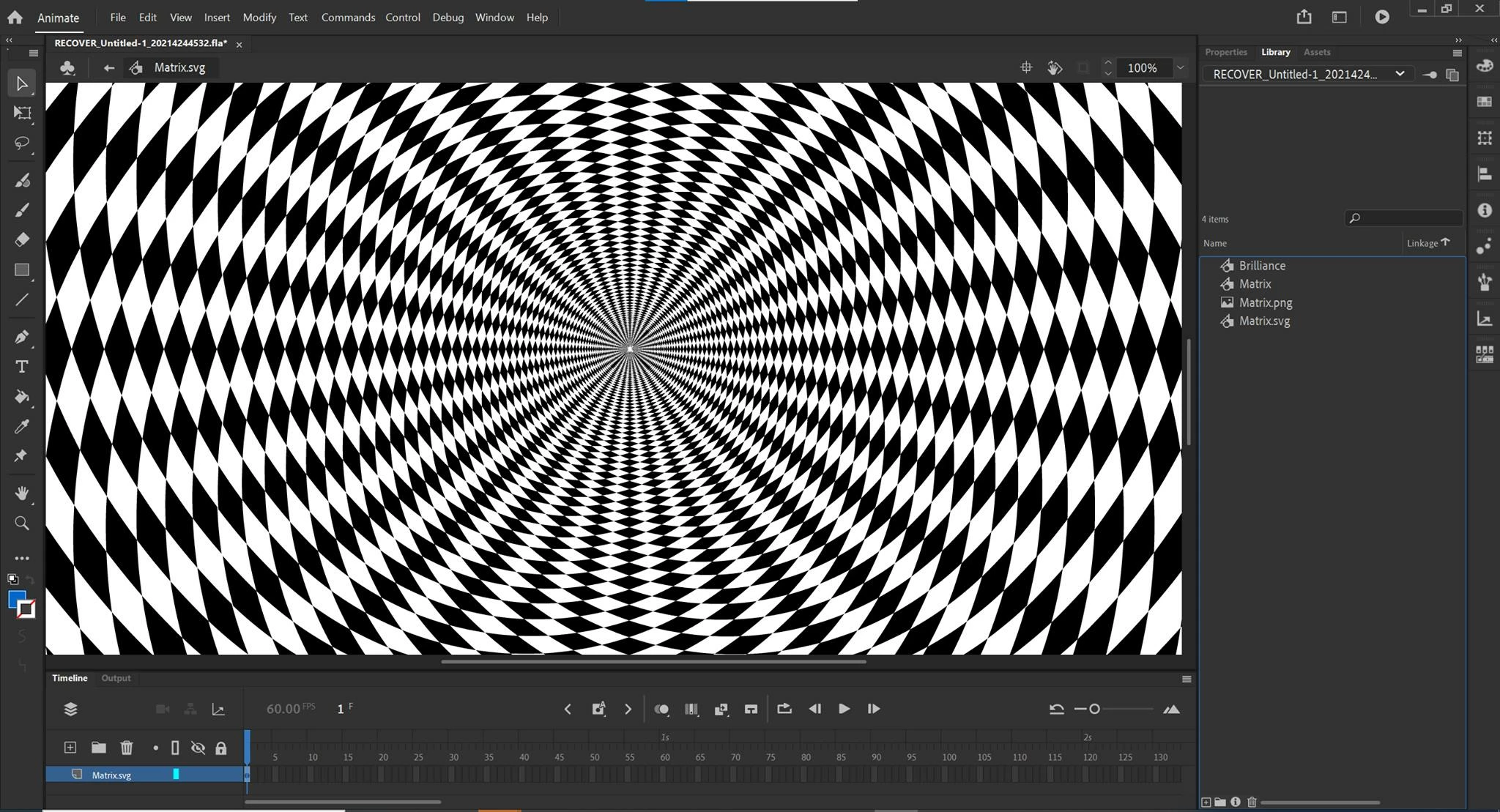
 

This topic has been closed for replies.

1 reply

Mario_CR
Community Expert
Community Expert
May 1, 2021

I can't see the pixelation from your image, it looks like aliasing to me. If you zoom in towards the center of the stage does the shapes get pixelated?  Could you upload a comparisson between the Ai/SVG file vs Animate? Or even better share the files to check.

Lee1549Author
Participating Frequently
May 1, 2021

Here are screenshots from the AI and SVG zoomed in 2000%. It's a combination of distortion of certain shapes and disappearance of others. 

Lee1549Author
Participating Frequently
May 4, 2021

So you're still trying to blow out the vector image. Adding up scaling percentages by the tens of thousands just means you're gonna end up with the same problem you started with, I tried to open the Ai file in Toonboom just for comparisson sake and it's the same story, vector rendering stops past a certain scale, animation software is not made for that level of vector precision, it has plenty of other things to worry about; all in all it's the wrong approach imo. Infinite loops are just not made that way, try the method I gave you, it should work on any design if you adapt it properly.  That or try making these patterns in After Effects, it has some nifty repeater effects that are more suitable for these kind of projects.


Some of my newer works like the one I posted could work for the short repeat, but others like the one I attached wouldn't work because the repeat interval is much larger. Either way, though, tweening will not work because the scaling between each frame is different. 


I haven't used After Effects, can I do frame-by-frame animations on it?