Exit
  • Global community
    • Language:
      • Deutsch
      • English
      • Español
      • Français
      • Português
  • 日本語コミュニティ
  • 한국 커뮤니티
0

Flash CS4 Fatal Error

New Here ,
Dec 04, 2022 Dec 04, 2022

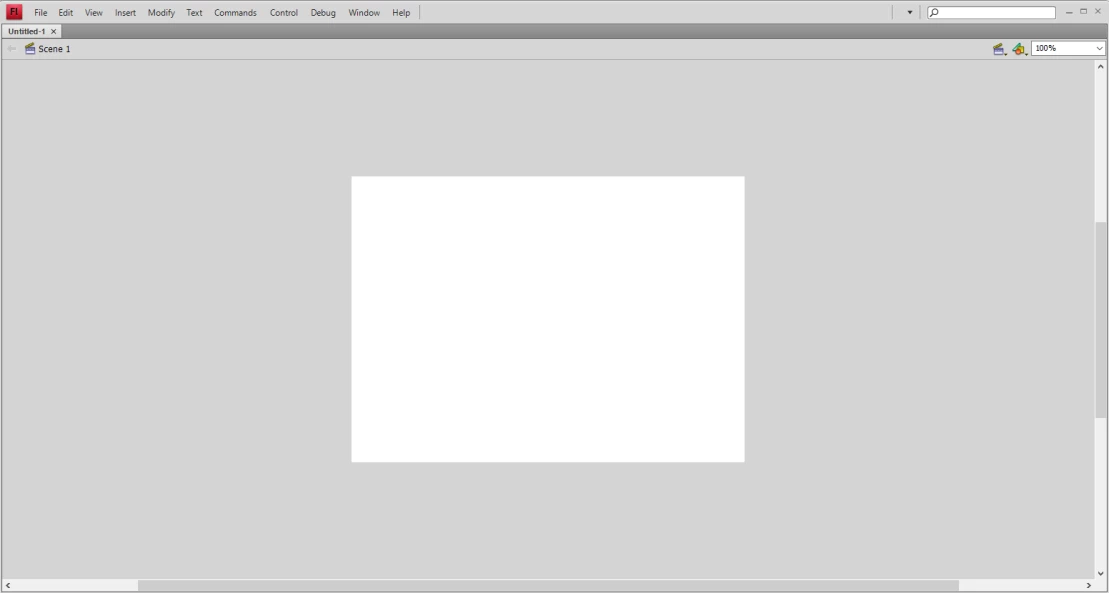
When I try to open Flash CS4 it gives me some of these errors and opens up with no tool bars at all. I've tried uninstalling and reinstalling without any luck.
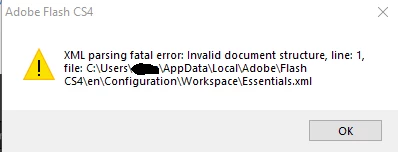
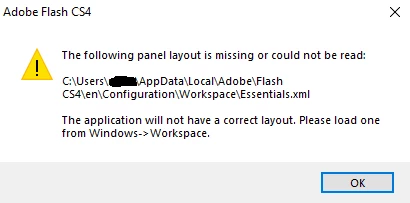
image.png

image (1).png

image (2).png

TOPICS
Error
799
Translate
Report
Community guidelines
Be kind and respectful, give credit to the original source of content, and search for duplicates before posting. Learn more
community guidelines
Community Expert ,
Dec 04, 2022 Dec 04, 2022

you need to reset your preferences:


at the bottom of the page here https://helpx.adobe.com/flash/kb/re-create-preferences-flash-professional.html#:~:text=Windows%3A%20... you'll see where those are located so you can delete.


Translate
Report
Community guidelines
Be kind and respectful, give credit to the original source of content, and search for duplicates before posting. Learn more
community guidelines
New Here ,
Dec 04, 2022 Dec 04, 2022

Okay I'm in the path below. Which files do I delete?

  • C:/Users/<user name>/AppData/Local/Adobe/Flash CS4/
Translate
Report
Community guidelines
Be kind and respectful, give credit to the original source of content, and search for duplicates before posting. Learn more
community guidelines
Community Expert ,
Dec 04, 2022 Dec 04, 2022

what's your os?

Translate
Report
Community guidelines
Be kind and respectful, give credit to the original source of content, and search for duplicates before posting. Learn more
community guidelines
New Here ,
Dec 04, 2022 Dec 04, 2022

Windows 10

Translate
Report
Community guidelines
Be kind and respectful, give credit to the original source of content, and search for duplicates before posting. Learn more
community guidelines
Community Expert ,
Dec 04, 2022 Dec 04, 2022

for win 10 (not on that page):


remove

C:\Users\<username>\AppData\Local\Adobe\Flash CS4\ and

C\Users\<username>\AppData\Roaming\Adobe\Flash\CS4\


Translate
Report
Community guidelines
Be kind and respectful, give credit to the original source of content, and search for duplicates before posting. Learn more
community guidelines
New Here ,
Dec 04, 2022 Dec 04, 2022

Hey it worked! Thank you!

Translate
Report
Community guidelines
Be kind and respectful, give credit to the original source of content, and search for duplicates before posting. Learn more
community guidelines
Community Expert ,
Dec 04, 2022 Dec 04, 2022
LATEST

you're welcome.  (and thank you for the update.)

Translate
Report
Community guidelines
Be kind and respectful, give credit to the original source of content, and search for duplicates before posting. Learn more
community guidelines