



FLV playback component not present on a published Animate file
Okay, so I'm not really sure how to ask this. But it's related to Adobe Animate so, I just had to try.
So I imported a video to my stage in Adobe Animate. Here's how I did it: File > Import > Import Video > Load external video with playback component
With this method, you get a video on stage, and when you try to preview it (but as an .swf), you get something like this:
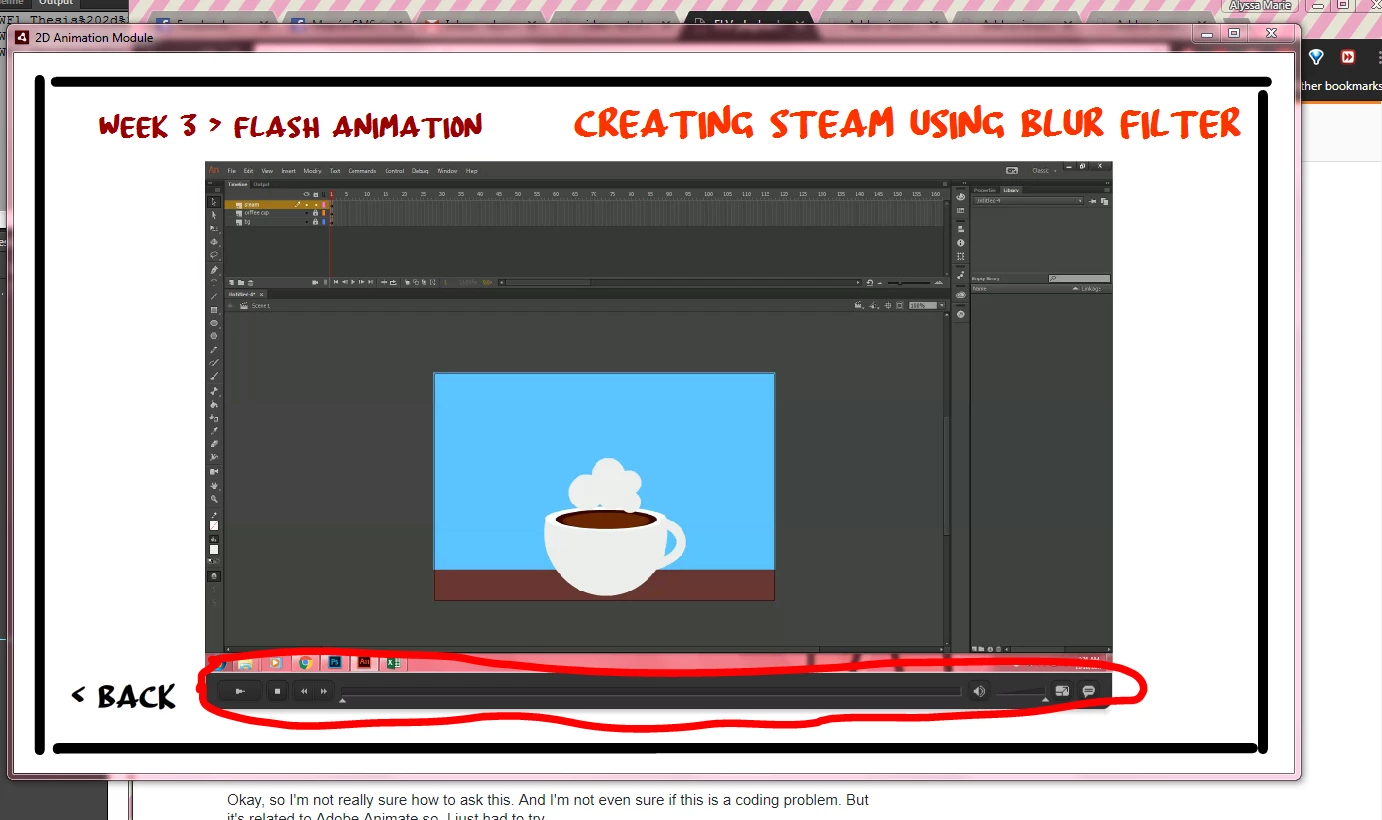
But when I try to publish it for Desktop, the playback component is gone. It's just the first frame of the video, and there's no Play, Pause, or even the slider. It looks like this:
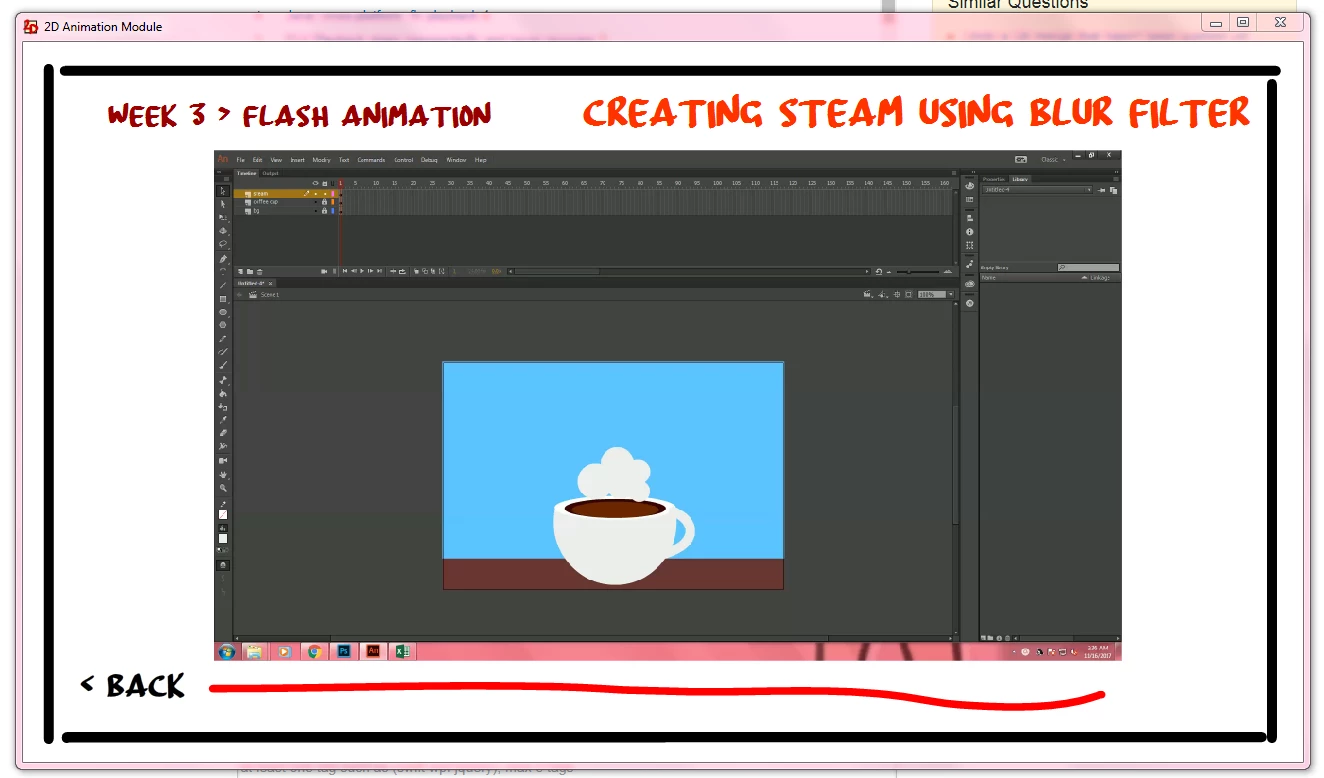
A few details you might need:
1) It's published as AIR 25.0 for Desktop. And as a Windows installer (.exe)
2) The videos imported/used were .mp4
3) When I published the file, I made sure to include the folder for all the videos used, because I was thinking that when it gets installed in another computer, at least the videos will get loaded from that same folder.
4) Here are some of the settings I used (the other parts, except for the icons and the certificate, I did not do anything with it):
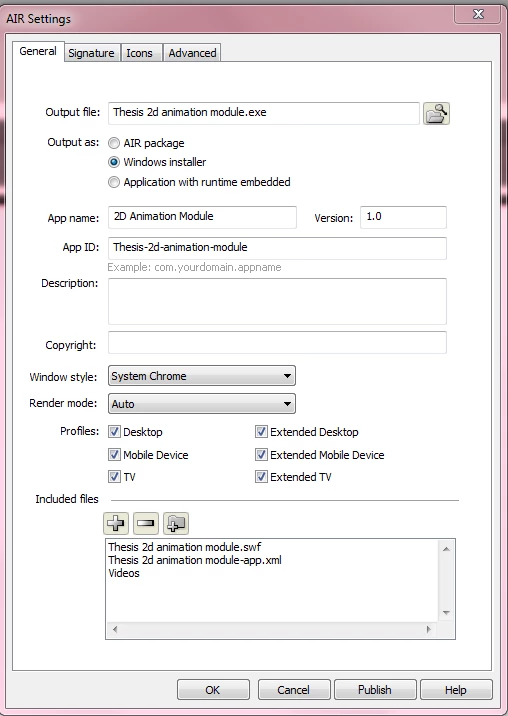
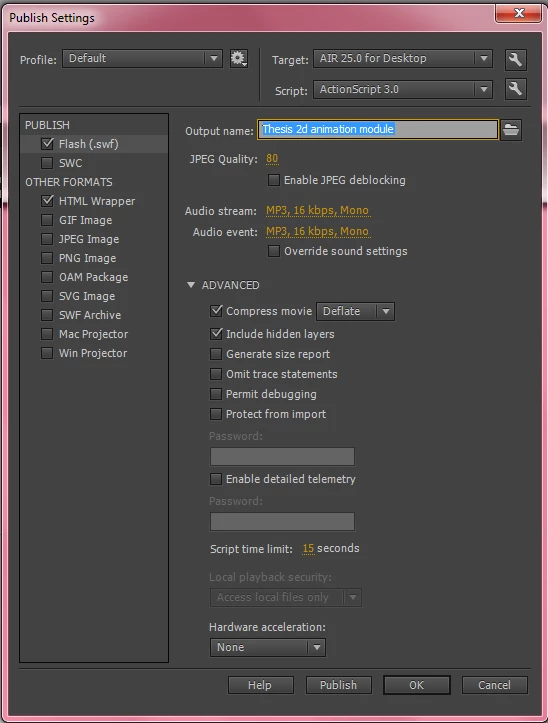
5) In the timeline, I used a code to stop the videos from autoplaying: [swfname].autoPlay = false;
6) I can't embed it on the timeline because it takes up too much space on it, and I'd rather it has automatic playback buttons because embedding it doesn't have it.
Well, that's it. I hope someone can help me with this. Thank you 
 AdChoices