


Inspiring
March 30, 2017
Answered

Frame advance by touch screen pressed and dragged.

  • March 30, 2017
  • 1 reply
  • 633 views

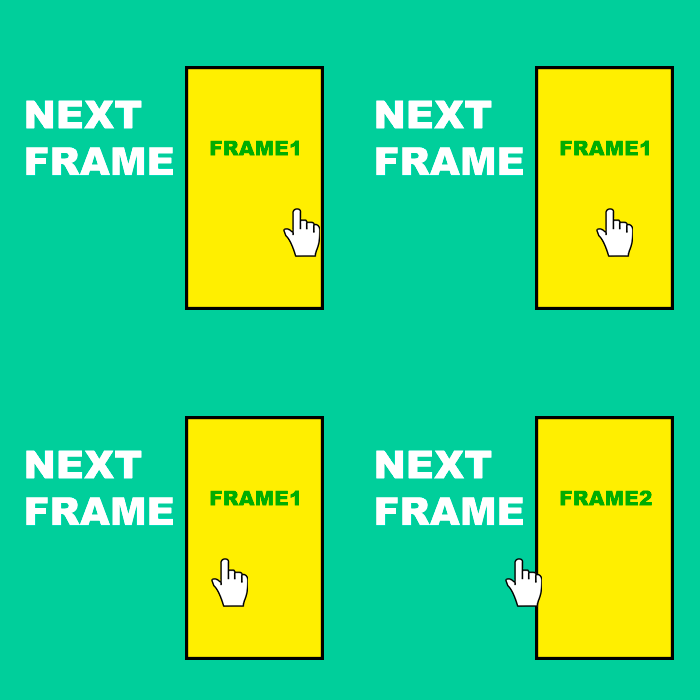
Hello users, I have a question regarding evolution. I would like to know if there is a method to advance or regress a given frame from the touchscreen by dragging the screen from right to left to advance 1 frame, say so.

can anybody help me? I'm grateful now!
This topic has been closed for replies.
Correct answer kglad

var startDrag:int;

var tret:int = ?;

your_btn.addEventListener(MouseEvent.MOUSE_DOWN,downF);

function downF(e:MouseEvent):void{

startDragX=e.stageX;

stage.addEventListener(MouseEvent.MOUSE_UP,upF);

}

function upF(e:MouseEvent):void{

if(e.stageX>startDragX+tret){

this.prevFrame();

} else if(e.stageX<startDragX-tret){

this.nextFrame();

}

}

1 reply

kglad
kgladCorrect answer
Community Expert
March 31, 2017

var startDrag:int;

var tret:int = ?;

your_btn.addEventListener(MouseEvent.MOUSE_DOWN,downF);

function downF(e:MouseEvent):void{

startDragX=e.stageX;

stage.addEventListener(MouseEvent.MOUSE_UP,upF);

}

function upF(e:MouseEvent):void{

if(e.stageX>startDragX+tret){

this.prevFrame();

} else if(e.stageX<startDragX-tret){

this.nextFrame();

}

}

vvvverTAuthor
Inspiring
March 31, 2017

The compiler does not run because of an error, a conflict according to the compiler:

"There is a conflict with the inherited definition flash.play: Sprite: startDrag in namespace public"

Would you help me?

var tret:int = 1;

var startDrag: int;

your_btn.addEventListener(MouseEvent.MOUSE_DOWN, downF);

function downF(e:MouseEvent) : void {

  startDrag = e.stageX;

  stage.addEventListener(MouseEvent.MOUSE_UP, upF);

}

function upF(e:MouseEvent) : void {

  if(e.stageX > startDrag + tret) {

  this.prevFrame();

  } else if(e.stageX < startDrag - tret) {

  this.nextFrame();

  }

}

kglad
Community Expert
April 1, 2017

Just one more question about the contract to finalize ... Can only do this with the use of a button? Why with a use there is no way to use other buttons that are in the layer below, so a doubt.

And thanks, it worked as expected!


you can use the stage instead of a button or a transparent object or a movieclip, but if there's other mouse interactivity in your project that might be a consideration.