

Inspiring
March 31, 2017
Answered

Getting "unable to load a certificate in this file" when trying to publish APK

  • March 31, 2017
  • 24 replies
  • 18813 views

I wanted to update one of my apps, but when I try to publish it, I receive the following message:
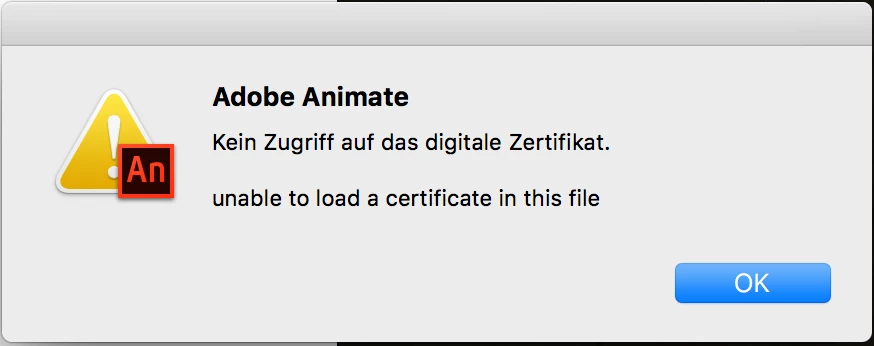
What is wrong with my certificate?

This topic has been closed for replies.
Correct answer aliciab72459363

Pretty sure CS5 couldn't do Android publishing, but I may be wrong. Could it have been CS5.5? If you used features that no longer exist (TLF textfields for example), you wouldn't be able to do an update using any version of Animate.

As for getting older versions, if you're subscribed to Creative Cloud you have a CC menu where you go to get app updates, or to download apps you don't have. In that menu there is a Find Additional Apps section. Set its drop down menu to View Previous Versions, then under Flash Pro you can download any of the last ten updates, back as far as CS6.


Yeah, it works!

Just installed "Adobe Animate 2015.2" and was able to publish my app using AIR 25.

Temporary fix: Don't use the latest version of Animate CC 2017.

24 replies

Participating Frequently
July 27, 2017

How do you revert to Animate CC 2015.2 ?

In creative cloud I don't have this option, a few software can be downloaded in preious version but not Animate.

Is there a link to download free trial of animate cc 2015.2 ? I have to update my app on stores, but I'm stuck, please fix this !

Colin Holgate
Inspiring
July 27, 2017

In the CC menu is Find Additional Apps. To the right of that is a drop down menu, choose View Previous Versions. Once you select that you should see Animate, and it has a drop down menu where you can choose from 12 previous versions. I would think that CC 2015.2.1 would be the one to go for.

Participating Frequently
July 27, 2017

Yeah I did that, but animate doesn't appear in this menu, only a few apps (not even photoshop or illustrator )

Inspiring
July 25, 2017

So are we forever stuck in Animate CC 2015? Maybe Adobe can allow us to use different versions of java without command lining things, it is really cumbersome workflow.

AlexUrrutia
Inspiring
May 15, 2017

This is annoying, I'm uninstalling last version of Animate and installing 2015.2  very frustrating...

Inspiring
May 15, 2017

I wish adobe communicated stuff

kglad
Community Expert
Community Expert
May 15, 2017

what communication are you wishing?

Lars Laborious
Legend
May 8, 2017

This is still an issue with the latest AIR 26 beta and Animate CC 2017.2.

Admirable_experts157F
Participant
May 3, 2017

I wasted an entire day trying to solve this issue until I downgraded to the previous version. I am surprised to find that it's not fixed.

kglad
Community Expert
Community Expert
May 3, 2017

hopefully, next version.

fredericb99676169
Known Participant
April 24, 2017

Its a huge issue you guys should fix...

Inspiring
April 15, 2017

I am having the same problem but I just have Animate 2017. Can you tell how to get and install "Adobe Animate 2015.2"?

Best

Inspiring
April 15, 2017

Ok guys i have the same problem.

I didnt install Java before manually, maybe it installed with some games automaticly - i dont know.

Installed new air beta sdk - it didnt helped.

Help.

Participating Frequently
April 14, 2017

Downgrade to Java 1.8.0_111 or 1.8.0_25 will help.

"unable to load a certificate in this file" appeared right after updating Java to latest 1.8.0_121 version

Known Participant
April 10, 2017

I managed to package APK using ADT from AIR 23 and 24, but downgrading Java to 1.8.0_74, with the latest Java version the command line packaging process produces exactly the same error.

I think it is a combination of Java / Anmate CC Issue.

I was able to package with the previous version of animate and previous version of Java, using exactly the same Adobe AIR version. May be ADT has something to do, but it seems less probable...