


FennecRaptor
Participating Frequently
December 10, 2018
Answered

Go to and Play Button not Working

  • December 10, 2018
  • 1 reply
  • 4712 views

HI Everyone,

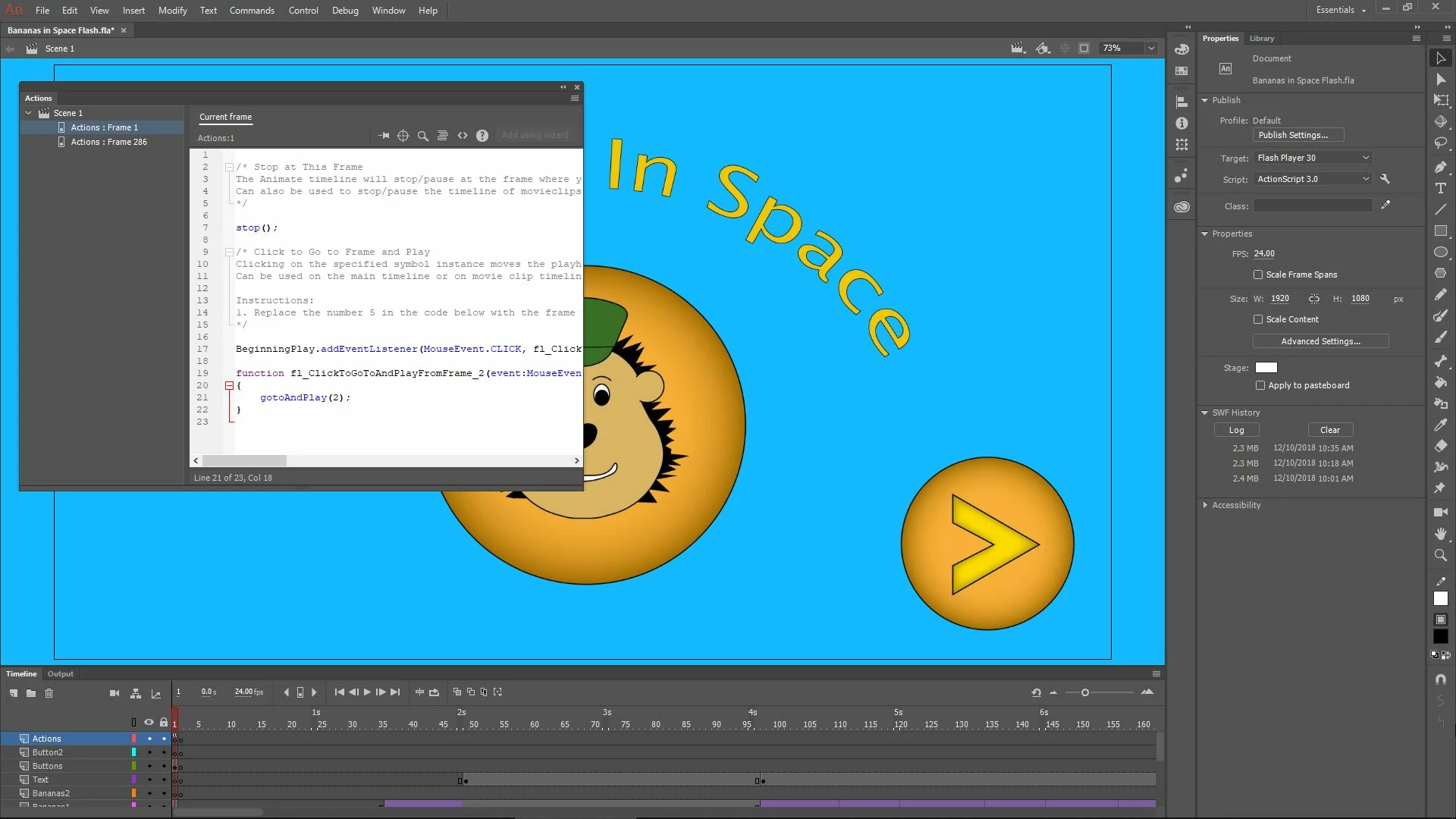
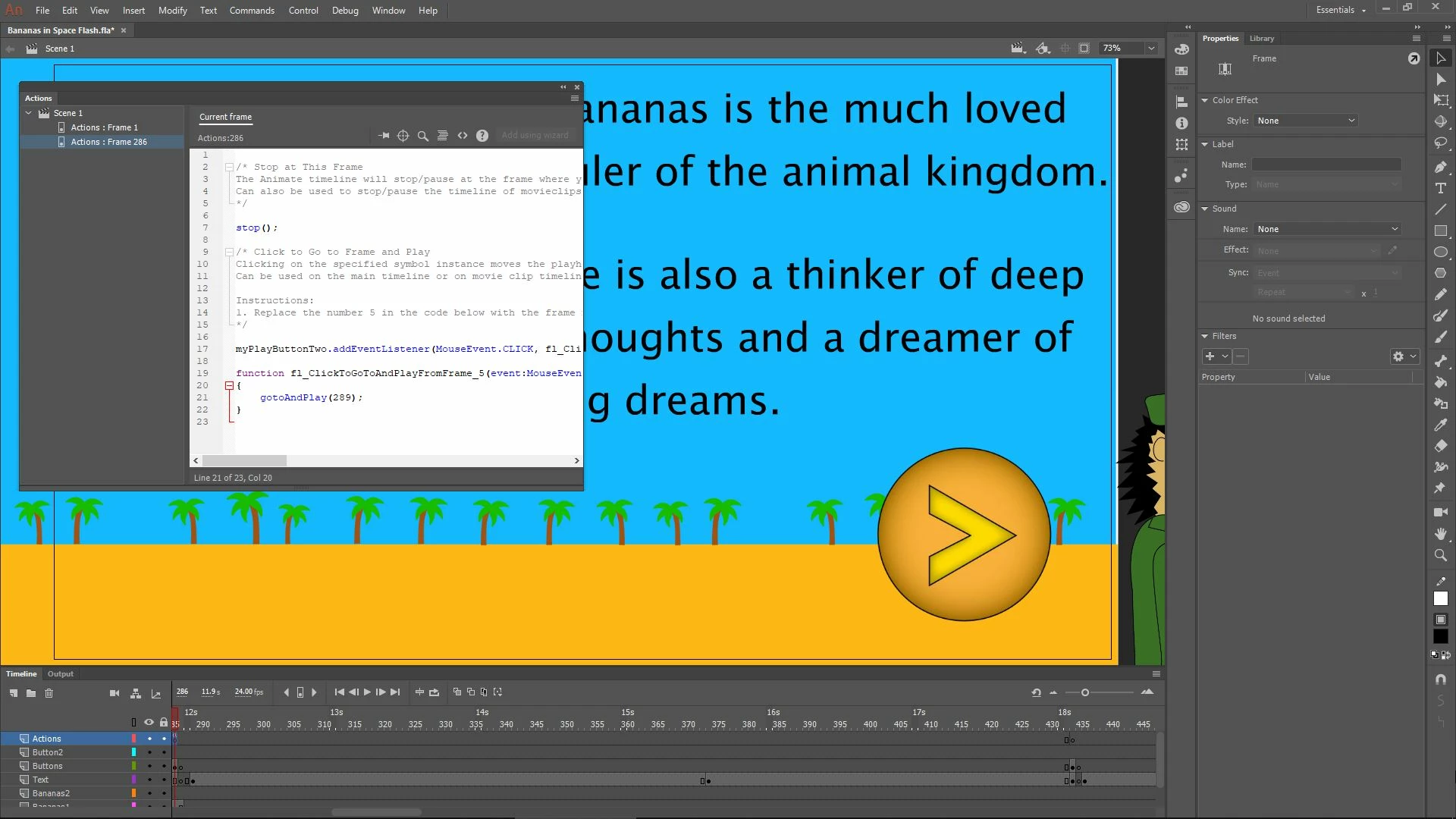
I'm currently trying to convert an HTML5 Canvas to action script 3.0. I successfully converted the document, but now that I'm trying to change all the code I'm encountering problems. What I am trying to do is apply a 'Stop' script to several different frames. At each of these frames, there are also buttons that I am trying to apply a 'Go to and Play' script to. However, when I applied these two code snippets to the first frame of my document and tested it, the 'Stop' script worked, but the button with the 'Go to and Play' script did not. I can click the button as many times as I want, but nothing happens. I tried leaving this code the way it was and applying the same two code snippets to the next spot where I want my animation to stop, but when I tested it, I got an 1120 error for the second button, and neither of the 'Stop' scrips nor the 'Go to and Play" scripts worked. I'm using Action script 3.0 code snippets, and both buttons have different names and instance names. I'm posting some screen shots below so you can see what I'm doing.
    This topic has been closed for replies.
    Correct answer kglad

    I'm afraid this has passed my skill level in Adobe Animate. Here is my code below. Maybe you could use it to show me how to do what you suggested.

    /* Stop at This Frame

    The Animate timeline will stop/pause at the frame where you insert this code.

    Can also be used to stop/pause the timeline of movieclips.

    */

    stop();

    /* Click to Go to Frame and Play

    Clicking on the specified symbol instance moves the playhead to the specified frame in the timeline and continues playback from that frame.

    Can be used on the main timeline or on movie clip timelines.

    Instructions:

    1. Replace the number 5 in the code below with the frame number you would like the playhead to move to when the symbol instance is clicked.

    */

    BeginningPlay.addEventListener(MouseEvent.CLICK, fl_ClickToGoToAndPlayFromFrame_2);

    function fl_ClickToGoToAndPlayFromFrame_2(event:MouseEvent):void

    {

    gotoAndPlay(2);

    }


    function fl_...(){

    trace(event);

    goto...

    }

    1 reply

    kglad
    Community Expert
    December 10, 2018

    disable advanced layers (modify>document>untick 'use advanced layers') or read about how to edit your code, Create timeline layers with Animate CC

    FennecRaptor
    Participating Frequently
    December 10, 2018

    Hi kglad,

    Thanks for the suggestion. I tried disabling advanced layers, and though I no longer get the 1120 error, the button with the 'Go to and Play' script still doesn't work. Any more thoughts?

    kglad
    Community Expert
    December 11, 2018

    Yes, I did. All frame numbers within the code are correct.


    use the trace function to confirm your button actually is working.