


New Participant
May 3, 2021
Answered

Graphical Glitches when exporting Texture Atlas at 0.5x

  • May 3, 2021
  • 1 reply
  • 877 views

Hi! I'm having the same issue on Animate 2020 and Animate 2021, namely when I export Texture Atlases from symbols in my library to be used as elements for an animated character in Unity, when using 0.5x scaling factor (or anything below 1x), weird graphical errors appear: 
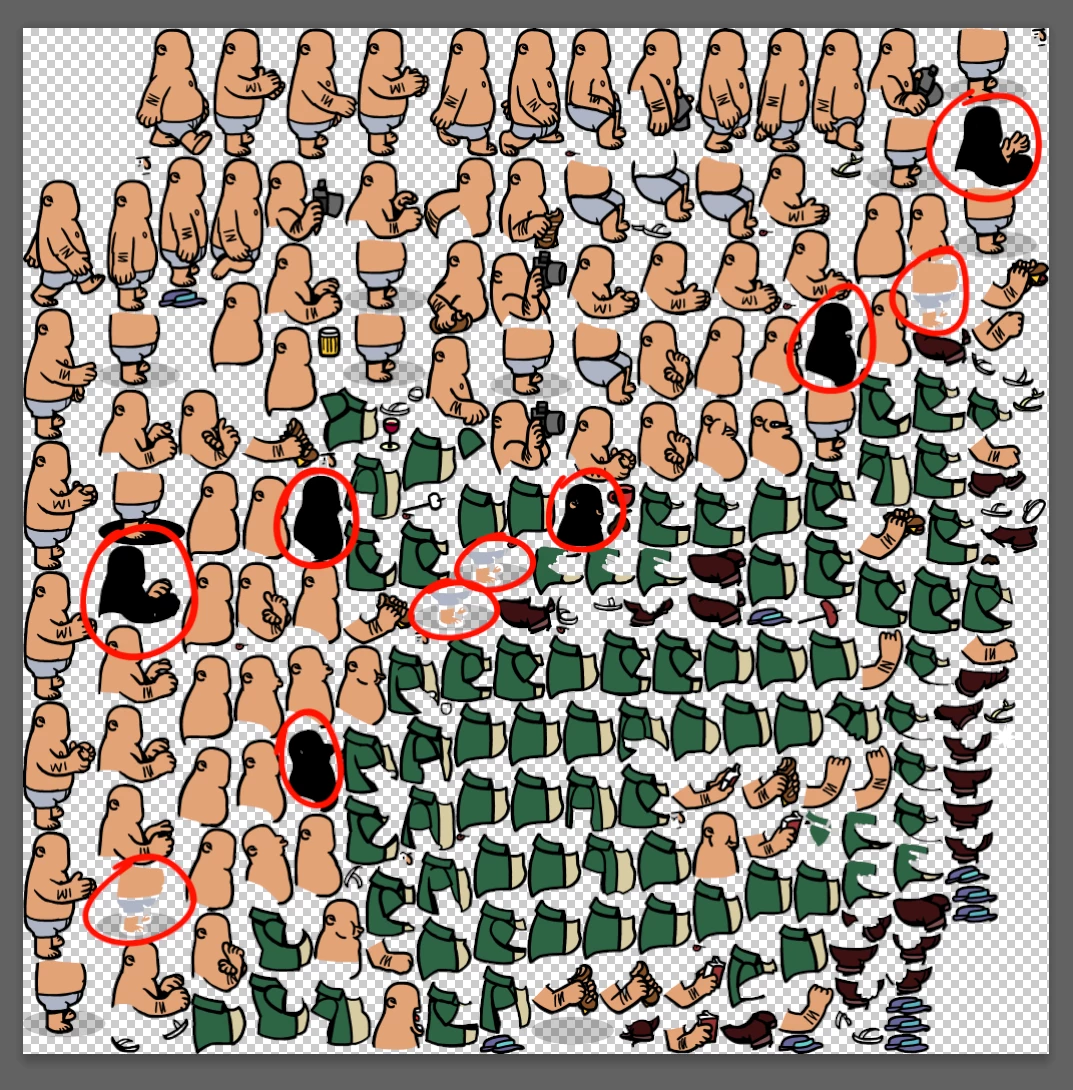
 

I've tried redrawing those sprites and it just ends up creating these types of errors in other frames. It seems unavoidable and I can't understand how to get around this problem. Has anyone else encountered this and found a solution? 


Manually resizing the elements in all the frames of the movieclip is not an option because of the existence of nested symbols which do not resize and appear lx in the atlas anyway: 
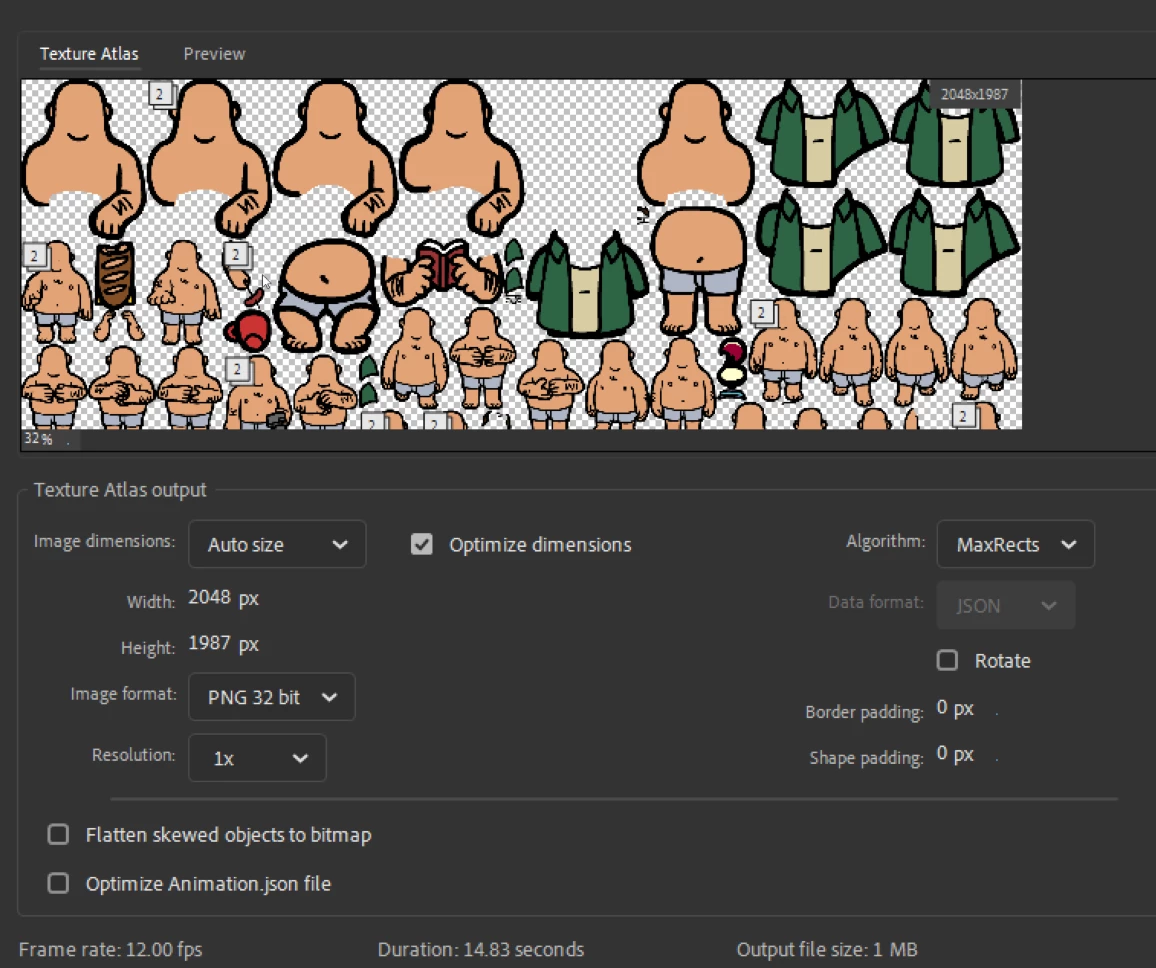
I'm kind of stuck. Help please?


    This topic has been closed for replies.
    Correct answer n. tilcheff

    Just in case if you have not, with Zero Transform, you have to not only reset the transformation of the container, but dig into the nested symbols and reset their matrices as well.


    You can try to select the shapes that display those issues and press the smoothing button once.

    If the impact is minimal and passable, that might help.


    The other possible method could be to look into the points by selecting the shapes with the Subselect tool (White arrow) and inspect them at high magnification for any two points that are too close to one another or paths that intersect. Then manually delete said points and try to export again.


    You can also try to convert lines to fills, if you have lines/strokes, or to separate the outline from the fill by selecting either and making it a drawing object.


    1 reply

    n. tilcheff
    Brainiac
    May 3, 2021

    If nothing else works, you can try to Zero Transform your symbols, so that all artwork is at the desired (smaller) scale.


    Nick - Character Designer and Animator, Flash user since 1998 | Member of the Flanimate Power Tools team - extensions for character animation
    New Participant
    May 3, 2021

    I seem to encounter the same glitches when resizing with Zero Transform as well. This means it must be related to the actual drawing, some vector errors that only come out when resizing to a smaller resolution. But other than redrawing the frames that produce these issues I see no other workaround. Is there some Clean Up tool or script available for Animate?

    n. tilcheff
    n. tilcheffCorrect answer
    Brainiac
    May 3, 2021

    Just in case if you have not, with Zero Transform, you have to not only reset the transformation of the container, but dig into the nested symbols and reset their matrices as well.


    You can try to select the shapes that display those issues and press the smoothing button once.

    If the impact is minimal and passable, that might help.


    The other possible method could be to look into the points by selecting the shapes with the Subselect tool (White arrow) and inspect them at high magnification for any two points that are too close to one another or paths that intersect. Then manually delete said points and try to export again.


    You can also try to convert lines to fills, if you have lines/strokes, or to separate the outline from the fill by selecting either and making it a drawing object.


    Nick - Character Designer and Animator, Flash user since 1998 | Member of the Flanimate Power Tools team - extensions for character animation