


Participant
May 25, 2017
Answered

How do I get the bone tool to work on PSDs?
  • May 25, 2017
  • 1 reply
  • 274 views

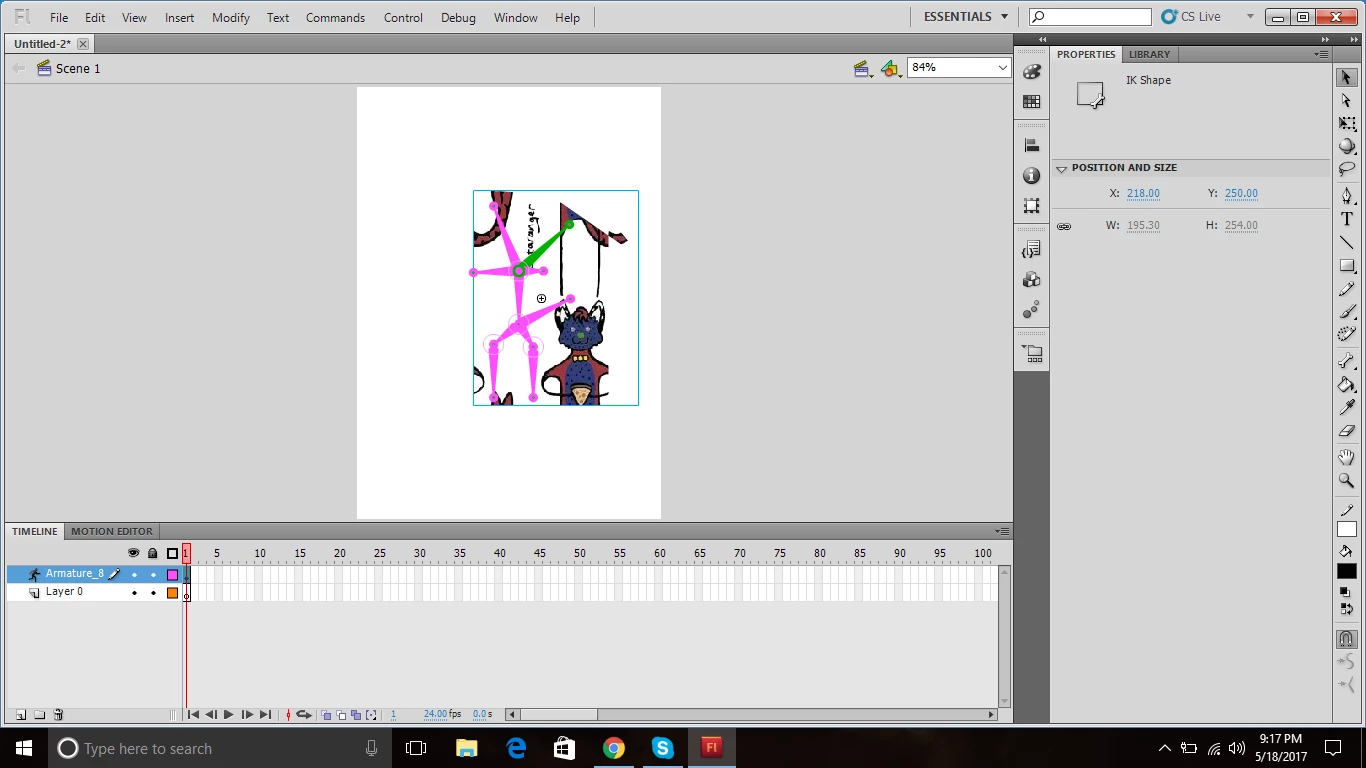
I've been trying to import a PSD into Flash CS5.5 to use as a model. I tried using the bone tool on it, but it never worked. I've tried converting it to a symbol, breaking it apart, but it always just has the image broken up in different sections in the symbol box (image above). Please help, I need to find a way to make an armature on this PSD. Thanks in advance.

This topic has been closed for replies.
Correct answer Colin Holgate

When you import the PSD you should have the option to make the PSD layers be Flash layers. In your original PSD take the time to name your layers carefully, if you do that the Flash layers will have the same names, and it's easy to see what you're selecting. Once you have Flash layers click on the frame for one layer at a time, and use F8 to make that layer's content be a MovieClip.

By now you should have as many Flash layers as there were PSD layers, and each layer contains one MovieClip, which you might as well have named the same as the layer name. Now use the bone tool, and things should behave.

1 reply

Colin Holgate
Colin HolgateCorrect answer
Inspiring
May 25, 2017

When you import the PSD you should have the option to make the PSD layers be Flash layers. In your original PSD take the time to name your layers carefully, if you do that the Flash layers will have the same names, and it's easy to see what you're selecting. Once you have Flash layers click on the frame for one layer at a time, and use F8 to make that layer's content be a MovieClip.

By now you should have as many Flash layers as there were PSD layers, and each layer contains one MovieClip, which you might as well have named the same as the layer name. Now use the bone tool, and things should behave.