


New Participant
March 30, 2019
Question

how may i transition this text?

  • March 30, 2019
  • 4 replies
  • 525 views

hello . im not to sure how to explain ,

but simply enough id like to know how may i have general information display & then transition into the price list that's already on this flyer. no specifics on what type of transition , but id like a nice clean fade/flip ..   - @ttrgfx_
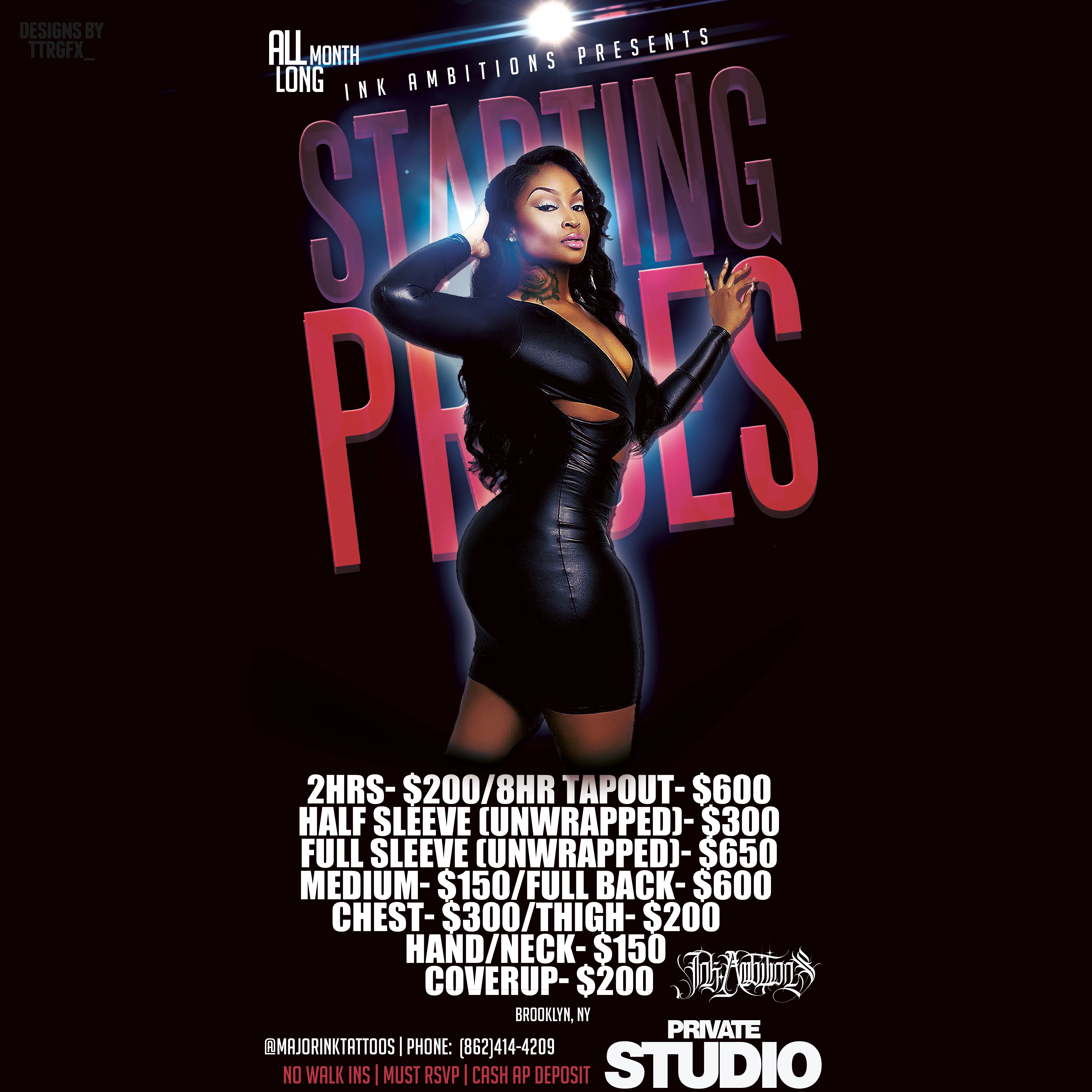
ive done this flyer in photoshop cc 2019

i have all adobe apps, basic knowledge of illustrator and Photoshop , but i can follow direction.

    This topic has been closed for replies.

    4 replies

    Ussnorway7605025
    Brainiac
    March 31, 2019

    moved to animate forum

    mglush
    Adobe Expert
    March 30, 2019

    You can create an animated gif or a video inside of photoshop using the timeline feature. You will want to look at the following link to get familiar with them.

    Create timeline animations in Adobe Photoshop

    Also, doing a search on Google brought up several video options that will show you how to create transitions so that you can fade your text in and out.

    Let us know if that helps!

    Michelle

    Derek Cross
    Adobe Expert
    March 31, 2019

    Although, technically, you could create a movie, as described by the OP in Photoshop, but it would be laborious to undertake and limited in scope— best to use the right tool for the job IMO.

    Here’s an excellent tutorial (not free, but cheap for say a month’s membership):

    https://www.bringyourownlaptop.com/courses/make-html5-banner-ads-in-adobe-animate

    New Participant
    March 30, 2019

    i believe i may be mixing up the terminology excuse me . it is not going to be printed.

    this image will be turned into an animated flyer . making it a video .

    i need that price list to fade/transition into other set of text information. or vice verse.

    i do have  the .psd file which is in all the appropriate layers .

    Derek Cross
    Adobe Expert
    March 30, 2019

    When you say" transition, fade and flip", is this item an animation?

    New Participant
    March 30, 2019

    this item is a still image made in adobe photoshop cc 2019.

    i am working with a .psd file right now .

    id somehow like to display a different message in that current text space provided.

    THEN id like it to transition into this price list text that i now have on the flyer.

    thank you for clearing that up sir 

    Derek Cross
    Adobe Expert
    March 30, 2019

    So this will be a printed item, is that right?

    Is the Photoshop file you have in layers with the text on separate layers.

    (Do you have InDesign?)