Inspiring
May 28, 2020
Answered

How to export specific frame ranges correctly with Adobe Animate?

  • May 28, 2020
  • 1 reply
  • 7597 views

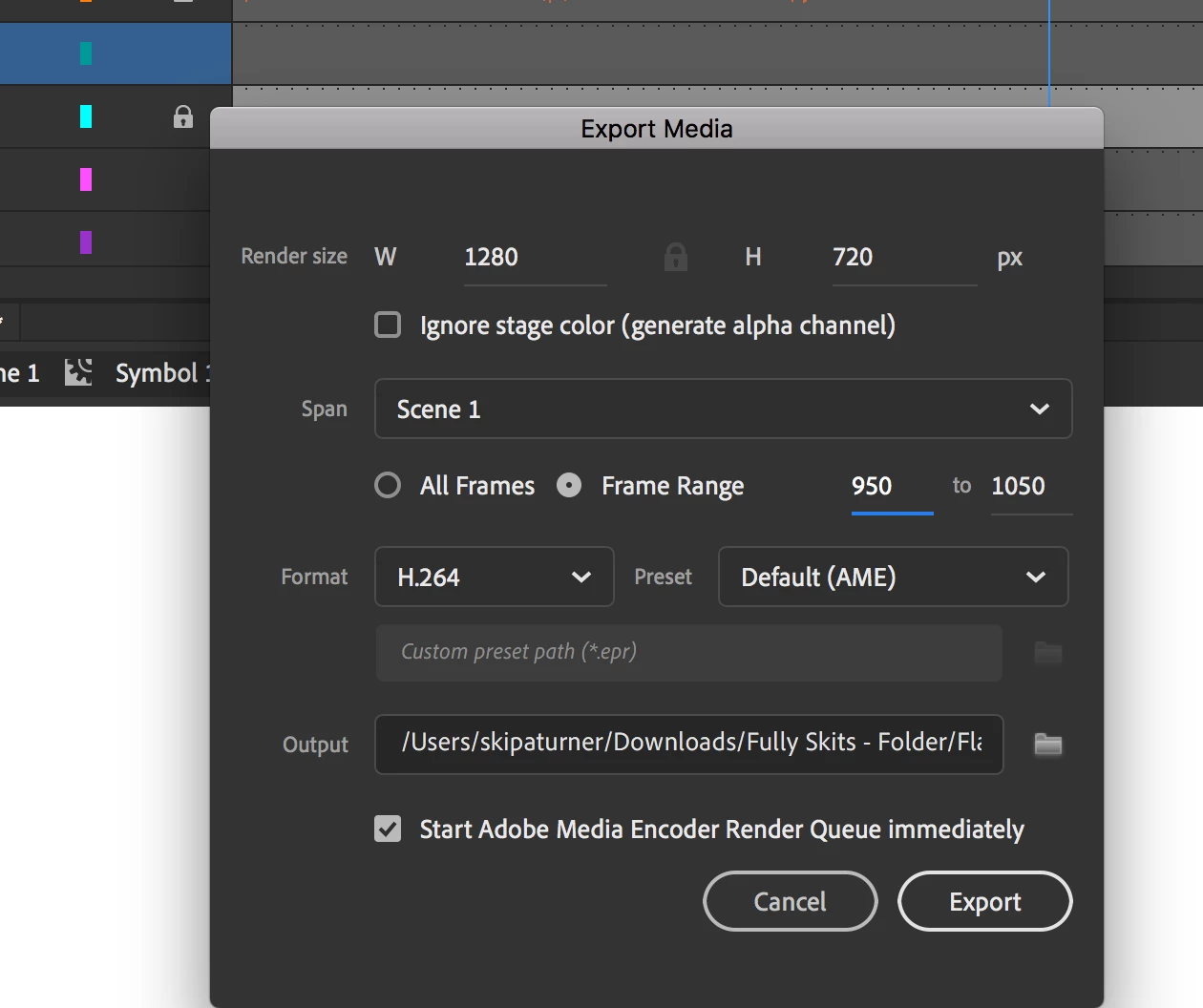
My animation is 5000 frames long.


I am choosing to export frames 950 - 1050.


After view the exporting video file, I can see it has exported frames 0 - 100.


Does anyone know why this is happening?


Any help would be greatly appreciated

Correct answer n. tilcheff

Hi there,


It sorted out the audio issue, but still the animation layer still starts from from 0 in the export.


The camera layer exports correctly, but not the aniamtion layer..


I tried converting my animation layer into a motion tween to see if that change anything, but it didn't.


Any other suggestions?


Hi mate,


It was very late last night when I responded about the audio and missed completely the symbol issue.

What is that symbol? Is it a Movie Clip?

If so change the instance type to Graphic (you should do this for every keyframe in the Timeline) and looping setting to Loop. Let's hope that fixes the export.


(You should only use Movie Clips for interactive projects or if you have a good reason to. For animation all your symbols have to be Graphic.)


 

1 reply

n. tilcheff
Brainiac
May 28, 2020

Hi mate,


Is it possible that you have a different range defined by the blue 'playback bar' at the top of Timeline?

It's supposed to define the video export range also.

Try to define your range with the bar and see if that works better.

Or at least check to make sure it is not interfering with your numeric input.

All these are new functions and may be full of undocumented bugs.


Also, make sure you choose export when on the main timeline.


Nick - Character Designer and Animator, Flash user since 1998 | Member of the Flanimate Power Tools team - extensions for character animation
skipatAuthor
Inspiring
May 28, 2020

Hey there thanks for responding,


Actually I did not have play back turned on (or any blue bar above in the timeline), I will try that let you know if it works