


Inspiring
June 30, 2013
Answered

How to make external file linking in as3

  • June 30, 2013
  • 1 reply
  • 5539 views

I want to open different format external files(*.wmv, *.mp4, *.pdf, *.ppt, *.doc etc) on click event, I try this for *.wmv but got some error.

--------------------------------------------------------------------------------

package  {

          import flash.display.SimpleButton;

          import flash.events.MouseEvent;

          import flash.net.navigateToURL;

          import flash.net.URLRequest;


          public class clickbutton extends SimpleButton {


                    public function clickbutton() {

                              this.addEventListener(MouseEvent.CLICK, clickF);

                    }


                    private function clickF(e:MouseEvent):void{

                              var nc:NetConnection = new NetConnection();

                              nc.connect(null);

                              var ns:NetStream = new NetStream(nc);

                              videoPlayer.attachNetStream(ns);

                              var listener:Object = new Object();

                              listener.onMetaData = function(evt:Object):void {};

                              ns.client = listener;

                              ns.play("video_test.wmv");

                    }

          }

}

--------------------------------------------------------------------------------

Please tell me correct code
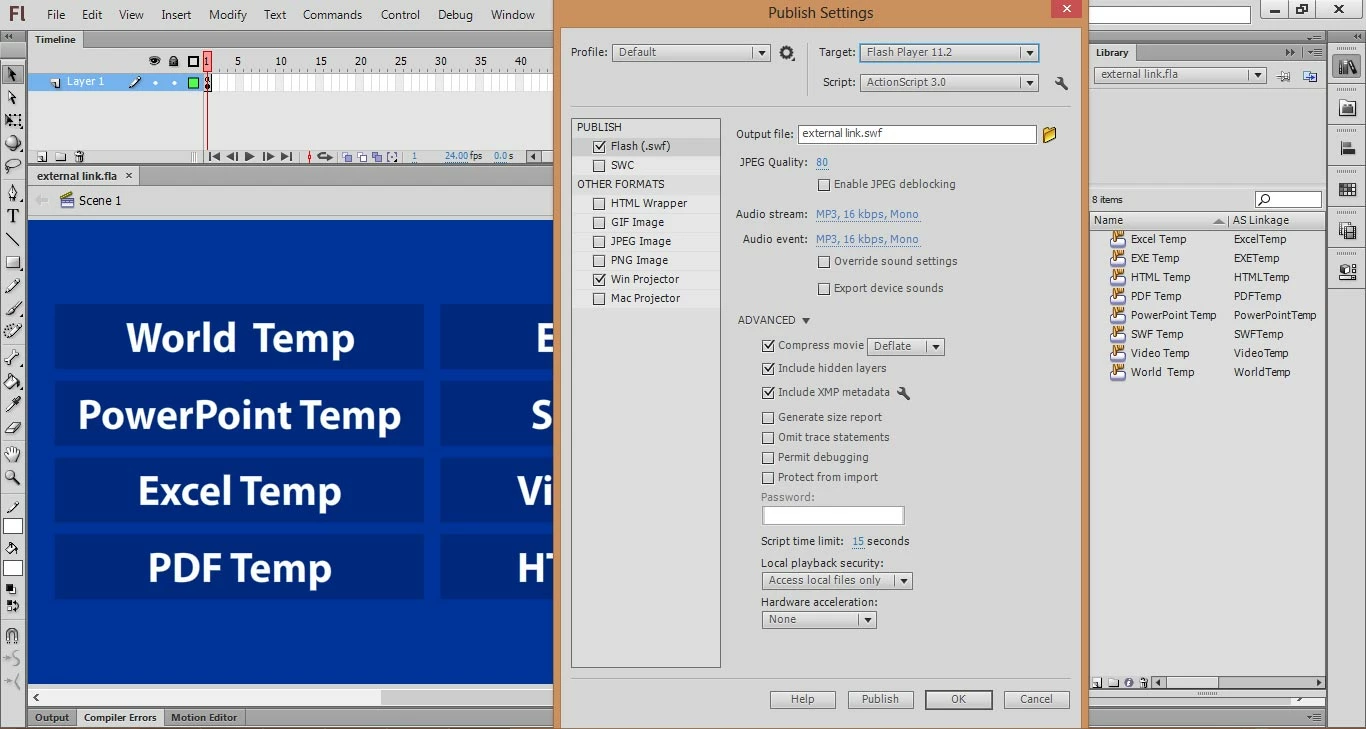
This topic has been closed for replies.
Correct answer kglad

Need only SWF and EXE files


you don't need the swf.

you're creating a projector (.exe) file.

if you know users will have the programs and default settings to open those file types, you can use fscommand to open them (as long as they files are in an fscommand subdirectory).

you'll need to use an executable helper file, too:  http://www.northcode.com/blog.php/2007/08/07/Conquering-FSCommand-EXEC-Part-1-Proxy

1 reply

kglad
Community Expert
Community Expert
June 30, 2013
71081Author
Inspiring
June 30, 2013

Is there other why to link the external file?

71081Author
Inspiring
July 3, 2013

i understand your problem.  you don't need to keep explaining about what's inside your fla.

i'm trying to determine how your published app will be used.  if you're publish an air app or projector app, you can do what you want though you may not realize the problem that will occur if your app is used by someone that does not have powerpoint installed, for example.

attach a screenshot of your publish settings panel (file>publish settings).


Need only SWF and EXE files