


How to move Y value of one movieclip based off of Y value of other? (Scrollbar)
Hey there, I'm working in Animate CC HTML5 canvas and trying to build a custom table of contents to be exported and used in an Adobe Captivate file.
I've got the base of my TOC built out - but there will be more slides to navigate to than can fit within the screen, so I'm trying to build a custom scrollbar to move my movieclip with the slide tabs up and down. This is how it looks so far -
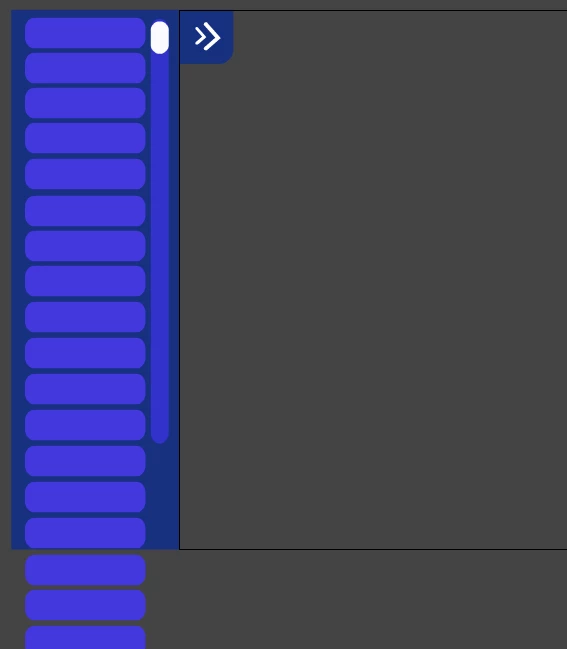
I've successfully masked out my slide tabs movieclip (named slideBoxes) using AlphaMaskFilter. So that all the overflowing slide tabs don't show up.
var box = new createjs.Shape();
box.graphics.beginFill("#000000")
box.graphics.drawRect(0, 0, 320, 1080);
box.cache(0, 0, 320, 855);
//stage.addChild(box);
slideBoxes.filters = [
new createjs.AlphaMaskFilter(box.cacheCanvas)
];
slideBoxes.cache(0,0,300, 1080);
So when it's published it looks more like this:

And I've got my scroll icon (a movieclip named scrollIcon) to move up and down within an invisible bounding box:
var scrollIconHeight = 31;
var bounds = {x:273, y:17, width: 38, height: 851};
var sliderBoundary = new createjs.Shape();
sliderBoundary.graphics.beginStroke("#999")
.setStrokeStyle(2)
.drawRect(bounds.x, bounds.y, bounds.width, bounds.height);
this.stage.addChild(sliderBoundary);
function moveScroll(evt){
var p = this.globalToLocal(evt.stageX, evt.stageY);
evt.currentTarget.y = Math.max(bounds.y + scrollIconHeight, Math.min(bounds.y + bounds.height - scrollIconHeight, p.y));
}
Now I'm stuck trying to figure out how to "scroll" my slideBoxes movieclip while the scroll icon is being "scrolled" down. And how to make sure it doesn't go past it's height in either direction. I tried adding this line into my moveScroll function:
slideBoxes.position = (slideBoxes.offsetTop - evt.stageY);
but it's doing nothing. I'm still very fresh with javascript and not good at all with maths or equations.
Any help would be much appreciated! I'm finding a lot of stuff online for creating scrollbars with different js libraries, but I'm not sure if it'd be worth loading in an external library, when I can probably do it with just vanilla javascript?
 AdChoices