


New Participant
September 15, 2023
Answered

How to remove unnecessary space from a symbol

  • September 15, 2023
  • 1 reply
  • 685 views

So i downloaded a sprite of a character and I have to seperate every frame and make them into symbols so I can start using it, but the best way to do so is the lasso tool and my hand is not very precise, which allows useless space to enter the symbol and it kinda affects the animating process. How can I remove easily that useless space? Is there a better technique to use so I can seperate the sprite easier and better?
    This topic has been closed for replies.
    Correct answer Mario_CR

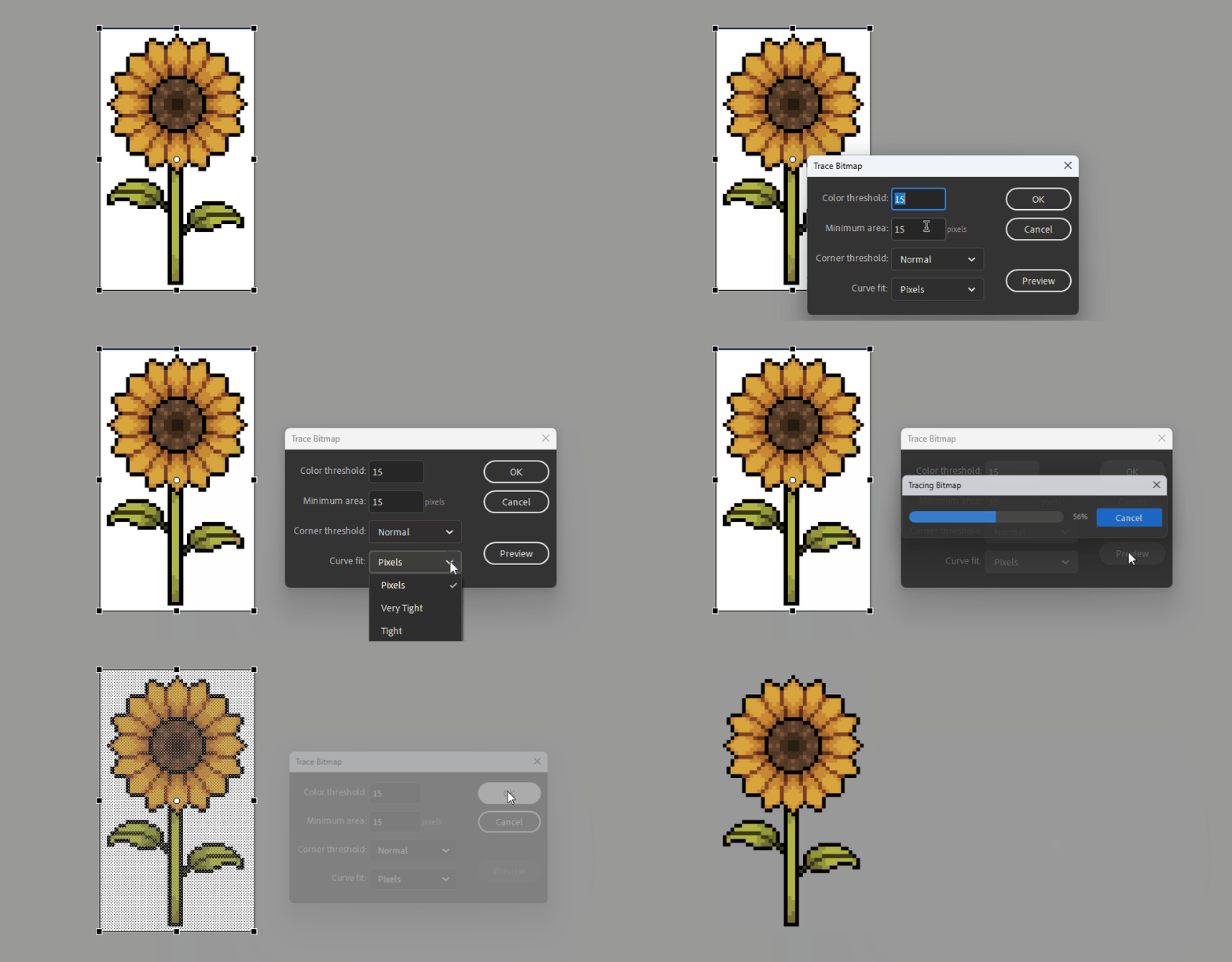
    Using that removes some of the corners


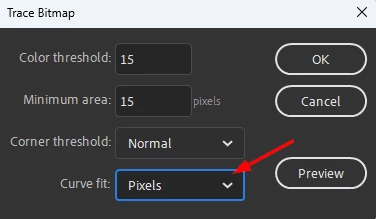
    Change Curve Fit to Pixels:


    If some colors are removed, adjust the Color threshold, the smaller the number the more colors will be traced.

    Minimum Area works in a similar manner, the smaller the number the more vector points the shape will have.

    1 reply

    kglad
    Community Expert
    Community Expert
    September 15, 2023

    the quickest (i think) would be to use photoshop to remove backgrounds.

    New Participant
    September 15, 2023

    Well I already did that. What I mean is that the frames are still connected together in a picture, right? And I have to seperate each frame but the only way to do that is to use the lasso tool and trace the outlines of the frame by hand but thats impossible. Here is a picture to show you what I mean by useless space.


    I cant perfectly outline the character so I end up adding up more space with the lasso.


    kglad
    Community Expert
    Community Expert
    September 15, 2023

    that background has not been removed.