Known Participant
January 31, 2024
Answered

How to size component in layer

  • January 31, 2024
  • 2 replies
  • 1056 views

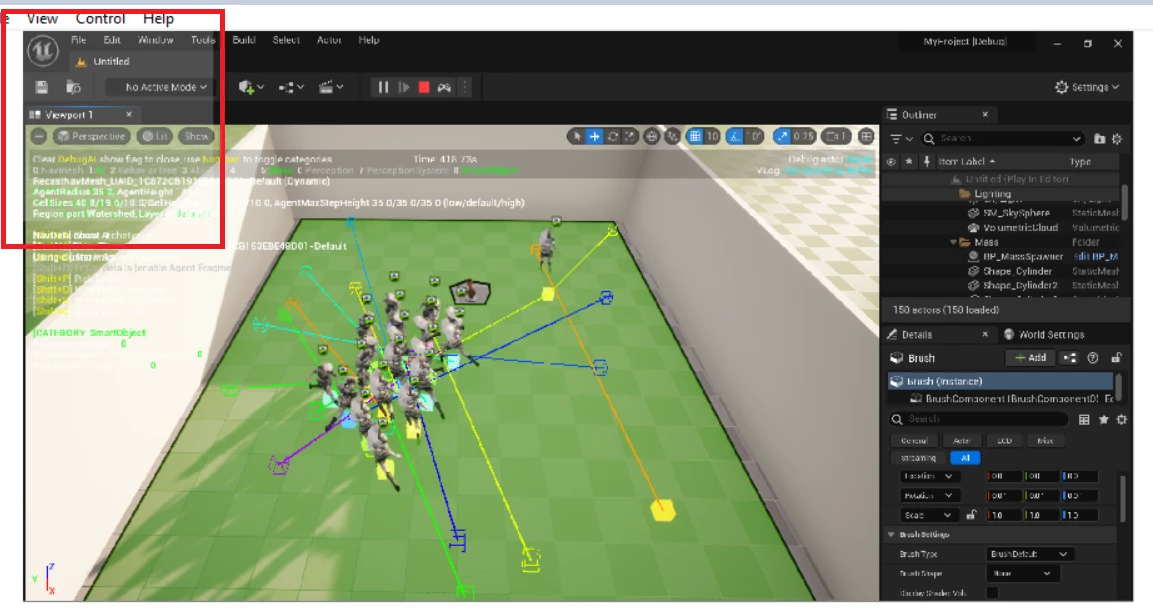
I have a button and I want to add transparency layer to it, now as you can may see(I wrapped the area with a red rectangle) that transparency layer is added only to a portion of the button. I want it to span over the whole button
to summerize:
my goal is
1- I want both the image and the button to have the same size //Done
2- I want when the button is pressed or hovered, to have a (opacity/transparent layer/shade) over it  to give it some tint // Done
3- I want the shade/tint to cover the whole button
This is the code related to this issue, this is how I set the button Width and height inside of the button class

public function SetWidthAndHeight(newWidth: Number, newHeight: Number): void
{
	width = newWidth;
	height = newHeight;
	ImageContainer.height = newHeight;
	ImageContainer.width = newWidth;
}

the problem is The size of the button increase but the shape of the square remain untouched


This is how I add the childs on the main layer,

var g_newButton = new MyButton();
g_newButton.ImageLoader.contentLoaderInfo.addEventListener(Event.COMPLETE, OnCompleteHandler);;
g_newButton.SetWidthAndHeight(200,200);
g_newButton.LoadTestImage();

function OnCompleteHandler(loadEvent: Event) 
{
        //Add the Loaded Image to the Image container Layer
	g_newButton.ImageContainer.addChild(loadEvent.currentTarget.content);
       //Add the Button to the canvas
	addChild(g_newButton);
}

What I am doing wrong?

Thanks in advance


    This topic has been closed for replies.
    Correct answer JoãoCésar17023019

    I uploaded it on google drive, here
    https://drive.google.com/drive/folders/18vAFAREMuPb-c-80wQvrZenaYAp2WHn6?usp=sharing


    Thanks. I will leave here only the relevant part that you can ajust to your case.

    import flash.display.Bitmap;
    import flash.display.Shape;
    import flash.display.LoaderInfo;
    import flash.events.Event;
    
    var g_newButton = new ButtonWithImage();
    
    function OnCompleteHandler(loadEvent:Event)
    {
    	var bitmap:Bitmap = Bitmap((loadEvent.currentTarget as LoaderInfo).content);
    	var baseShape:Shape = g_newButton.ImageContainer.getChildAt(0) as Shape;
    	
    	bitmap.width = baseShape.width;
    	bitmap.height = baseShape.height;
    	g_newButton.ImageContainer.addChild(bitmap);
    }
    
    g_newButton.ImageLoader.contentLoaderInfo.addEventListener(Event.COMPLETE, OnCompleteHandler);
    g_newButton.TestLoadImage("bug1.png");
    addChild(g_newButton);


    I hope this helps.


    Regards,

    JC

    2 replies

    JoãoCésar17023019
    Adobe Expert
    February 1, 2024

    Hi.


    What happens if you try to get the loaded image like this?

    var bitmap:Bitmap = Bitmap((e.currentTarget as LoaderInfo).content);


    Please let us know.

    Regards,

    JC

    moali_Author
    Known Participant
    February 1, 2024

    nothing changes, same result too!

    JoãoCésar17023019
    Adobe Expert
    February 1, 2024

    Is there a file we can use to test what you're trying to do?

    kglad
    Adobe Expert
    February 1, 2024

    assign a rectangle with an alpha of .01

    moali_Author
    Known Participant
    February 1, 2024

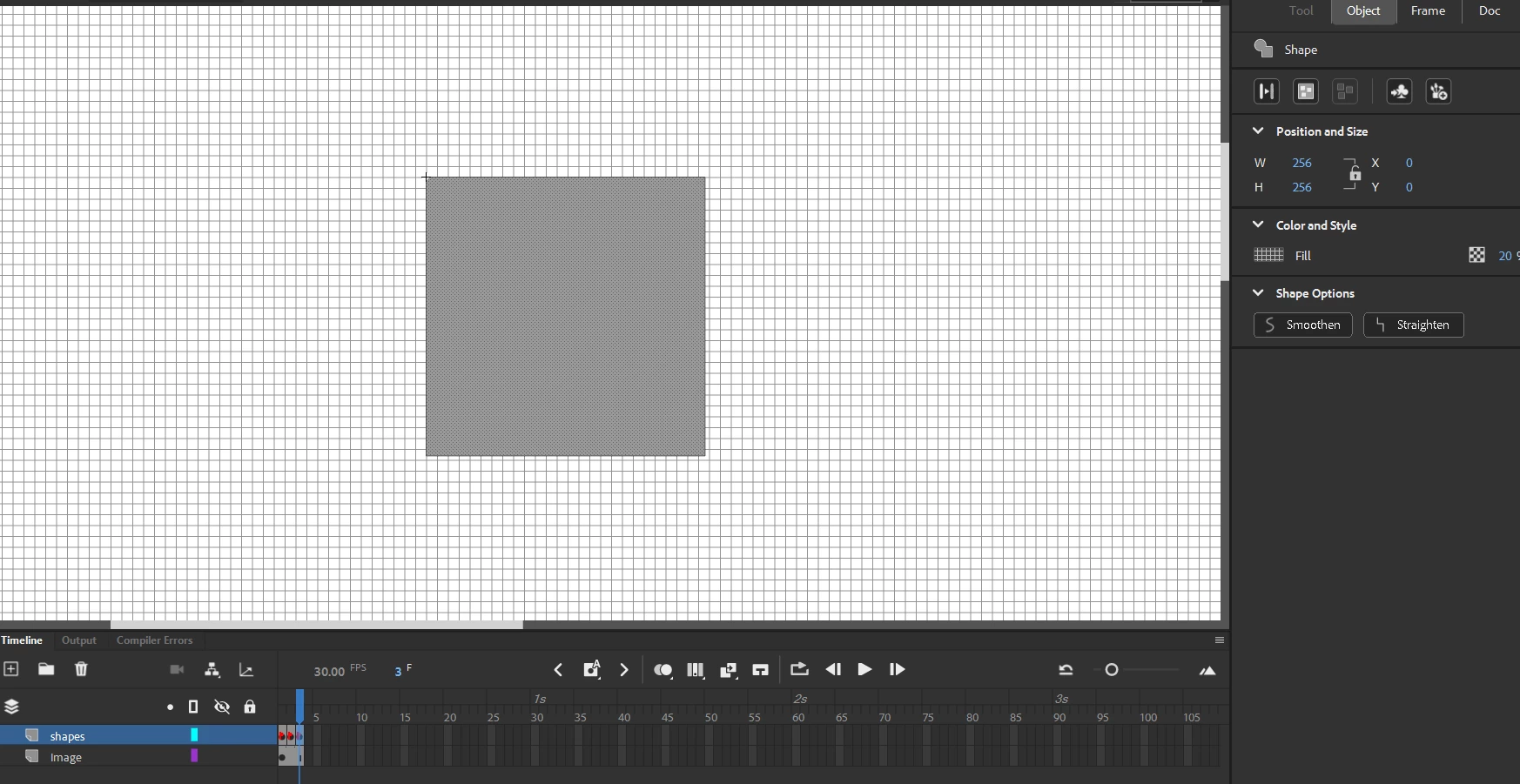
    I have 3 rectangles on the button, created wiyth animate, each has a different shades and it works,
    you can see it in the 2nd image in adobe animate in properties, it has alpha value of 0.2(20%)

    After debugging think i found the problem, i didn't find the answer though 
    I think is related to how i added the children or with the image loader.
    the button size changes after i load the image, so the resulted button after the image is loaded is different than the value I set, the size vary depends on the original image size in OnCompleteHandler callback function
    and the rectangles inside the button remain the same with the value i set originally, i edited & highlighted it with red square in the first image, the shaded area has the correct size(i didn't realise that when i made the post)

    also when i change the order of the  addChild function i get weird behavior depends on the order! this is why i think the order might be the issue, but so far everything fails to work properly

    g_newButton.ImageLoader.content is null within OnCompleteHandler

    function OnCompleteHandler(loadEvent: Event) 
    {       // this is null
            trace(g_newButton.ImageLoader.content);
            //size vary based onimage used
    	trace("button width " +g_newButton.width);
    	trace("button height " +g_newButton.height);
            these line fails
    	//g_newButton.ImageLoader.content.height =100;
    	//g_newButton.ImageLoader.content.width = 100;
    
    
            //this is not null
    	g_newButton.ImageContainer.addChild(loadEvent.currentTarget.content);
           //Add the Button to the canvas
    	addChild(g_newButton);
    }

    I read that loader.content inside of the callback might allow me to adjust the image size but it's null and  loadEvent.currentTarget.content is not null, 


    kglad
    Adobe Expert
    February 1, 2024

    set your width/height after loading completes and the image is added to the display.