


Inspiring
March 4, 2022
Answered

HTML Canvas / Easel.js - Frosted glass effect

  • March 4, 2022
  • 1 reply
  • 1433 views

How would I create a dynamic frosted glass effect? 


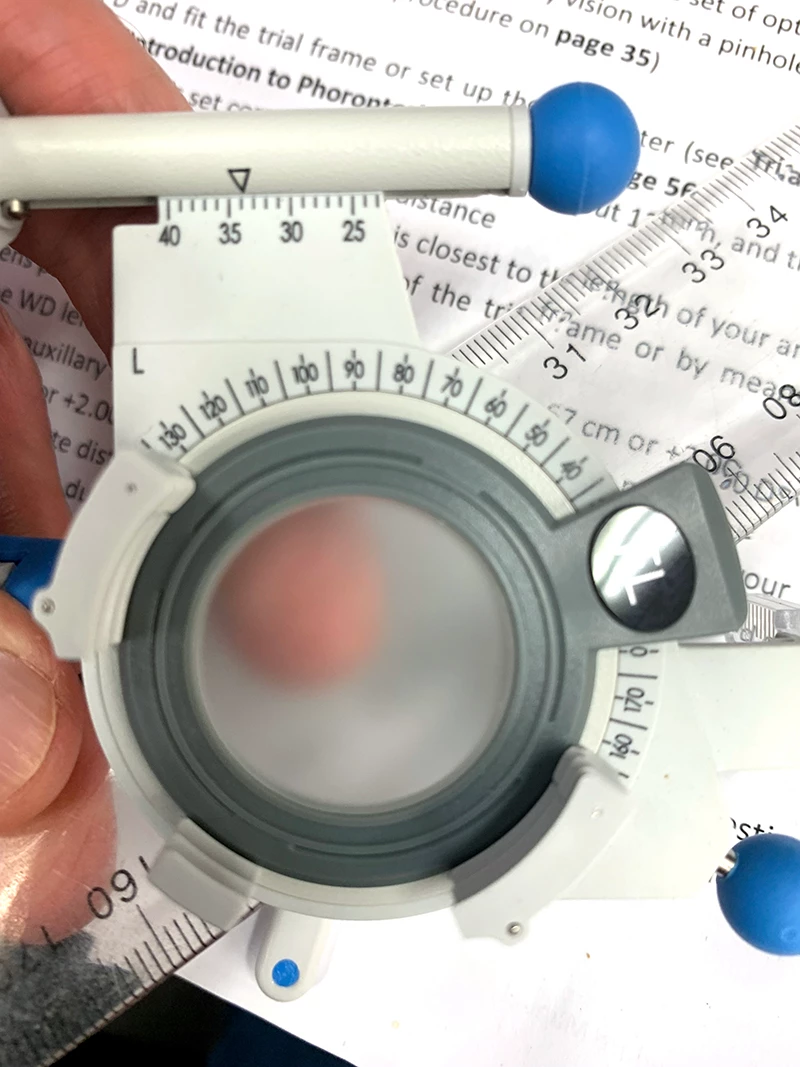
This is for a lens on an optometry trial frame. 


The lens is frosted, so that the object behind the lens is more or less depending on the distance between the object and the lens. 


It needs to be a dynamic effect simualting a real frosted lens.
 

    This topic has been closed for replies.
    Correct answer FlatChat

    i don't see how to do this: The frosting/blur needs to be dynamic in Animate, and uniform, so that the frosting/blur is apparent when an element is moved behind the frosting/blured lens.


    @kglad   JC solved this for me while helping on the lens magnify effect.


    https://community.adobe.com/t5/animate-discussions/magnifying-lens-html5-canvas/m-p/12800595

    1 reply

    kglad
    Community Expert
    March 4, 2022

    start with a blur filter

    FlatChatAuthor
    Inspiring
    March 5, 2022

    @kglad   Thanks.  Would that work dynamically??  Also I don't think the blur would be consistent across, say a white filled circle with say 50% alpha.   The blur would graduate from the centre to the edge.

    kglad
    Community Expert
    March 6, 2022
    quote

    yes, you can use a filter dynamically, but for a uniform look, just import a frosted glass image.


    By @kglad


    Not sure what you mean by import a frosted glass image. 


    Frosting or blur would only be apparent when another image is behind the frosted or blured image. 


    If you export just the element that has the frosted/blurred filter applied say in Illustrator (the whole project is vector graphics), then it would just be opaque in Animate.


    The frosting/blur needs to be dynamic in Animate, and uniform, so that the frosting/blur is apparent when an element is moved behind the frosting/blured lens.


    i don't see how to do this: The frosting/blur needs to be dynamic in Animate, and uniform, so that the frosting/blur is apparent when an element is moved behind the frosting/blured lens.