


avid_body16B8
Legend
May 21, 2019
Answered

icon in the list component AS3- Is it possible

  • May 21, 2019
  • 1 reply
  • 1678 views

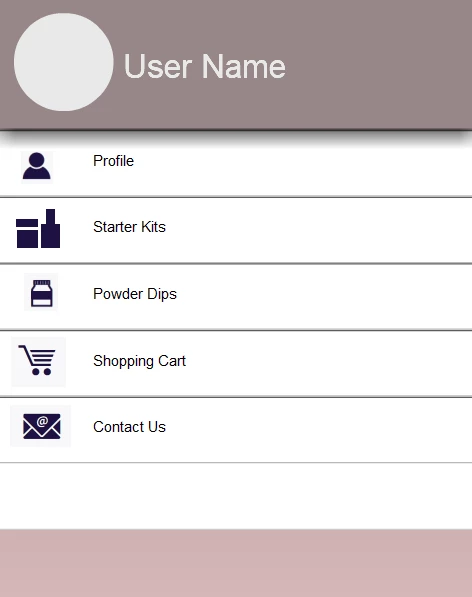
I am wondering if there is a way to add icons in the list component.
    This topic has been closed for replies.
    Correct answer JoãoCésar17023019

    Hi, res.

    Something like this should do the trick.

    AS3 code:

    import fl.data.DataProvider;

    import fl.controls.List;

    var icons:Vector.<Class> = new <Class>

    [

         Square, // linkage name in the Library

         Circle,

         Triangle

    ];

    var i:int;

    var total:int;

    var totalNewItems:uint = 10;

    list.iconField = "iconSource";

    list1.iconField = "iconSource";

    // replace current items

    for (i = 0, total = list.dataProvider.length; i < total; i++)

         list.dataProvider.replaceItemAt({iconSource:icons[i % icons.length], label:"Item " + i}, i);

    // add new items

    for (i = 0; i < totalNewItems; i++)

         list1.dataProvider.addItemAt({iconSource:icons[i % icons.length], label:"Item " + i}, i);

    FLA download:

    animate_cc_as3_list_component.zip - Google Drive

    Regards,

    JC

    1 reply

    JoãoCésar17023019
    Community Expert
    JoãoCésar17023019Community ExpertCorrect answer
    Community Expert
    May 21, 2019

    Hi, res.

    Something like this should do the trick.

    AS3 code:

    import fl.data.DataProvider;

    import fl.controls.List;

    var icons:Vector.<Class> = new <Class>

    [

         Square, // linkage name in the Library

         Circle,

         Triangle

    ];

    var i:int;

    var total:int;

    var totalNewItems:uint = 10;

    list.iconField = "iconSource";

    list1.iconField = "iconSource";

    // replace current items

    for (i = 0, total = list.dataProvider.length; i < total; i++)

         list.dataProvider.replaceItemAt({iconSource:icons[i % icons.length], label:"Item " + i}, i);

    // add new items

    for (i = 0; i < totalNewItems; i++)

         list1.dataProvider.addItemAt({iconSource:icons[i % icons.length], label:"Item " + i}, i);

    FLA download:

    animate_cc_as3_list_component.zip - Google Drive

    Regards,

    JC

    avid_body16B8
    Legend
    May 21, 2019

    JC you are amazing! This is exactly what I was looking for.

    Muito obrigada.

    JoãoCésar17023019
    Community Expert
    Community Expert
    June 27, 2021

    JC,


    I have attached a file. Bottom line is, once you click the buttons and a particular item in the list component has an "ON" and the label value matches the movieclip.data value then I want to decrease the alpha as an example.


    Hi again, Umberto!


    It seems the file wasn't attached. Can you verify this? Alternatively, you can upload your file to a file sharing service / platform like Creative Cloud, Dropbox, Google Drive, One Drive, or WeTransfer and post the link here.
