


Question
Importing PNG-based Videos
I have a set of overlay effect videos that can be imported fine into After Effects, but when I go to add them to stage in Animate they don't show up. When I try to import video the following error comes up:
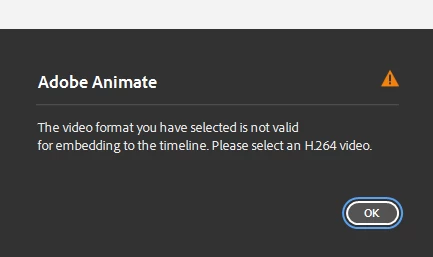
When I convert to a H.264 it just adds a video player of the clip into the stage and not the video with the transperant background. The videos are encoded in PNG format for what it's worth (and as mentioned work as intended in Adobe After Effects).
It would be nice to be able to import them to use them inside timeline animations but I supposed exporting the animation and then further editing in After Effects might be the only option but I wanted to check.
Thanks team!
 AdChoices