Participant
February 24, 2023
Answered

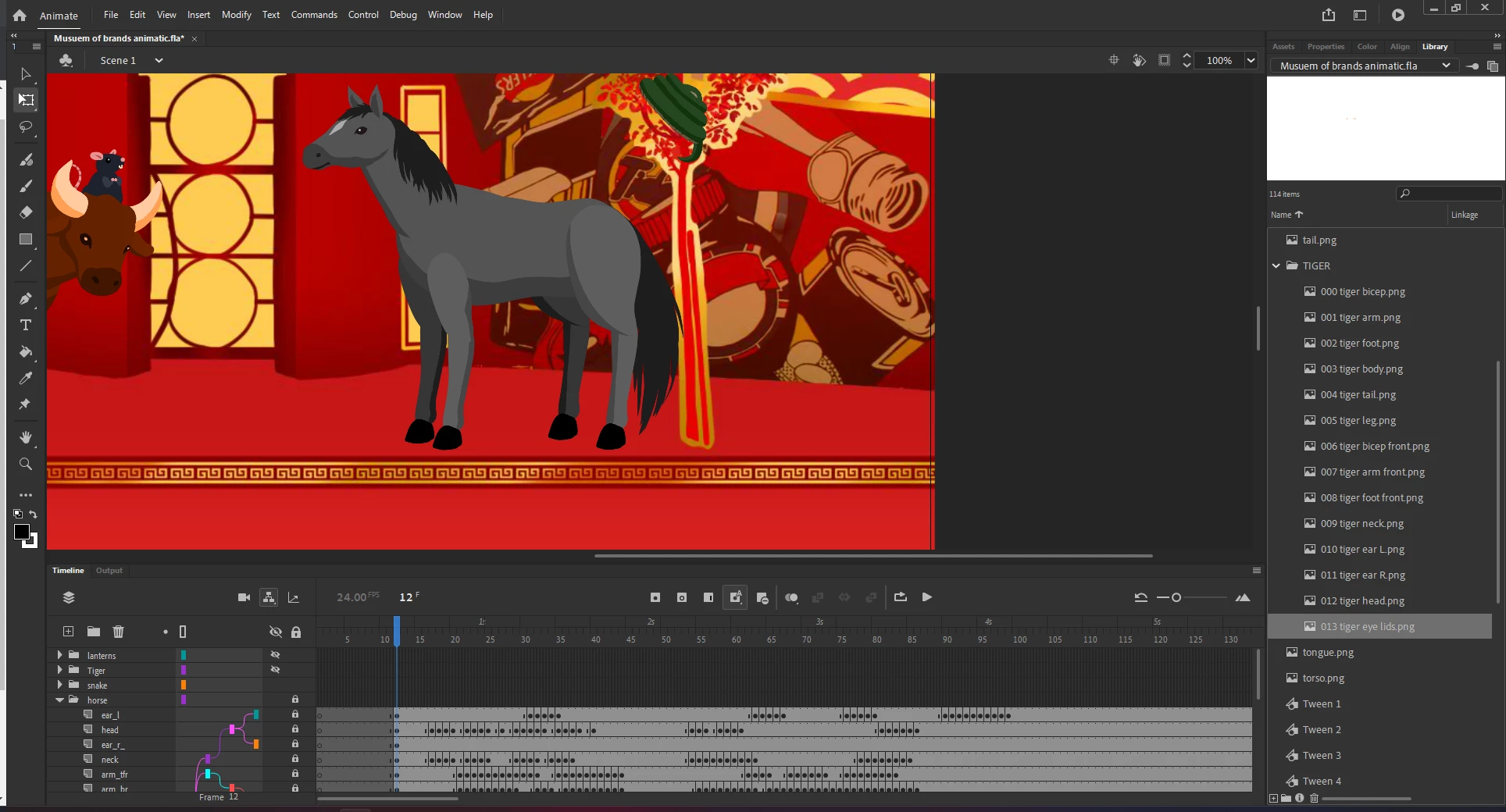
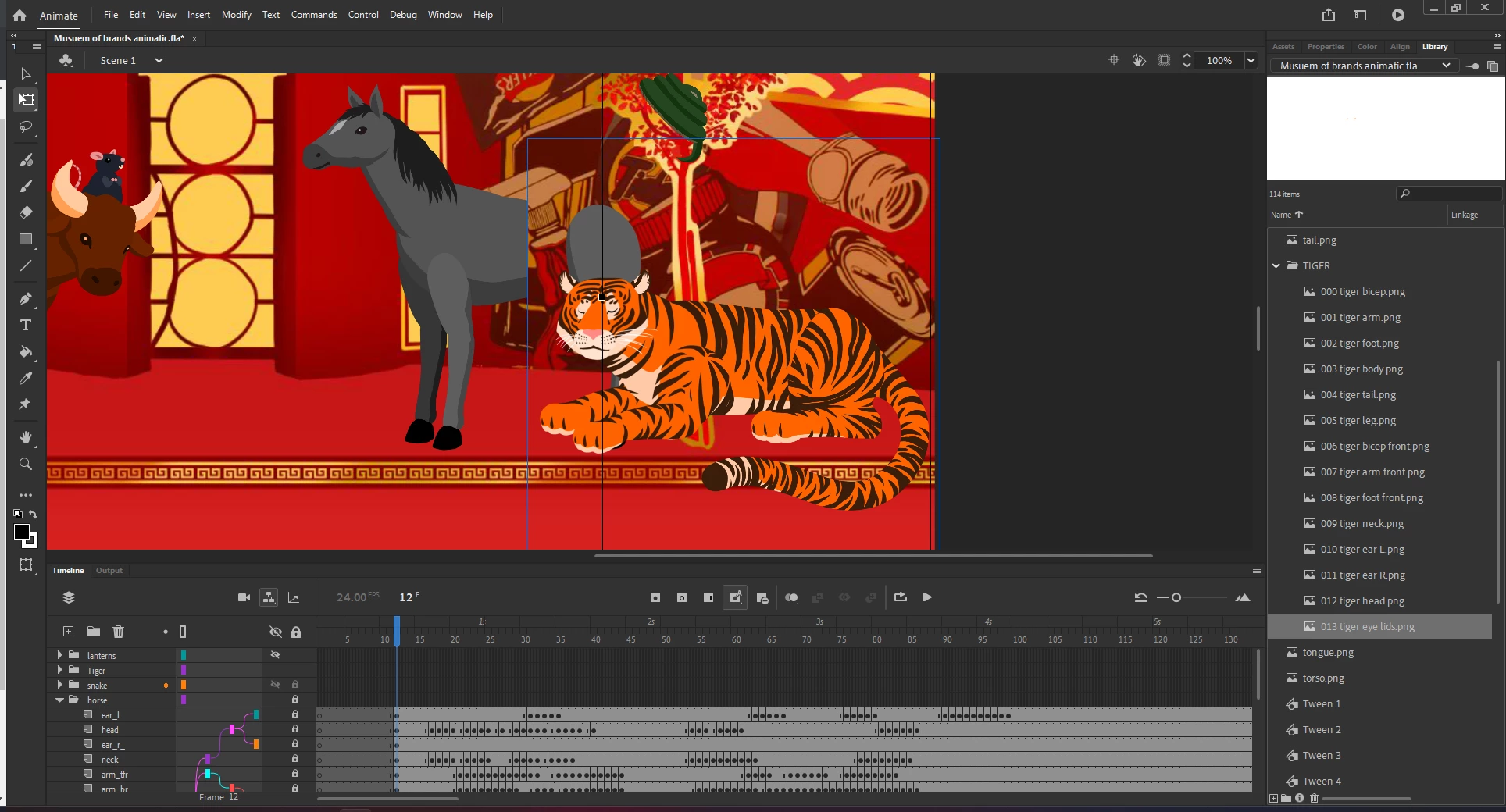
Layered Transparent PNG's show up invisible or clipped

  • February 24, 2023
  • 2 replies
  • 1309 views

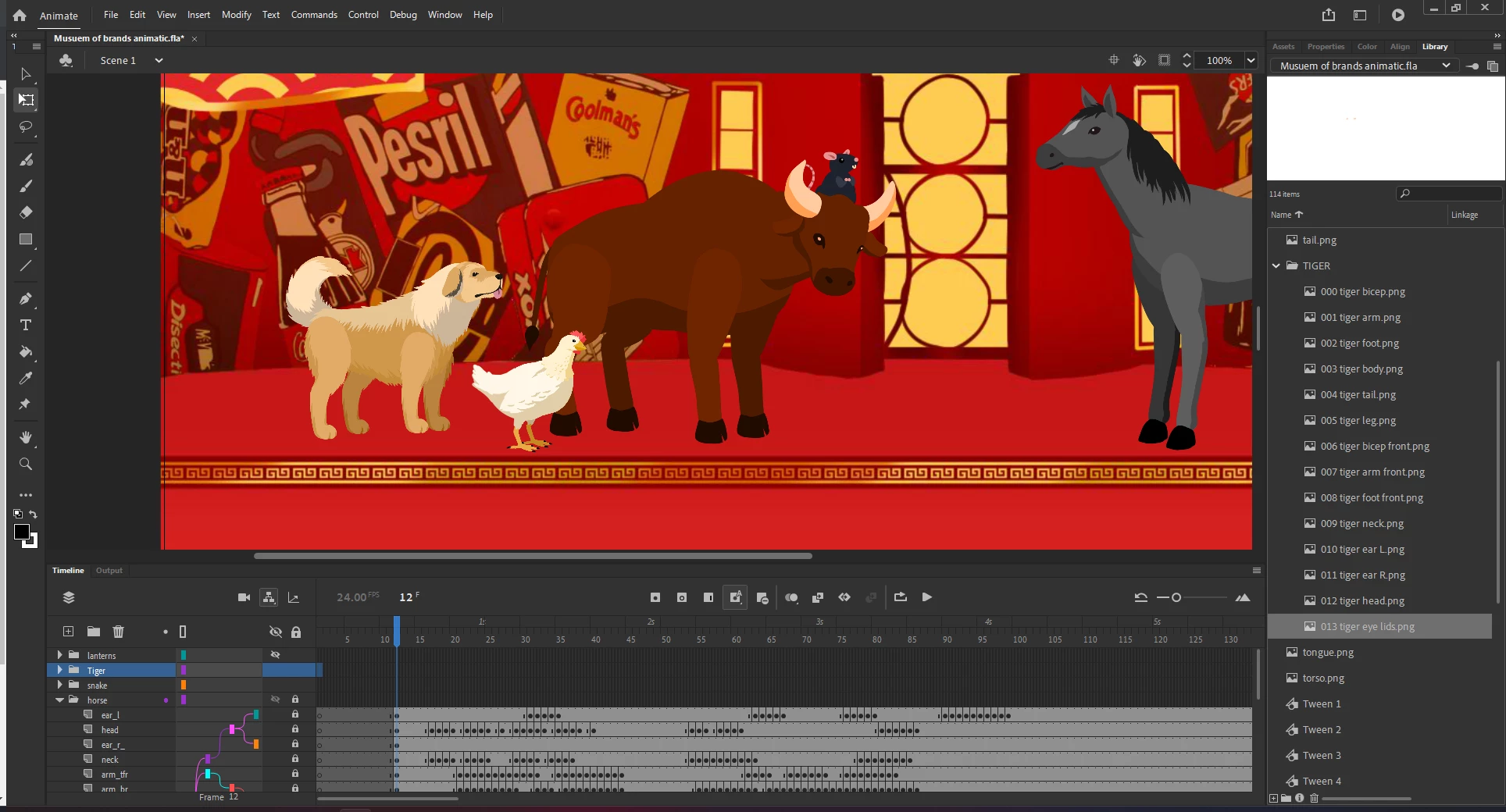
I'm having an issue where parts of the puppets I've rigged don't show up behind other PNG/puppets, the puppets were drawn 1500x1500 and were shrunk down to fit the screen (1920x1080). It for some reason doesn't have an effect if it's shrunk down small enough (like the chicken).


This topic has been closed for replies.
Correct answer Mario_CR

I'm not sure, it breaks the rig if I don't unrig it beforehand and for some, it still breaks even if I disconnect it. sorry for the late response, here is the project file: 

https://drive.google.com/file/d/1eca2LtwagcHHbq8XVF1poP0e17gS8Vvw/view?usp=share_link


Thank you, there are three main errors as far as I can tell:

Error #1 As I suspected every body part was laid out as bitmap on the main stage without converting it to symbol.
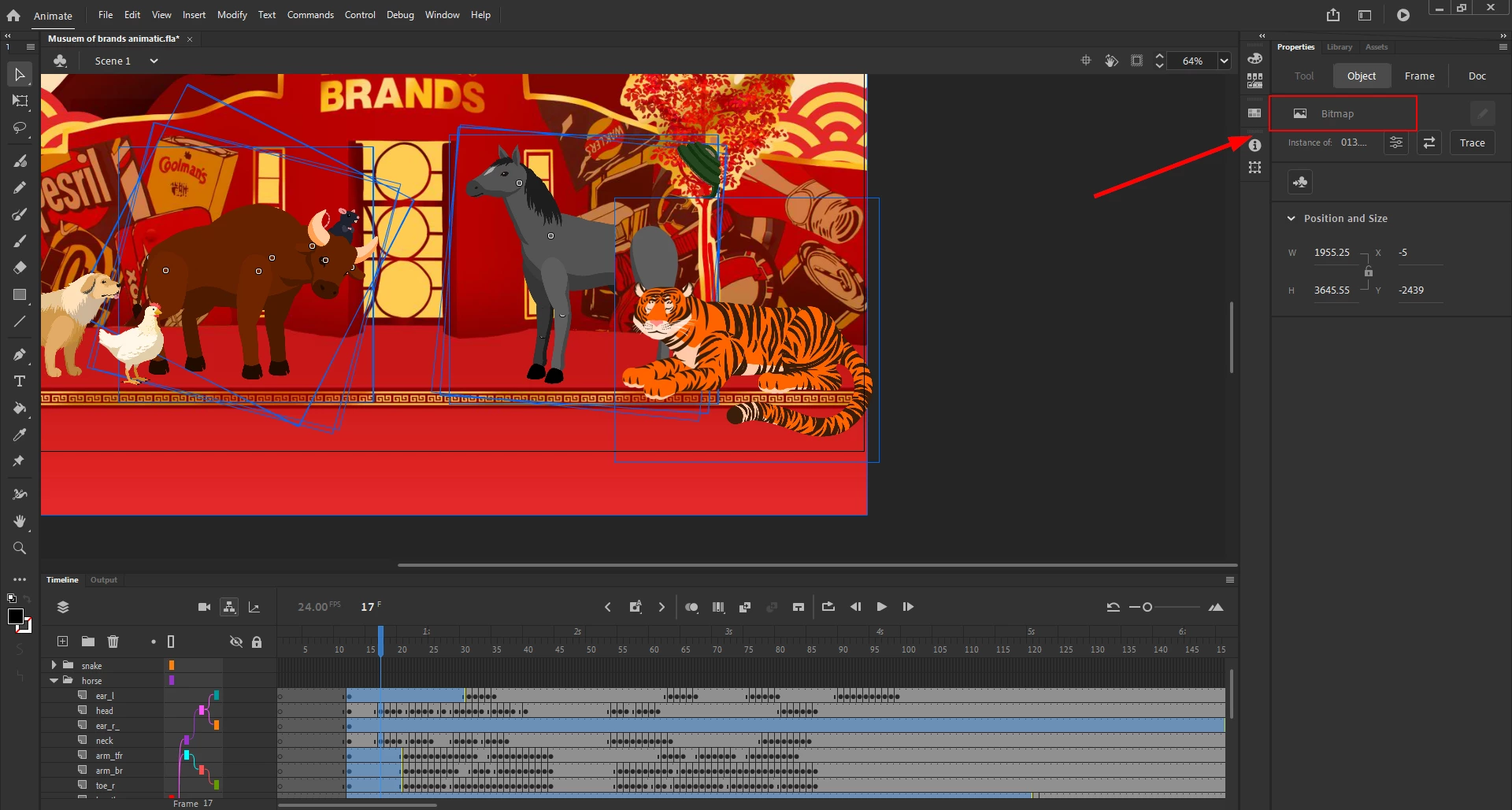
Error #2 was parenting the bitmaps.

Error #3 was adding keyframes and animating those bitmaps creating duplicates in your library called Tween#1, Tween#2, Tween#3 etc.
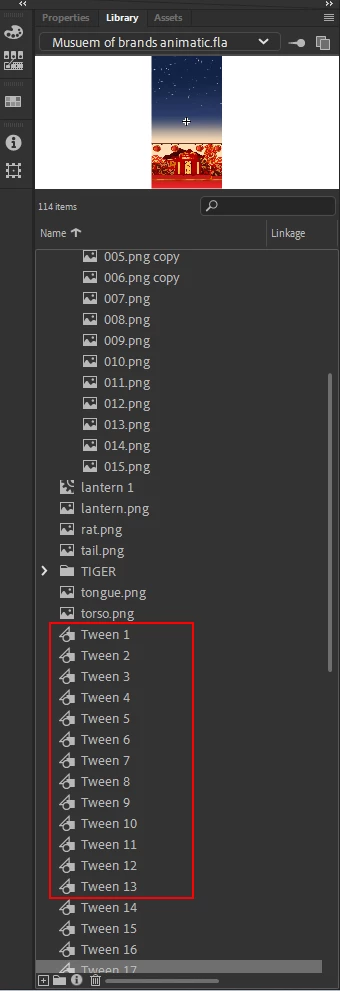
 

These are common beginner mistakes. I recommend you to watch some tutorials about the basics of the software before attempting such a project. Here's a good place to start: https://www.youtube.com/watch?v=E-doxha22QI&list=PLmxcIrCbCbSjcG8Qw_cSF9lVZrF1-X56_&index=2


To summarize, everything should've been converted to symbol first before adding any keyframes.

When it comes to parenting, use it only with symbols, don't parent bitmaps, raw drawings, groups etc. Converting parented parts to vector will throw their position off.


Regarding your file, it isn't an easy fix, I managed to get rid of the bitmap disappearing issue somewhat by converting only the tiger to vector but still, all the other issues remain, consider starting from scratch if you're able to:

https://drive.google.com/file/d/1BKGTGHXNfh-wKVUw9E1SVJpTp5Skdi-k/view?usp=share_link



2 replies

Community Expert
February 27, 2023

An easier way to do this in the future would be to take your PNGs into illustrator, image trace them all, then expand them. Now they are vectors. Now you copy and paste each into animate and use the wrap tool, or you can break them up and rig them with bones. When using bones I prefer the 3rd party extension https://flash-powertools.com/

Mario_CR
Community Expert
Community Expert
February 24, 2023
Participant
February 24, 2023

I've converted them to Vector and at first, seemed to fix the issue but it would break once I rig it again, it would also completely break the rabbit puppet.


_keyframer
Community Expert
Community Expert
February 27, 2023

Thank you for your advice and for correcting some stuff, I think I'll export what I have and restart with that as a base layer.


I've seen weird issues with bitmaps disappearing when they are very high resolution, imported into Animate and then scaled down. Animate doesn't handle the rendering of bitmaps very will in this situation unfortunately. 

Animator and content creator for Animate CC