


Answered
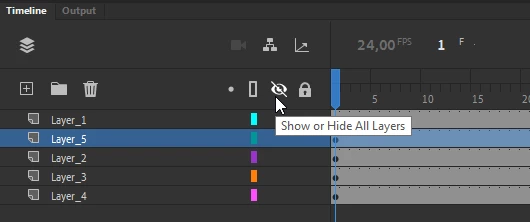
LAYERS - "Show Others Transparent"
HELP! I am doing frame by frame animation that involves groups of characters overlapping. It's really hard to see what I'm drawing when I'm drawing a character passing anther character. When right clicking a layer there is an option to "Show Others Transparent." This is very helpful. BUT, I can't figure out a way to make the other layers go back to full opacity again. It seems like the only way is to click on all the other layers individually and change them back to full opacity. My animation has over 200 layers and it would take ten minutes to restore opacity.
Why would they create an option to make all other layers transparent but provide no option to revert back? What's the use? Am I missing something?
 AdChoices