


New Participant
November 8, 2019
Answered

Motion Tween + Camera Pan + 3D Rotation Tool is not Working

  • November 8, 2019
  • 2 replies
  • 1601 views

Just as a brief description, I'm currently working on a school project where we've just been introduced to Animate, so I may not be completely knowledgable here, however, I'm seeing a couple confusing issues when I try to blend the use of the 3D rotation tool and motion tween to make the effect of a door opening.

When I try rotating the door in 3D, it teleports over to the left a ways and rotates around that axis instead of where I want it (at the door). However, when I export the .swf file, it renders differently. Instead of teleporting to the left, it just jitters about the hinge and that's it. I'm really confused. Any help would be appreciated.


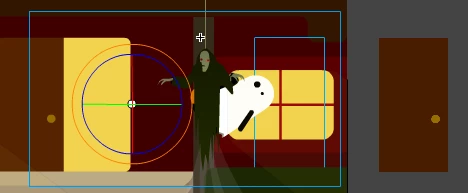
Here is the door at the beginning of the motion tween
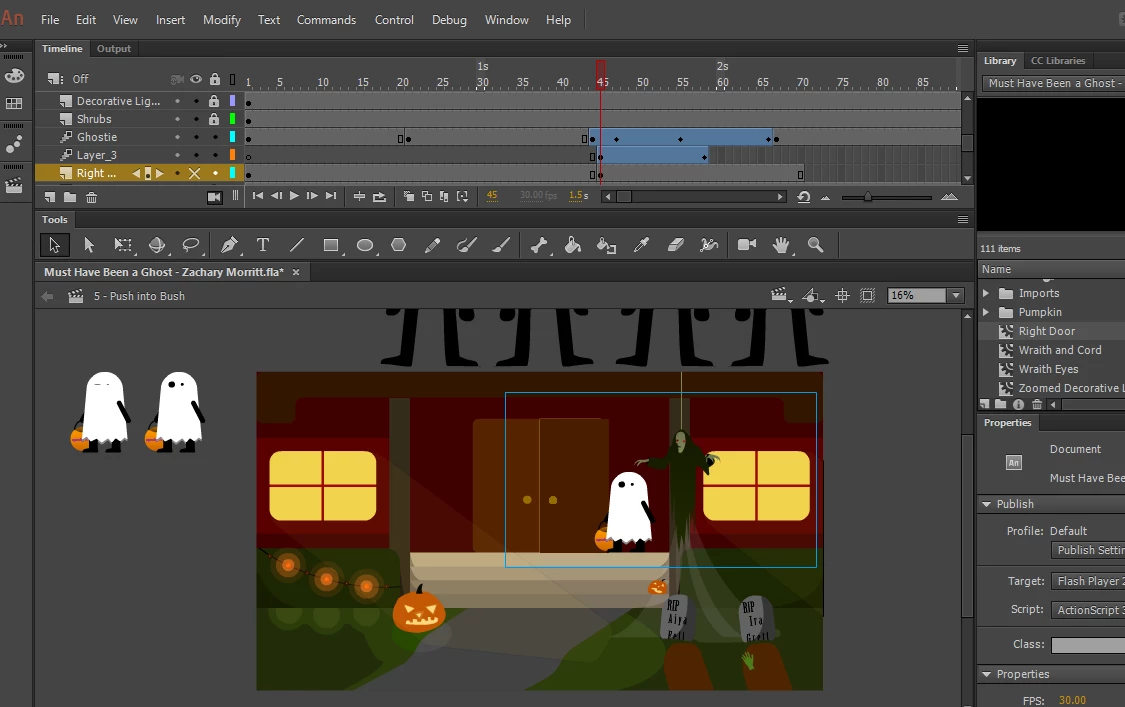
Here the door has swung all the way to the right. Note that the center point for the rotation is on the edge of the door, but the door itself rotates well beyond that axis.
 

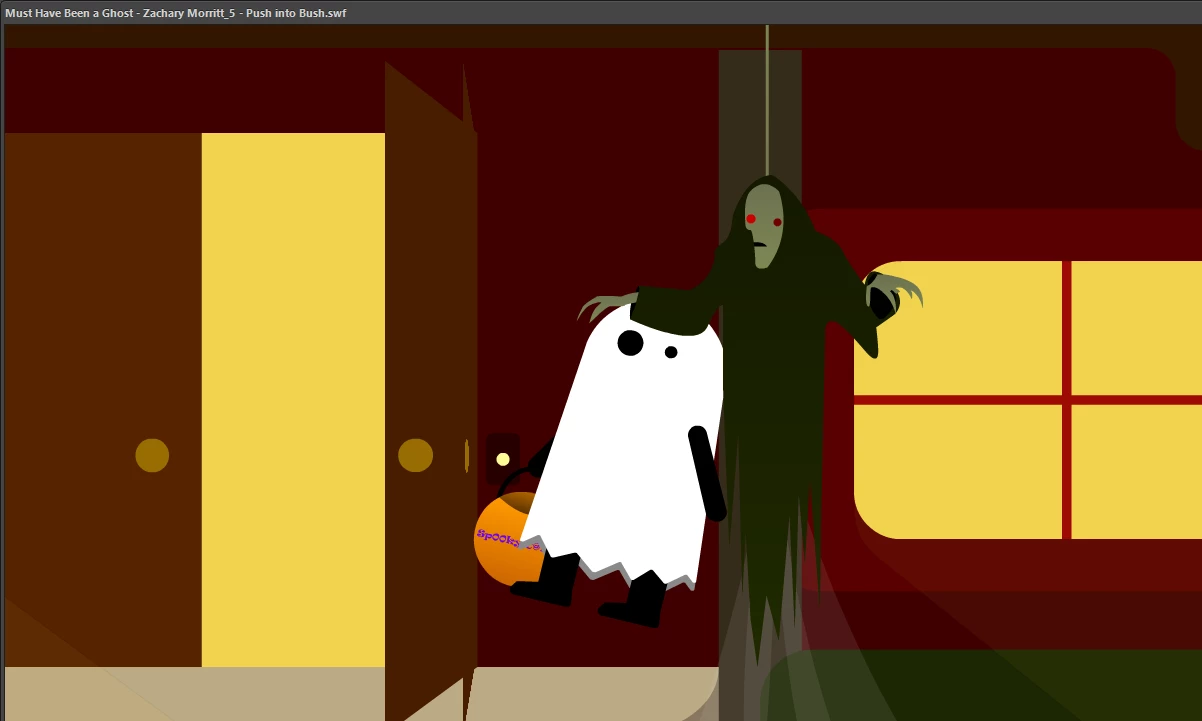
When I export the scene, the door doubles up and glitches around, but doesn't swing all the way to the right as it does in the timeline before I export.
To me this looks like a bug, but I need to have some sort of work-around here to actually smoothly animate the door opening. Until then, I'll try aniamting it some other way, but this seems really annoying. I think this has something to do with the camera panning? Again, thanks in advance to anyone who has the time to look at this and give their suggestions.


This topic has been closed for replies.
Correct answer mark@headTrix

Hi,


seems like there is too much involved, especially if you are new to Animate.


I suggest using a simple shape tween with shape hints.

So place your door (closed) in one keyframe as an Ungrouped Object (not a symbol - or press Command B to break it apart from the library and make it an ungrouped vector object) then about 5-10 frames down the timeline place the art for the open door as you showed in your screenshots above (also make sure it is ungrouped) then right click between these two keyframes and select "Shape Tween". 


When you play it back it won't look like you want it... .but now you just have to add shape hints one at a time to lock in the pivet points. 

But once its complete it can't be moved (since it will disrupt all the shape hints) so might be smart to create this in a movieclip so you can move it and scale it and even recolor it.


Hope that helps!
cheers, 
mark


2 replies

mark@headTrixCorrect answer
Community Expert
November 8, 2019

Hi,


seems like there is too much involved, especially if you are new to Animate.


I suggest using a simple shape tween with shape hints.

So place your door (closed) in one keyframe as an Ungrouped Object (not a symbol - or press Command B to break it apart from the library and make it an ungrouped vector object) then about 5-10 frames down the timeline place the art for the open door as you showed in your screenshots above (also make sure it is ungrouped) then right click between these two keyframes and select "Shape Tween". 


When you play it back it won't look like you want it... .but now you just have to add shape hints one at a time to lock in the pivet points. 

But once its complete it can't be moved (since it will disrupt all the shape hints) so might be smart to create this in a movieclip so you can move it and scale it and even recolor it.


Hope that helps!
cheers, 
mark


headTrix, Inc. | Adobe Certified Training & Consulting
create_0rAuthor
New Participant
November 8, 2019

Thanks, I'll try that when I have the opportunity to do so. Thank you so much for the help!

Community Expert
November 11, 2019

you are very welcome!

headTrix, Inc. | Adobe Certified Training & Consulting
Preran
Community Manager
Community Manager
November 8, 2019

If you think this issue is a bug, I suggest sharig your feedback with the team directly using this link http://adobe.ly/1Ov9omX


Thanks,

Preran

create_0rAuthor
New Participant
November 8, 2019

Sure, I'll do that now.