



christineavatar
Brainiac
October 31, 2020
Answered

my .png file has 120 frames - HELP

  • October 31, 2020
  • 1 reply
  • 503 views

I need to upload a series of .png files made in Character Animator and put them into an Animate sequence as a piece of the finshed product. How can I do that to have the sequence look right. The most I've figured out is to put them in one at a time. There has got to be an easier way! Any suggestions?
This topic has been closed for replies.
Correct answer n. tilcheff

Christine,


1. Draw a box on stage. Convert to a Graphic symbol. This will be your container for images.

2. Enter the symbol in place by double-clicking it.

3. Delete the box, it was only a place holder. Click on the Blank Keyframe where the box was and press Ctrl+R (Import to Stage).

4. Browse and select your first PNG of the sequence - it should be ending with a number, something like 0001. Click Open.

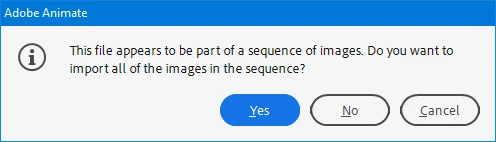
5. This dialog box appears:

Click Yes.

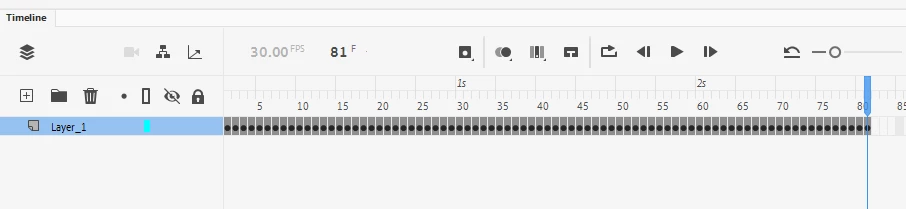
6. The sequence of images is imported each on its own frame.

7. Go outside to adjust position and set the Graphic container to Play Once, if you need.


That's all.


1 reply

kglad
Adobe Expert
October 31, 2020

import your images to stage

select them all (click frame)

distribute to keyframes (right click over selected images>distribute...)

set your framerate

test.

christineavatar
Brainiac
October 31, 2020

Thanks for getting back to me but your method didn't work either. First, I tried putting all the the frames in at the same time and once again the Program shut down due to 'an unknown error'. So, then I tried to just due 10 at a time but that resulted in all ten going into the same frame. I am getting the job done (ever so slowly) inputting them one by one.

n. tilcheff
Brainiac
November 2, 2020

I finally got a chance to try this after I had put all 120 frames singaly into work. I set up a new file I was able to import the cartoon exactly as you instructed. Thank you very much!


Sorry, the reply came a bit too late, but you will know for your next project.

Good luck!


Nick - Character Designer and Animator, Flash user since 1998 | Member of the Flanimate Power Tools team - extensions for character animation