


Known Participant
October 4, 2022
Answered

Need to scale up a project to export to mp4

  • October 4, 2022
  • 1 reply
  • 484 views

Finished a large project last night, only to discover the project settings were entirely wrong for exporting to mp4. I had made my document 800x450, thinking I could increase the size right before export. I've now changed the property settings on the doc to 1920x1080, clicked the scale to content box, but so far, all I've been able to achieve is my original 800x450 animation on a stage that's 1920x1080. What am I missing?
    This topic has been closed for replies.
    Correct answer Colin Holgate

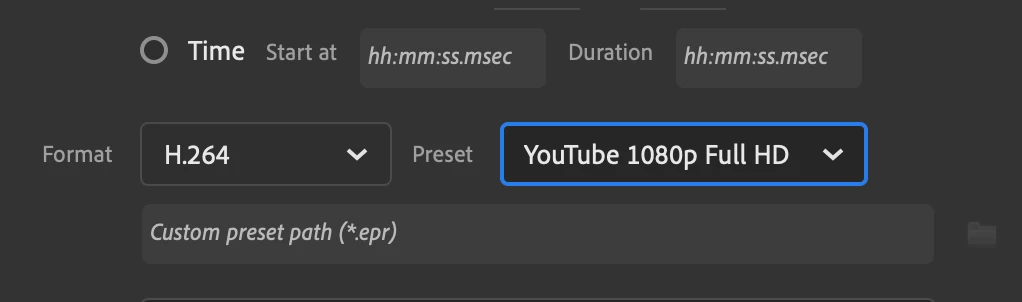
    Make sure to pick H.264 from the left format menu, then you will get a lot of presets. One of those is YouTube 1080p Full HD, that might be a good one to try.


    1 reply

    Colin Holgate
    Inspiring
    October 4, 2022

    You can export your 800x450 stage as 1920x1080. The export media has fields for doing that.

     If you do resize your stage to 1920x1080, make sure it's the scale content box you checked, and not the scale spans box.

    Known Participant
    October 4, 2022

    OMG! I imagined something painful! Thanks so much!


    What setting do you recommend? I know I need a high-quality one - not the default AME - but I've heard people recommend several, none of which I'm seeing in the 2022 version I'm using.

    Known Participant
    October 4, 2022

    Make sure to pick H.264 from the left format menu, then you will get a lot of presets. One of those is YouTube 1080p Full HD, that might be a good one to try.


    The YouTube one worked perfectly. Thank you so much. I was envisioning hours of tedious work.    🙂