


Play audio ONLY when button is clicked (Adobe animate)
Hi guys,
I'm making a scoreboard on Adobe Animate, but I'm having issues in regards to sound for buttons.
Scoreboard is similar to the one used on the TV Quiz show "The Chase".
I've some created buttons for this scoreboard.
These buttons are:
Add one [point] for Team - Button 1
Chaser [Point] Pushback - Button 2
Add One [point] for opponent - Button 3
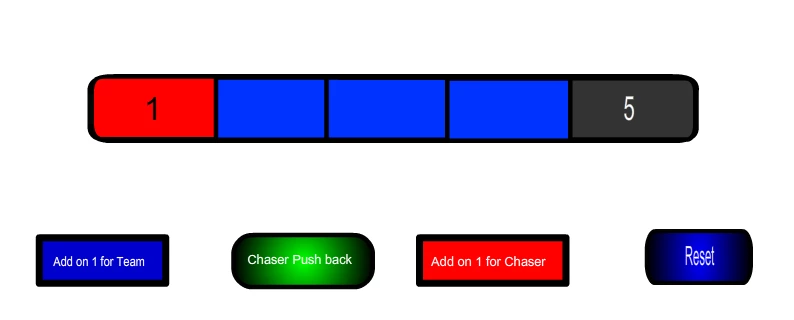
Function:
Button 1 - When this button is clicked, it goes to "next Scene and plays[s]".
Button 2 - When this button is clicked, it goes to "Previous frame and stop[s]".
Button 3 - When this button is clicked, it goes to "next frame and stop[s]".
I want a sound effect to be played when clicked. I've imported 2-4 second sound effects (mp3 files) to the library. When clicking on the button > Properties>Frame>Sound I selected my desired sound effect.
However, there are 2 problems with this:
1) when I preview the animation, button sound effects starts playing without clicking as soon as the frame is entered. I only want sound effect activated when button is clicked.
2) Once I set this sound for one button on that layer, I cannot assign sound to another button, as they all share the same audio file.
Is there anyway I can get these buttons to simply play sound effects ONLY when it is clicked ?
Extra notes:
All butons are on one layer on time line.
I'm new to adobe animate.
I'm not a programmer. But I can make out what code is doing.
Thanks in advance.
 AdChoices