


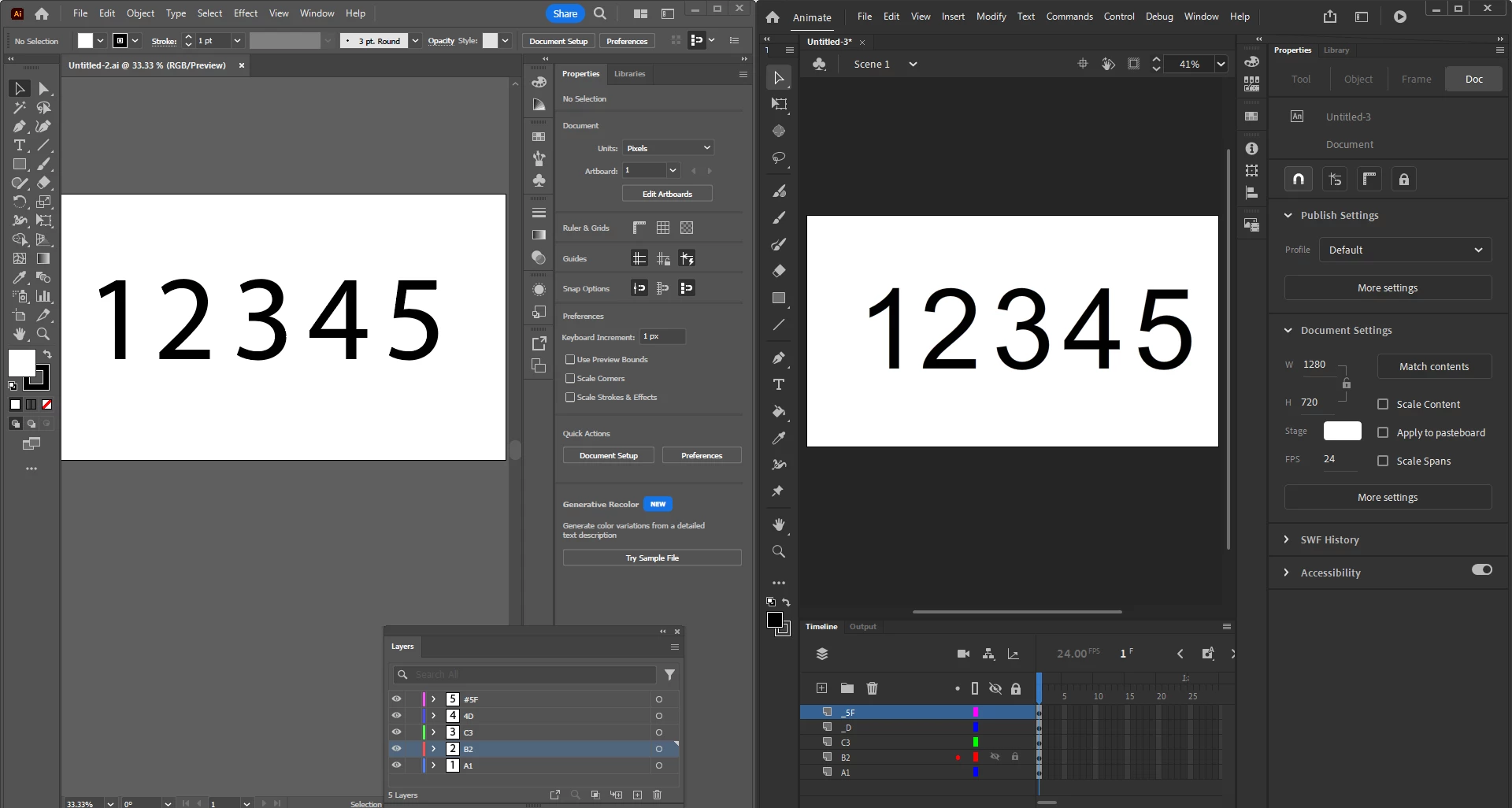
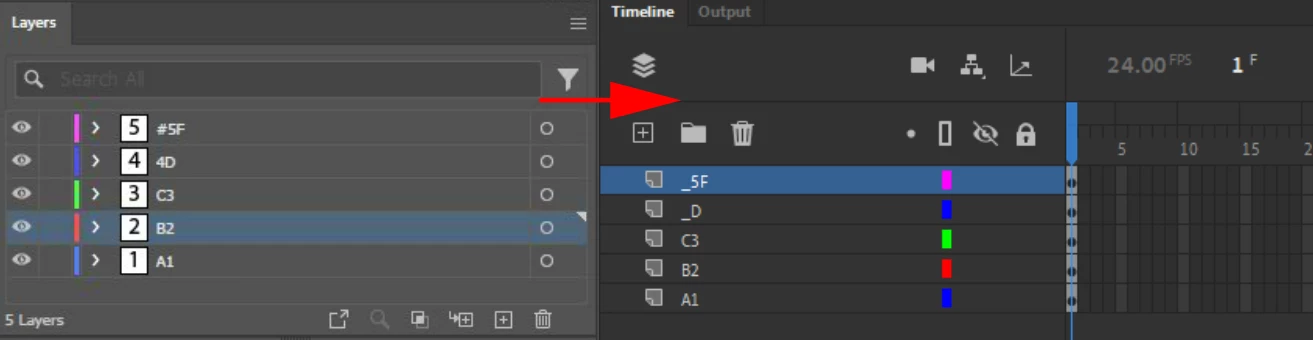
Preserve names of layers in Illustrator when importing into Animate?
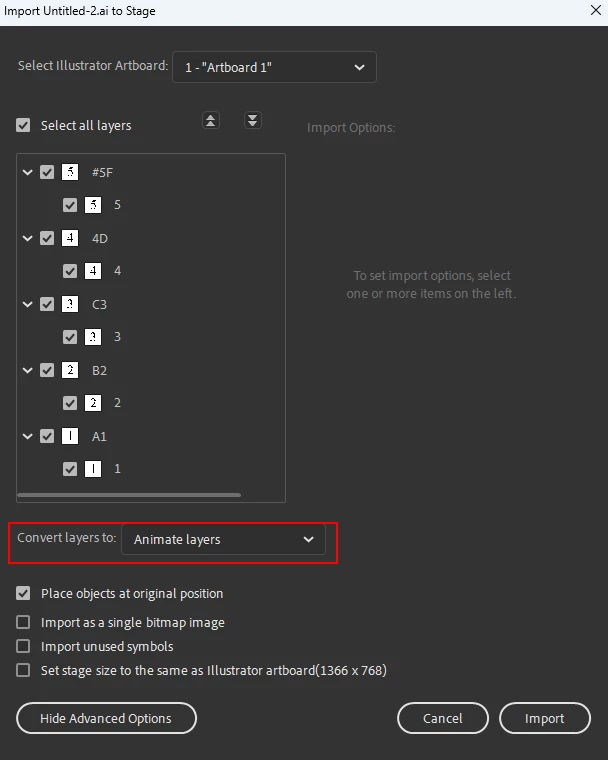
So Flash had this thing where you could check off to preserve layers upon import, but Animate doesn't. This makes it super painful after importation to rename all of the individual parts of the image all over again when I already bothered to do it in Illustrator. Is there a work around so there is a checkbox that says, import all layers and preserve layer names? If there isn't a work around or either, then Adobe should seriously consider readding it back. It would improve my workflow, especially if it remembered folders.
The other thing that irks me, is after I've added bones to a project and then I've changed my mind, there seems to be no physical way to open the symbol to add additional things to the symbol which makes no sense to me. Is there a work around I'm missing. I'm double clicking on the layer with the bones, so it doesn't make sense why I can't open it and then it recalculate the shape. But it works with a regular symbol without bones to it. If this second part doesn't exist, then I'd argue that it should because sometimes you realize you got the shadow or a part wrong*after* you've moved it, and then you have to go back, then add the thing you wanted in the first place, then add the bones, then re warp it, but if you find out later the colors don't quite work the way you wanted after warping it, it means you have to keep repeating it, which interferes with work flow.
I know the whole, "Just create a new layer and paint over it." But for each frame I've created after I've changed my mind? And what if I've got 20 keyframes to shade and they need to be different for each frame now I can't enter the symbol to edit it because it has bones.
 AdChoices