

Flobbles
New Participant
October 8, 2017
Answered

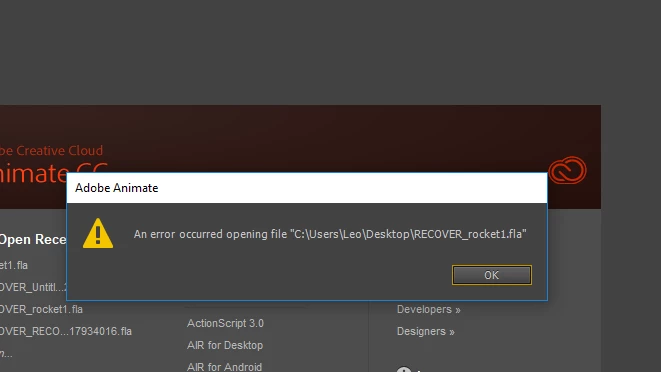
Question: An error occurred opening file Adobe Animate
  • October 8, 2017
  • 5 replies
  • 30256 views

'

Answers please. How do i fix

This topic has been closed for replies.
Correct answer Errata_

Hi !

I had the same problem and found a solution ([PT/ENG] "An error occurred while opening the file" How to get your file back - Animate CC tutorial - YouTube ). You can find previous version of your file there :

- For Windows : AppData > Local > Adobe > AnimateCC > pt_BR > Configuration > Files "RECUPERAR_(...).fla"

- For Mac : Library > Application Support > Adobe > AnimateCC > en_US > Configuration > Files "TMP(...).fla"

I hope this answer can help you.

5 replies

New Participant
June 26, 2019

my file wasnt even there

New Participant
June 13, 2019

Hey,

I am having this exact problem. But there weren't any recovery file in the configuration folder. The problem was as I saved work, then my laptop died - I forgot to put it on charge.

Do you guys have other ways to fix this problem?

kglad
Community Expert
June 13, 2019

you can rename your fla to a rar and use winrar to repair.  then rename the repaired rar to a fla and try opening it.

whether that works or fails, it always works to save fla's frequently with an increasing version number appended to the file name.

Participating Frequently
September 2, 2022

I tried following the tutorial on Youtube of repairing and restoring my flash files with WinRar software but when I opened my recovered flash files, all the memory was lost. Also the flash version I'm using is the the most recent so I don't understand why they keep getting corrupt. I can open the recovered files but all my work is lost. What should I do?

TheHybridsMane
New Participant
August 7, 2018

Hey, I'm having this problem too and this solution doesn't work for me. It only happens when it syncs to my email or something like that.

kglad
Community Expert
January 24, 2019

the marked solution only works if you have a working recovery file (and that will only exist if you have auto-recovery enabled).

Errata_
Errata_Correct answer
New Participant
January 12, 2018

Hi !

I had the same problem and found a solution ([PT/ENG] "An error occurred while opening the file" How to get your file back - Animate CC tutorial - YouTube ). You can find previous version of your file there :

- For Windows : AppData > Local > Adobe > AnimateCC > pt_BR > Configuration > Files "RECUPERAR_(...).fla"

- For Mac : Library > Application Support > Adobe > AnimateCC > en_US > Configuration > Files "TMP(...).fla"

I hope this answer can help you.

New Participant
August 26, 2021

Not working. Please share me working youtube link. 

Known Participant
August 8, 2022

https://www.youtube.com/watch?v=kVA_thv7CEI&ab_channel=DigitalAnimationTutorials


Here the link that i found


after renaming the file from rar to fla it works but my movieclips are gone i cannot access them anymore it only shows a white dot where my movievlip was, when i double click on it nothing happens. PLEEEEEAAASEEEE HEELPPPP.

kglad
Community Expert
October 8, 2017

does that happen with all fla files you try to open (which indicates animate problem->reset your preferences), or only with that file (which indicates a corrupt fla->there's a very small chance it can be fixed).
