


Inspiring
June 6, 2023
Answered

Show/Hide layers not functioning properly

  • June 6, 2023
  • 1 reply
  • 809 views

Hey folks,

Hoping someone has some insight here. This occasionally happens, but usually clears up on its own or if I close out of a project:

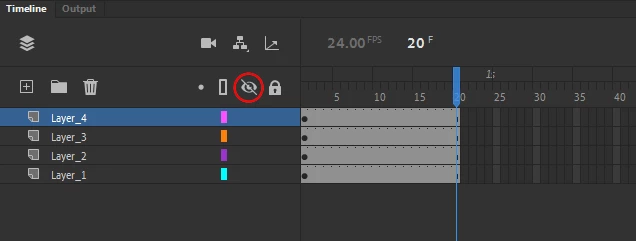
Usually if you hide a layer, it disappears. If you show a layer, it reappears. Something weird is happening where if I show a previously hidden layer, a checkerboard icon appears in the place of the eye icon, and all the layers are somewhat transparent. Very strange. Nothing I do seems to make a difference.

Ive included a screenshot. 
This topic has been closed for replies.
Correct answer Mario_CR

Hi,

you're toggling layer opacity; when you Shift + Click the eye icon the layers become semi-transparent. To turn it off just Shift + Click the eye icon again; if you click the one on top of the layer stack, it will turn it off for all layers.


1 reply

Mario_CR
Mario_CRCorrect answer
Inspiring
June 6, 2023

Hi,

you're toggling layer opacity; when you Shift + Click the eye icon the layers become semi-transparent. To turn it off just Shift + Click the eye icon again; if you click the one on top of the layer stack, it will turn it off for all layers.


Inspiring
June 6, 2023

Thank you Mario! I randomly tried that last night and saw success. Must have accidentally pressed shift - or sometimes my tablet does mysterious things to me. 

Thanks again!