


Spacing issue when importing from Illustrator to Animate
I'm having an issue where copy/paste or import from an Illustrator file works fine in one condition but not another. I'm a complete beginner to Animate so if I'm doing something fundamentally wrong I'd be very happy to hear alternatives.
I want to get mathematical equations into Animate. I have tried using MathMagic and MathType to typeset the equations. Copying and pasting directly (as a PDF) does not work at all, Animate says the file type is not recognised. However I am able to paste into Illustrator fine. Then if I copy from Illustrator and paste in Animate, the text appears.
This works fine when I use MathType. However, when I use MathMagic, the spacing is wrong in Animate. This is despite the fact that in Illustrator, both equations look fine. Screenshots below:
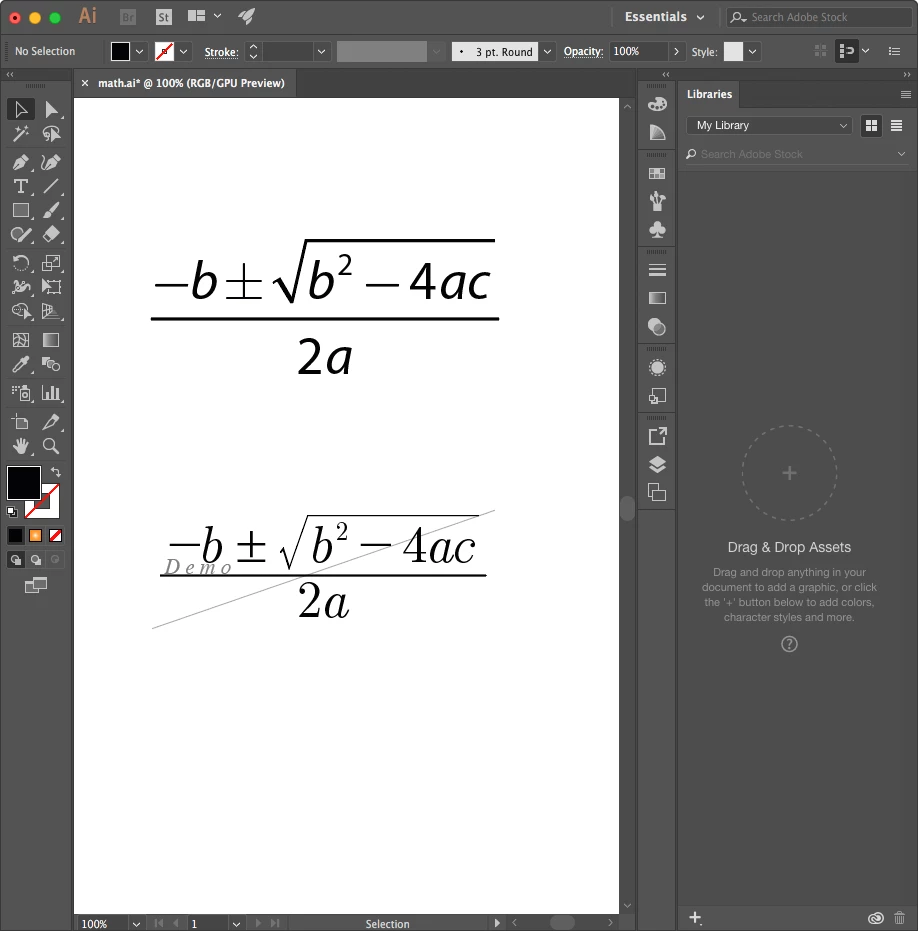
The equations in Illustrator
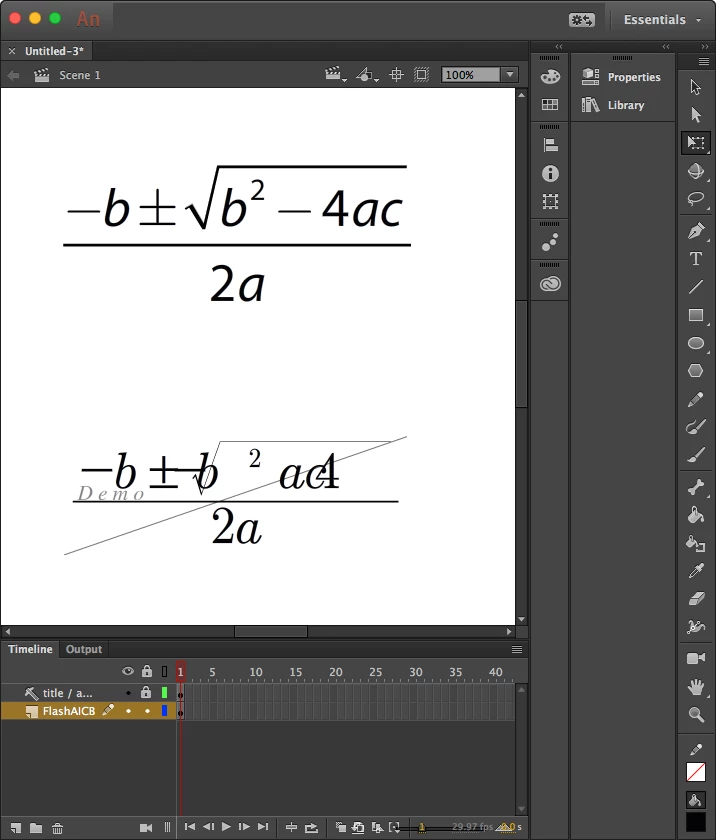
Copy/paste or import into Animate
The only thing that jumps out to me is that when I paste the equation from MathType into Illustrator, I get a message saying "To preserve appearance, some text has been outlined.". But both look fine in the Illustrator file.
I'm curious to know what has caused the difference, partly because I might like to use MathMagic but also because I might need to import things from Illustrator often and don't want to run into any surprises like this later. Thanks!
 AdChoices