


New Participant
July 12, 2023
Answered

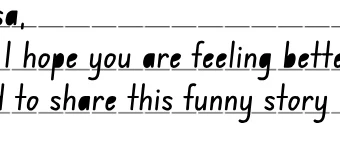
Static text font issue. blank spaces are being filled in solid. (pls see attachment)
  • July 12, 2023
  • 3 replies
  • 750 views

  Hi there. This a first time post for me. I am using a new font but when I render out to the canvas, it is filling in certain spaces as solid instead of transparent.


- This is being rendered out as a clickable interactive. html5 canvas.

- Using Static text. Dynamic text fixes it but alignment issues are then a problem. 

- This text is in a movie clip.

- I have tried converting the foundation.ttf font to an otf font as well but still doing the same.


Any ideas to fix?
    Correct answer Craig31025326a9a4

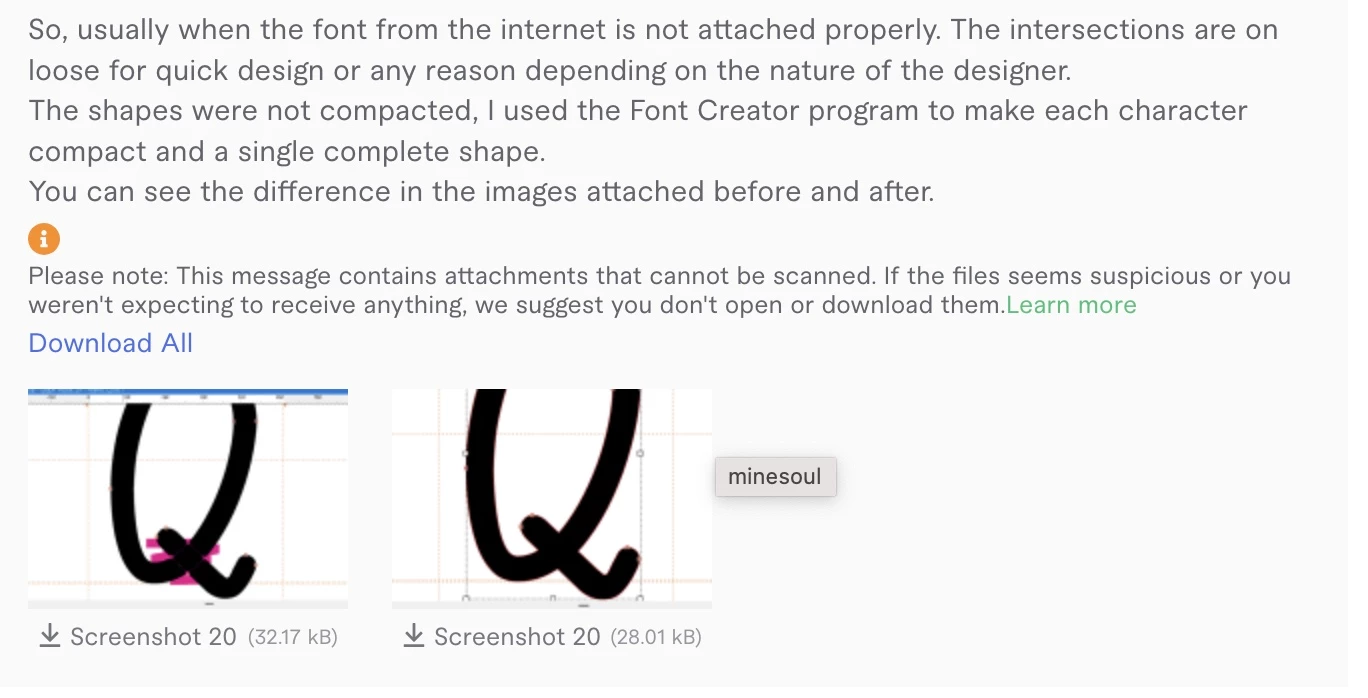
    Hello again everyone. So i found someone on fiverr to be able to do the following to the original font file that was used.

    For anyone with the same issue above, please see this attachment.  

    3 replies

    Craig31025326a9a4AuthorCorrect answer
    New Participant
    July 19, 2023

    Hello again everyone. So i found someone on fiverr to be able to do the following to the original font file that was used.

    For anyone with the same issue above, please see this attachment.  

    kglad
    Community Expert
    July 19, 2023

    so, compacting the font solved the problem?

    New Participant
    July 19, 2023

    Yes. This fixed the issue and now the static font exports nicely to the html page.

    Mario_CR
    Community Expert
    July 14, 2023

    Another option is to copy the text in Illustrator and convert it to outlines by going to Type > Create Outlines, then copy-paste it back into Animate.

    kglad
    Community Expert
    July 12, 2023

    use a bitmap of the text or trace the text bitmap if scaling is an issue.

    New Participant
    July 12, 2023

    Thank you very much for your reply. Appreciated and some good options.


    I tried the above and yes, converting to bitmap works (even better if i scale up the text to 400% before hand to keep the res a lot sharper).


    But in terms of keeping it still vectorised. I tried breaking apart. Twice. One to the seperate letters. Then again to vector shape but then this fill issue occurred. 


    Maybe a font file issue. But would love to know if anyone has found a work around for other fonts if this has happened to them. 


    kglad
    Community Expert
    July 12, 2023

    vectorize your bitmap using modify>bitmap>trace bitmap.