


Timeline and stage shows empty when there are elements present
Animate has recently started failing to import some H.264 videos as well as photos, and it won't even display a rectangle when drawn on the stage until selected and moved. When I import the videos to use as a guide for creating an animation over the top it sometimes doesn't bring in the file but sits there as if it's finished. Soemtimes it imports the video file but the layers still show as blank. With regards to the images not importing, it was happily pasting images from my clipboard up until yesterday afternoon when it just stopped all together and now won't paste anything from my clipboard.
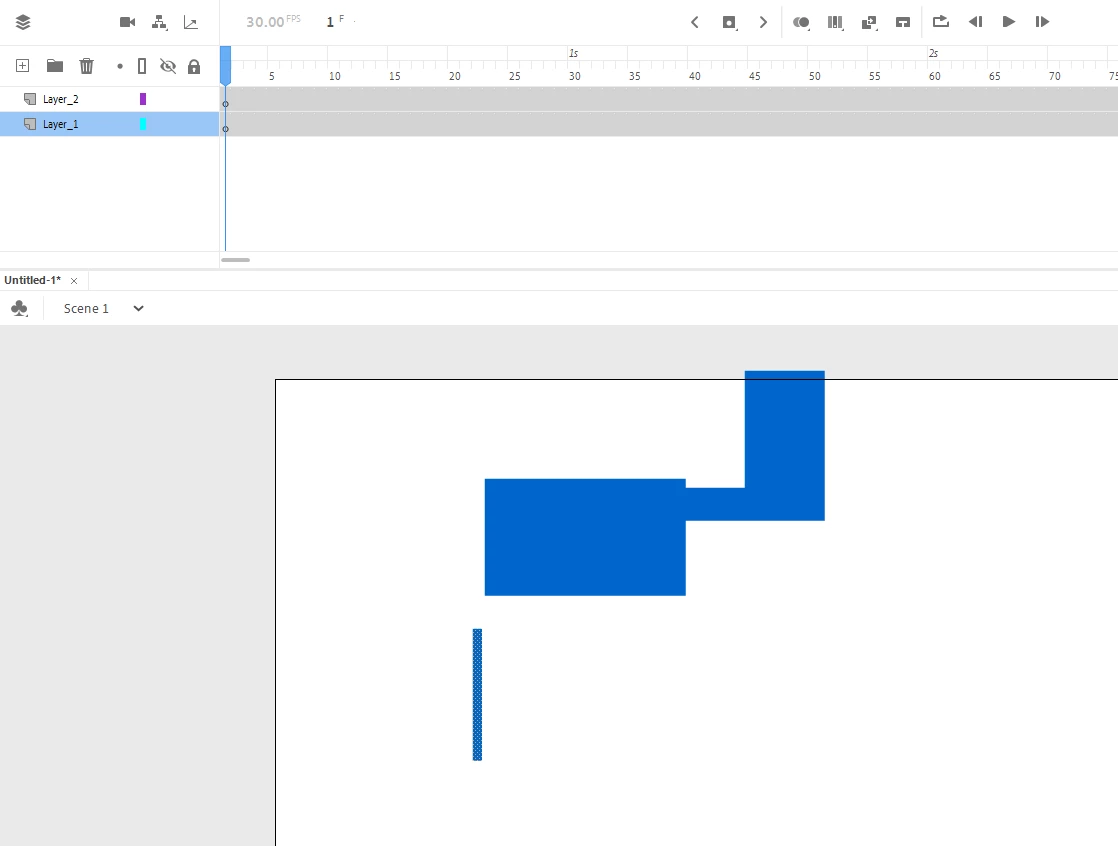
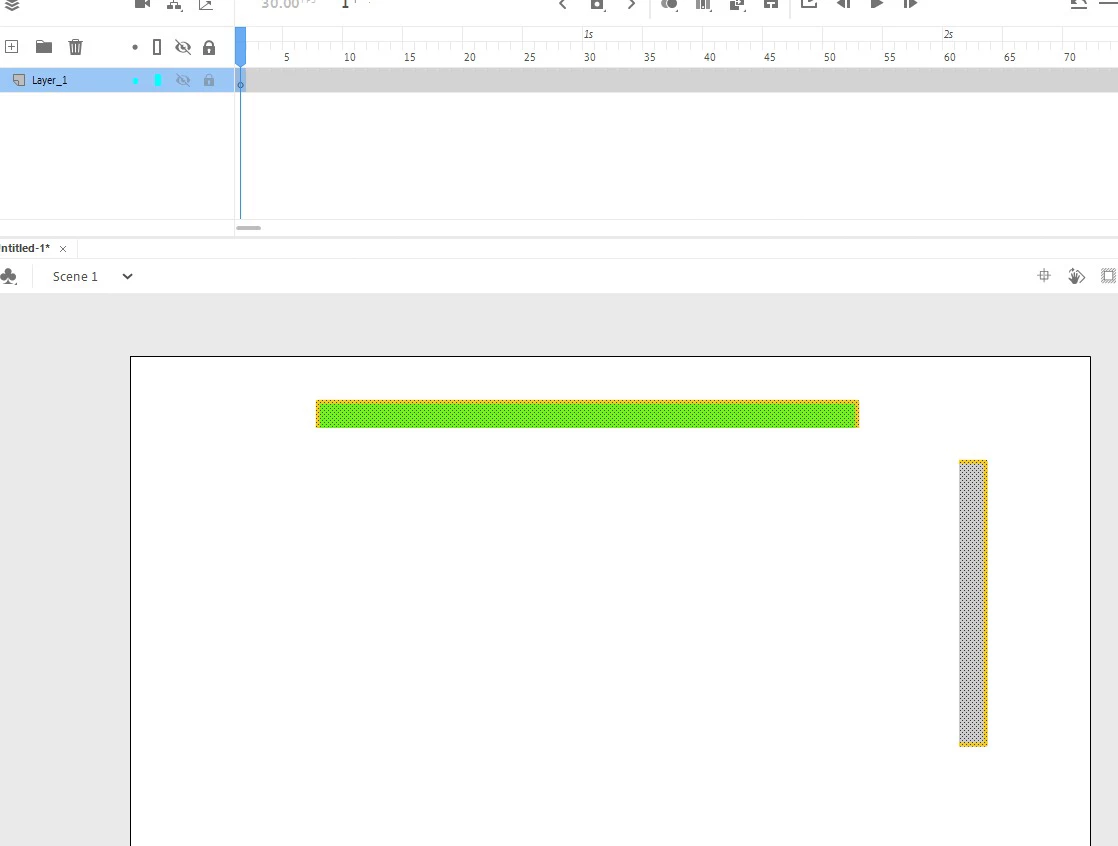
The layers appear emtpy the whole time, even when there is something on the stage.
No layers are turned off, not settings have been changed. I'm using the latest version, I've uninstalled the entire CC and run the CC cleaner tool and reinstalled but to no avail.
The first image I've attached is of a blue rectangle I drew on the stage. Not visible until I dragged it and now most of it is missing, and the layer is still showing as empty.
The second image is of a green rectangle I drew on the stage, somehow part of it is grey, most of it is missing and the layer is showing as empty again. (The lock and show/hide layer icons are greyed because my cursor was over them at the time, they are not turned on.) I'm at a loss!
Please help!
 AdChoices