Inspiring
December 20, 2019
Question

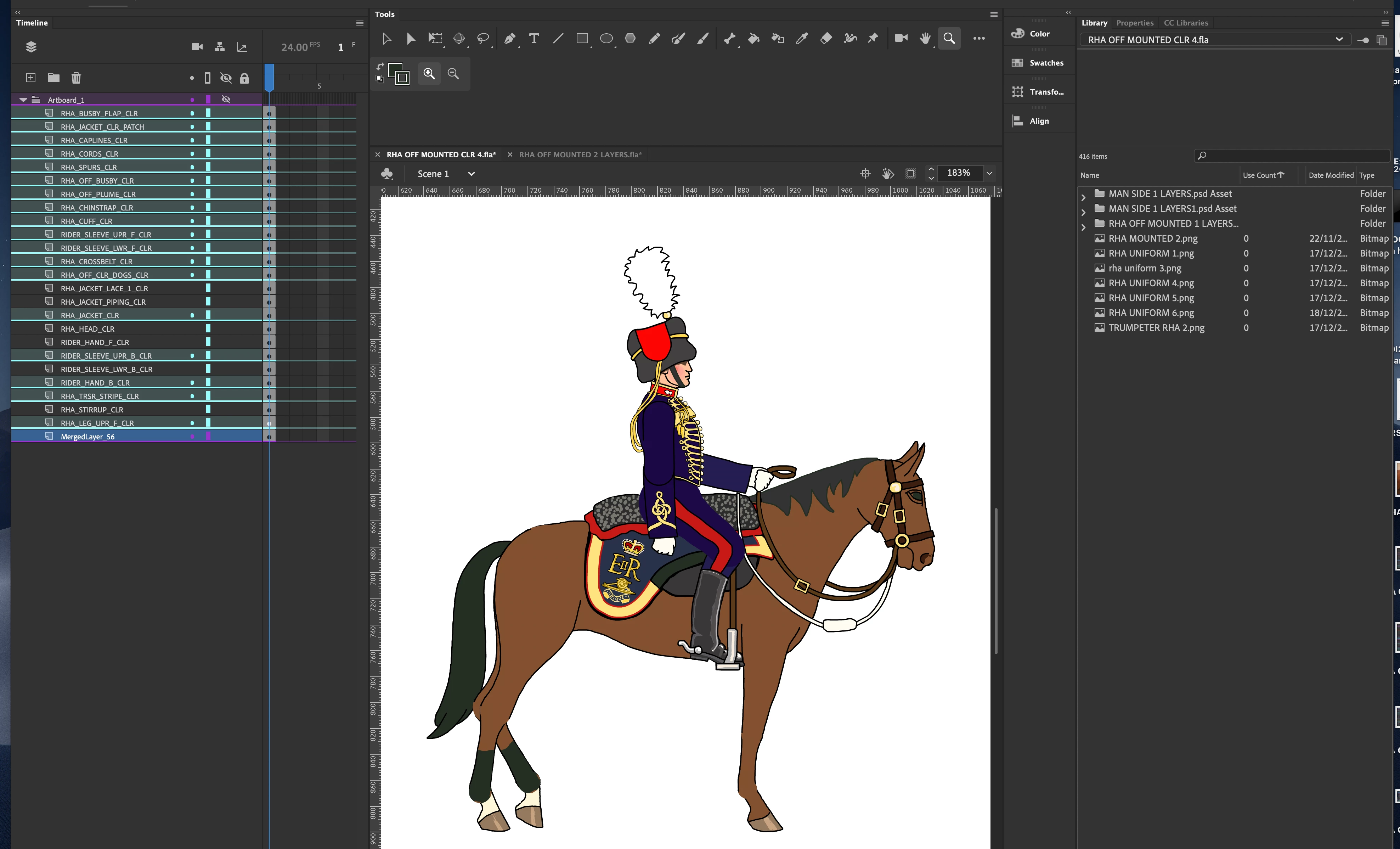
Unable to merge layers in animate.

  • December 20, 2019
  • 1 reply
  • 2566 views

Hello.

I have created this illustration in Animate which has about 80 layers. I want to merge all the layers, so that I can print the image as an illustration, with just the one flattened layer. I have merged about 40 layers OK, but when I continue to merge the rest of the layers, the layers just turn totally black (in facdt, in this case, dark blue.). Does anyone know how I can merge all the layers, so that I end up with a single image ready for printing in another program.? Thanks for any advice.


This topic has been closed for replies.

1 reply

Legend
December 20, 2019

Why do you have to merge the layers before printing? What program are you using to print from an FLA?

toymaker1Author
Inspiring
December 20, 2019

Thanks for your response.

My understanding was that it was more usual, and more efficient  to print from a single flatteneed layer than than a file of maybe 100 layers. Is that not the case? I have not yet worked out how to  what file format will be best for exporting to another program for printing. I am very surprised and dissapointed tnat there is no printing facility in Animate, because in addition to animation, Animate is an excellent program for creating illustrations. - I find it better and easier to use than Illustrator, for example. ~My problem at the moment is that I am unable to merge all the layers without evetthing turning all black.

toymaker1Author
Inspiring
December 20, 2019

Re. my earlier post. You certainly need to reduce all layers to a single layer for laser cutting a design. So If I wanted to laser cut an illustration created with many layers in Animate, I would need to reduce the layersa down to one layer for laser cutting.

Regards.