


Adobe animate html5 canvas navigation problem
hi every body;
I m working on adobe animate html5 canvas project. My code is working well at its frame. But when I navigate to another frame then come back to the origion one that has my code the buttons do not respose at all. Any help please.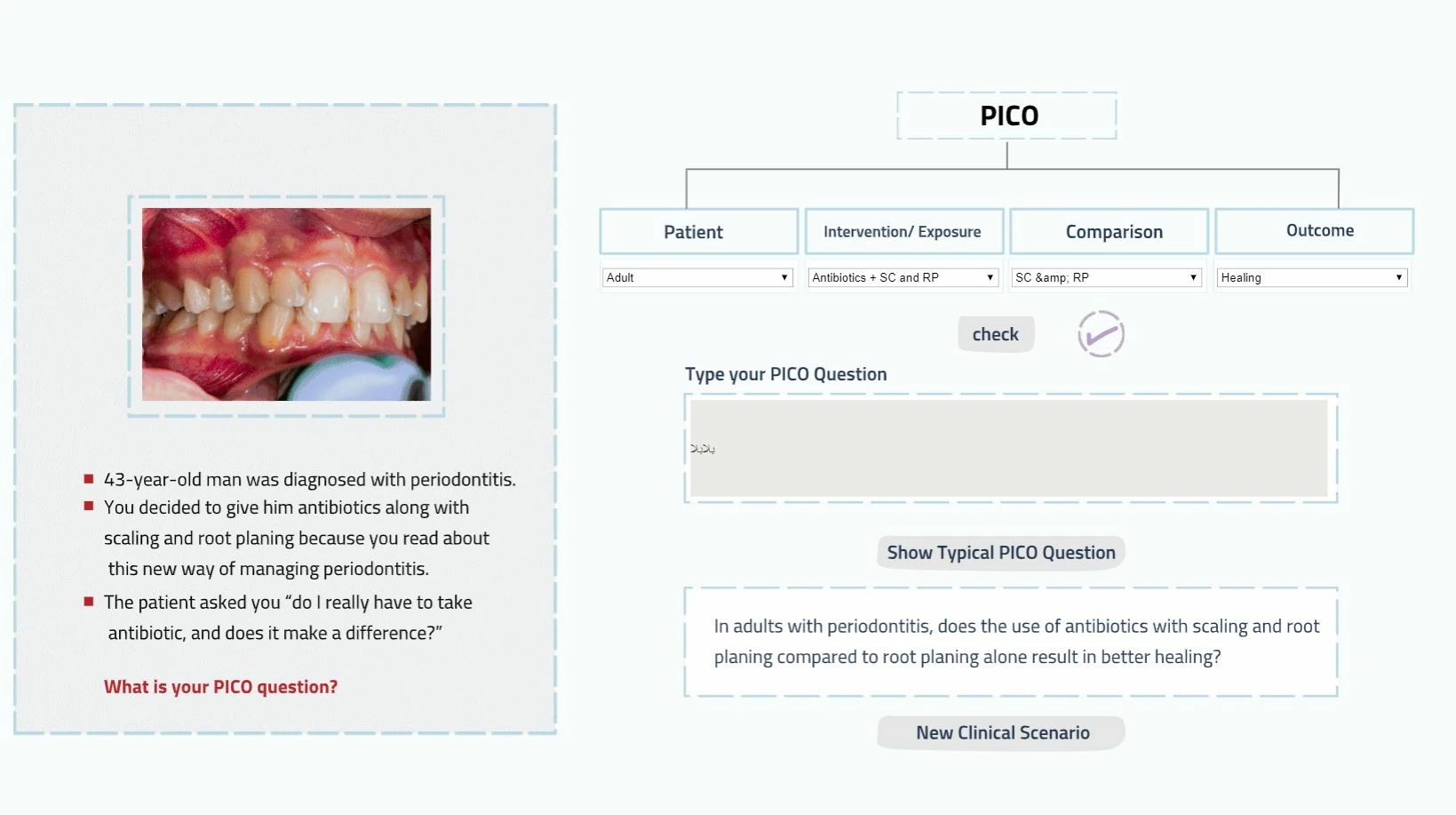
My code is the following:
this.stop();
alert("phase1................");
var that1 = this;
this.rightSign1.visible = false;
this.showTexts1.visible = false;
this.newSenarioBtn1.mouseEnabled = false;
this.showBtn1.mouseEnabled = false;
this.showBtn1.alpha = 0.5;
this.newSenarioBtn1.alpha = 0.5;
list_1_val = "";
list_2_val = "";
list_3_val = "";
list_4_val = "";
var blinks = ['blink1', 'blink2', 'blink3', 'blink4'];
for (var z in blinks) {
this[blinks
}
this.checkBtn1.addEventListener("mousedown", fl_checkBtn1.bind(this));
function fl_checkBtn1(evt) {
alert("checkBtn1.. is pressed");
list_1_val = String($("#list_1").val());
list_2_val = String($("#list_2").val());
list_3_val = String($("#list_3").val());
list_4_val = String($("#list_4").val());
//this.gotoAndStop(list_1_val);
//alert(list_1_val + "__" + list_2_val + "__" + list_3_val + "__" + list_4_val);
for (var z in blinks) {
this[blinks
}
if (list_1_val == "Adult" && list_2_val == "Antibiotics + SC and RP" && list_3_val == "SC & RP" && list_4_val == "Healing") {
this.rightSign1.visible = true;
$("#PICO_Question").css("visibility", "visible");
this.showBtn1.alpha = 1;
this.showBtn1.mouseEnabled = true;
this.newSenarioBtn1.mouseEnabled = true;
this.newSenarioBtn1.alpha = 1;
this.checkBtn1.mouseEnabled = false;
} else {
if (list_1_val != "Adult") {
this.blink1.visible = true;
init1();
}
if (list_2_val != "Antibiotics + SC and RP") {
this.blink2.visible = true;
init1();
}
if (list_3_val != "SC & RP") {
this.blink3.visible = true;
init1();
}
if (list_4_val != "Healing") {
this.blink4.visible = true;
init1();
}
}
}
$("#dom_overlay_container").on("mousedown", "#checkBtn1", fl_checkBtn1.bind(this));
function init1() {
that1.rightSign1.visible = false;
that1.showBtn1.alpha = 0.5;
that1.newSenarioBtn1.alpha = 0.5;
that1.showBtn1.mouseEnabled = false;
that1.newSenarioBtn1.mouseEnabled = false;
}
this.showBtn1.addEventListener("mousedown", fl_showBtn1.bind(this));
function fl_showBtn1(evt) {
this.showTexts1.visible = true;
this.showTexts1.gotoAndStop(0);
document.getElementById("PICO_Question").disabled = true;
this.showBtn1.mouseEnabled = false;
this.newSenarioBtn1.alpha = 1;
this.newSenarioBtn1.mouseEnabled = true;
}
$("#dom_overlay_container").on("mousedown", "#ShowBtn1", fl_showBtn1.bind(this));
this.newSenarioBtn1.addEventListener("mousedown", newSenarioBtn1.bind(this));
function newSenarioBtn1(evt) {
this.gotoAndStop(405);
}
$("#dom_overlay_container").on("mousedown", "#newSenarioBtn1", newSenarioBtn1.bind(this));
Message was edited by: ahmad khattab
 AdChoices