


Known Participant
May 26, 2020
Question

Animate CC changing the rotation of the transform box

  • May 26, 2020
  • 1 reply
  • 871 views

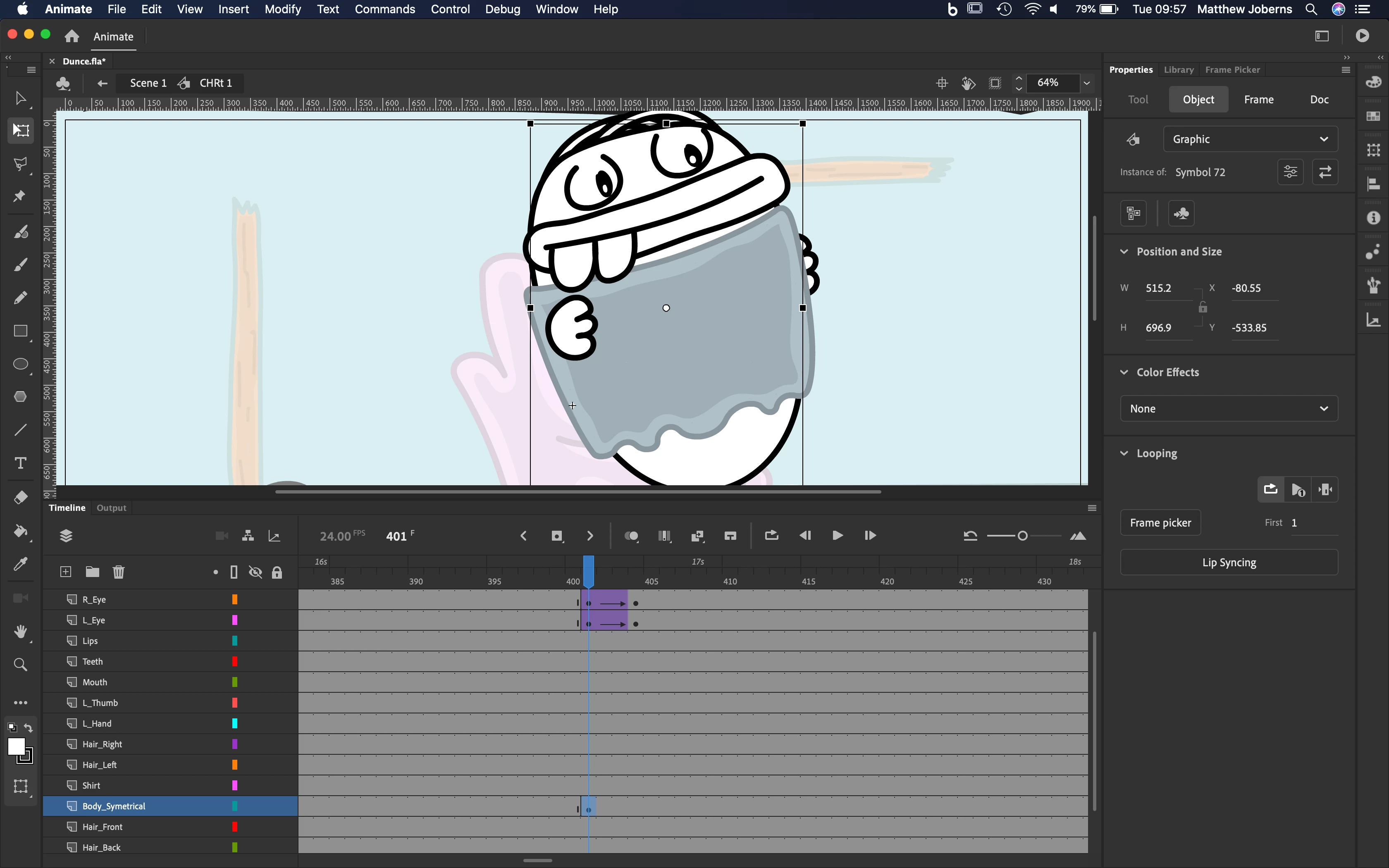
is there a way i can change the rotation of the transform box while keeping the object in the same place so that when i stretch one side it streches the bodt the way it is supposed too becuase at the momnet when i strech the top of the box it skews the body

Thanks
    This topic has been closed for replies.

    1 reply

    n. tilcheff
    Legend
    May 26, 2020

    Hi mate,


    Have a look at this article: http://flash-powertools.com/understanding-symbol-registration/

    It should give you a good understanding how to control bounding boxes.


    Note: Just keep in mind that in AA19 and AA20 there is a bug so you cannot use guides to easily determine the directions of the internal co-ordinate system. I have already reported the bug to the team.


    Hope this helps!


    Nick - Character Designer and Animator, Flash user since 1998 | Member of the Flanimate Power Tools team - extensions for character animation
    Known Participant
    May 26, 2020

    Hi thanks for the comment, i doenaloded the commands thing and have tried using the setrigpointtotransform point in order to re align the transform box however it doesnt seem to change it at all.


    I dont know if im doing anything wrong but any help would be appricated thanks


    EDIT: This is a picture where i moved it off to the side and roateted it 13 degrees so it was facing upright but the command isnt doing anything just moving the rig point but not chainging the box


    n. tilcheff
    Legend
    May 26, 2020

    You have to use Zero Transform mode, mate.


    EDAPT shortcut for that is Shift+T.

    Either switch to EDAPT shortcuts or hold down Shift and then while holding down Shift choose the command from the menu.


    It is a dual-function command.


    Nick - Character Designer and Animator, Flash user since 1998 | Member of the Flanimate Power Tools team - extensions for character animation