


New Participant
August 2, 2017
Answered

Changing the Size of an object over mutliple tweens

  • August 2, 2017
  • 3 replies
  • 3432 views

Hi everyone

I am brand new to Adobe Animate (started using it yesterday) and need help with a project I just inherited at a brand new job.

I was tasked to alter an animation made in Animate. The previous employee had several objects moving along a path and made multiple tweens on one layer multiple times. (see screenshot below)
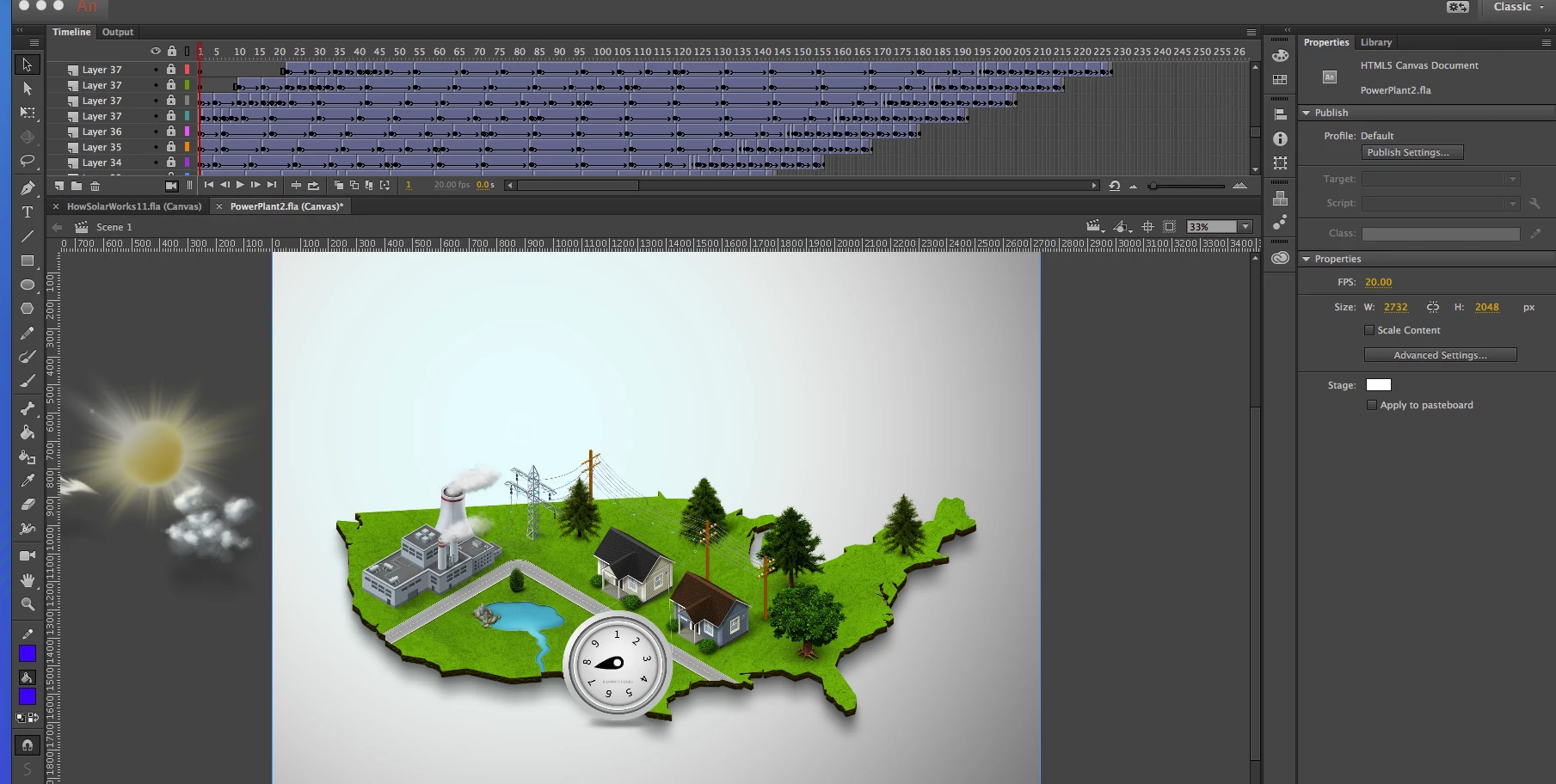
I was tasked to make the objects bigger and I discovered if I click on the dot (see total newbie, I don't even know what that is called) I can hit transform and change the size of the object. But I have to do that for every tween throughout the animation and there are hundreds. Is there a way I can highlight all the layers and change all the "dots" to the same size at once?

This topic has been closed for replies.
Correct answer Colin Holgate

The thing that is being tweened is a symbol (most likely a Graphic with a name that starts with 'Tween' in the Library). You can go into that Graphic and make its inner contents be bigger. You would only have to do that once for each animated object.

3 replies

Colin Holgate
Colin HolgateCorrect answer
Inspiring
August 2, 2017

The thing that is being tweened is a symbol (most likely a Graphic with a name that starts with 'Tween' in the Library). You can go into that Graphic and make its inner contents be bigger. You would only have to do that once for each animated object.

New Participant
August 3, 2017

Colin, If I ever see you in person, expect a huge bear hug and possibly a kiss if I am feeling frisky! This worked and saved me hours of time! Thank you so much!!!!

Colin Holgate
Inspiring
August 3, 2017

Misread that as bare. Feeling relieved now.

Brainiac
August 2, 2017

Criminy. My first impulse on looking at that timeline was to track down the original developer and beat them.

...at checkers. Anyway, at the bottom of the timeline there's a tiny button that looks like two keyframes stacked on top of each other. That's the Edit Multiple Frames button, and it might be able to help you.

Edit Multiple Frames - YouTube

Colin Holgate
Inspiring
August 2, 2017

I tested editing multiple frames before posting my suggestion, and unfortunately it also will scale the tween coordinates.

kglad
Community Expert
August 2, 2017

probably not.  (and the timeline dots represent keyframes.)