




Announcing feature enhancement of Variable playback speed in Audition (Beta 23.3)!
You can now listen to your audio at a custom speed of 1.1x, 1.2x, and so on. Our team is focusing on delivering experiences which will make your work easier & faster! Look forward to your feedback.
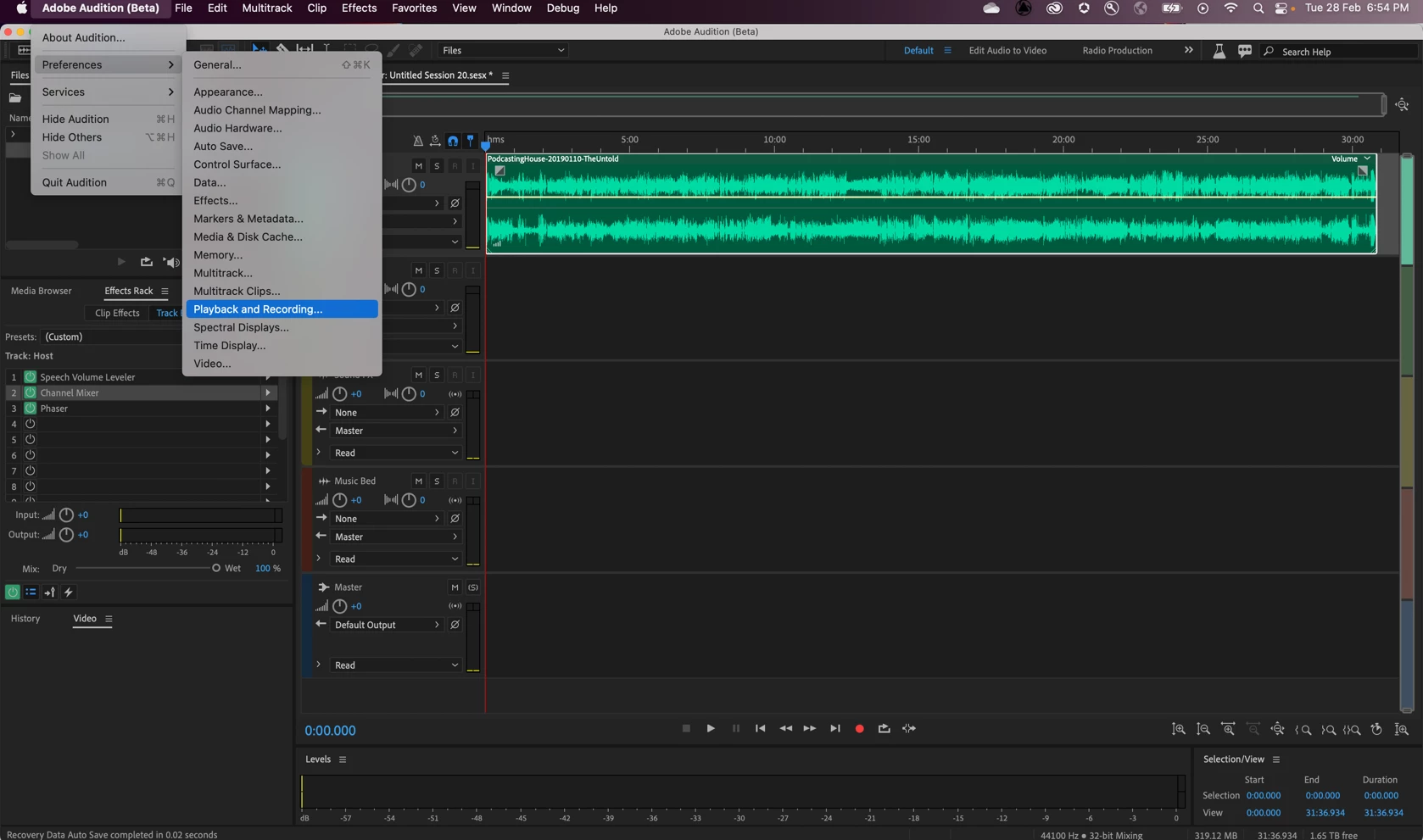
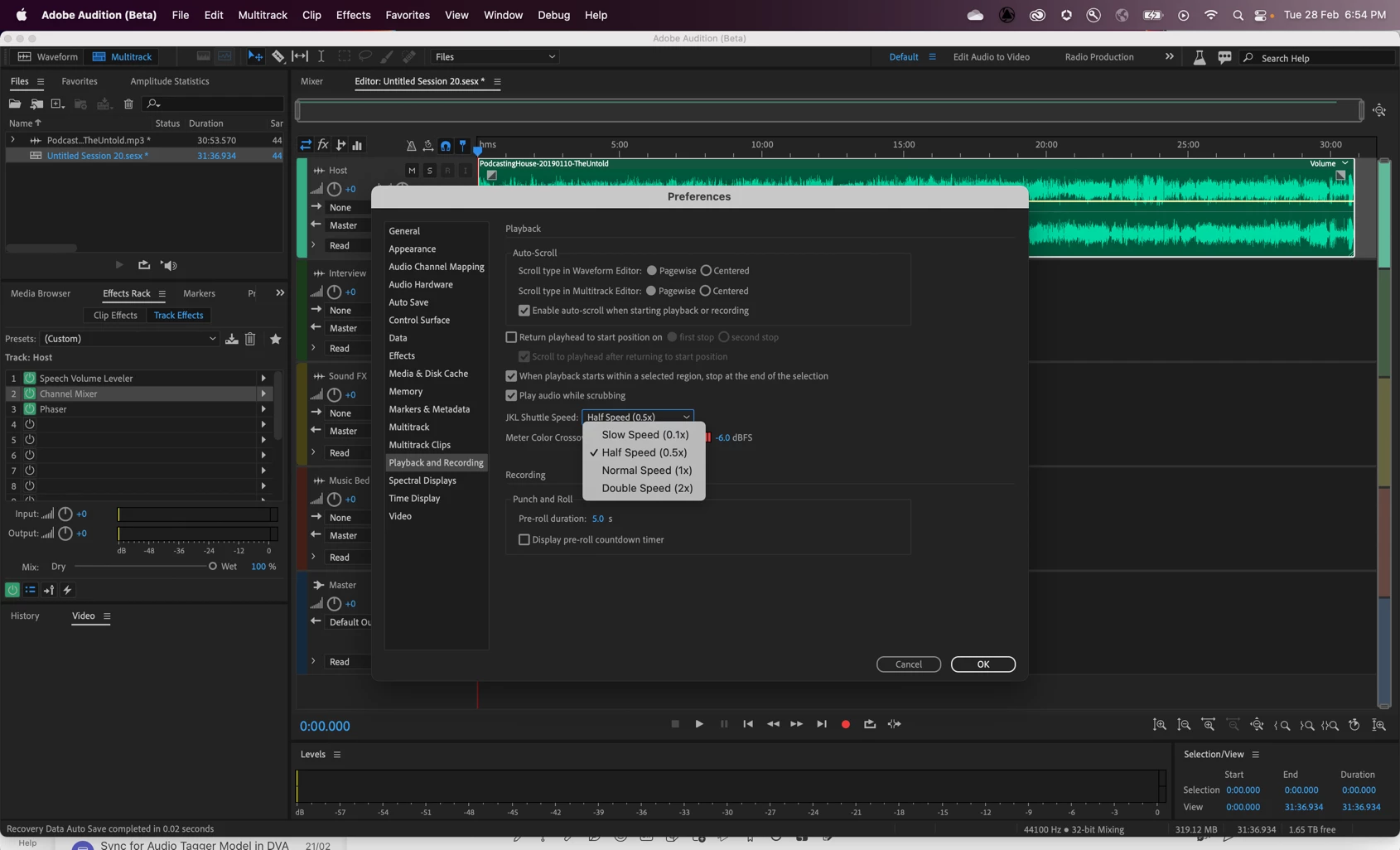
- Go to Audition -> Preferences -> Playback & Recording -> JKL Shuttle Speed
Chose the desired speed increments.
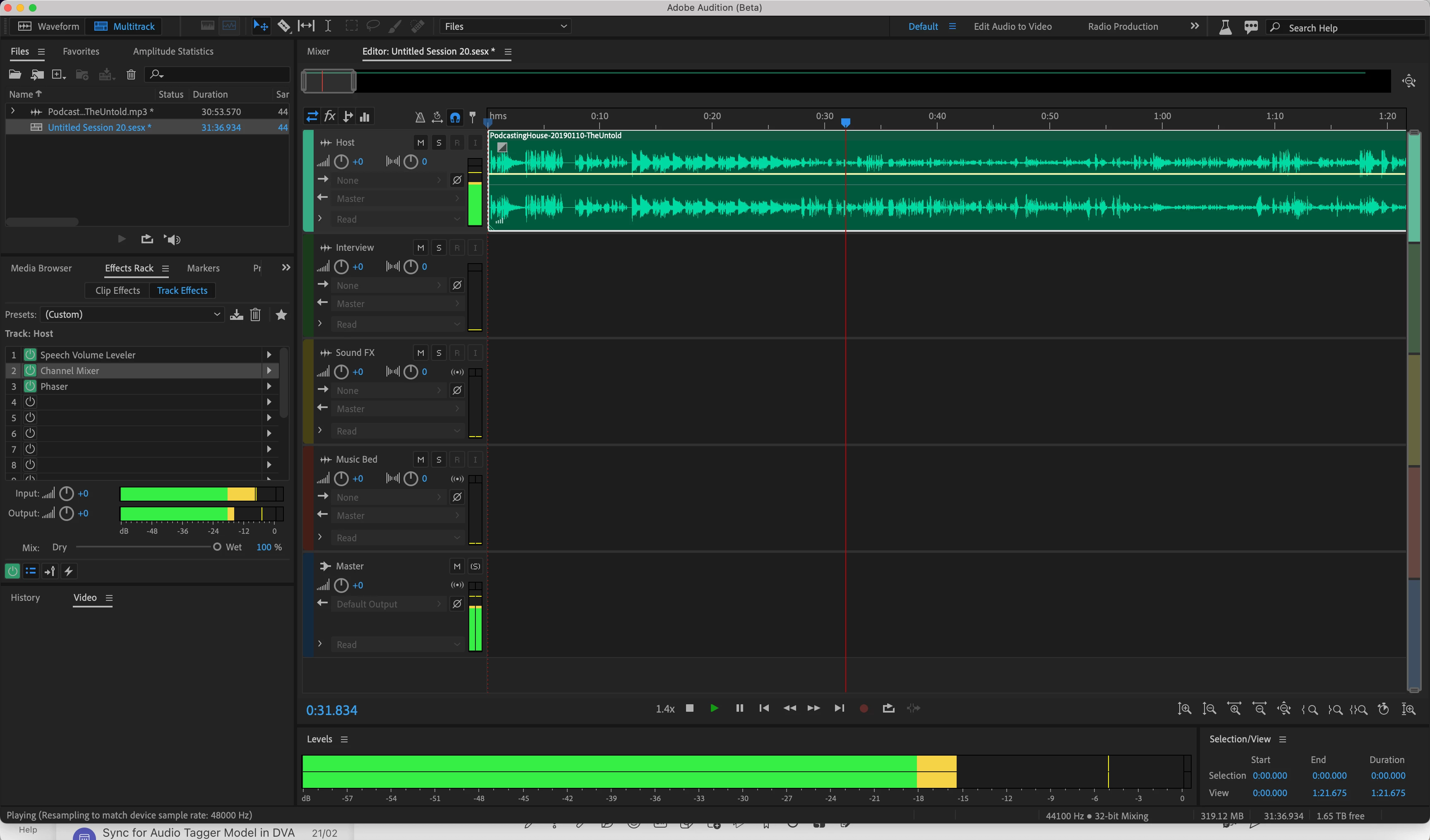
- Use the jkl keys to set the desired speed.
For. e.g., After selecting 0.1x increment from preferences, play the audio & press the l key 4 times to achieve a 1.4x speed.
 AdChoices