
Inspiring
June 8, 2017
Answered

BUG: Unwanted Audio Spikes When Pasting

  • June 8, 2017
  • 1 reply
  • 822 views

NOTE: This only seems to happen when there's a lot of ampliude in lower frequencies (here, its' hot (bright yellow) from 20Hz and falls off by 150Hz).

Edit: for this example, I generated brown noise and increase the amplitude of the lower frequencies
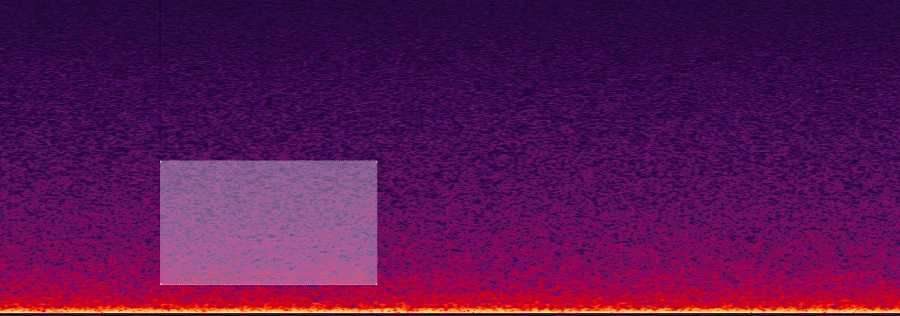
Here is an image showing a marquee around exactly where I'm about to paste. Notice that none of the lower frequencies are being selected. The lowest frequency is around 1k
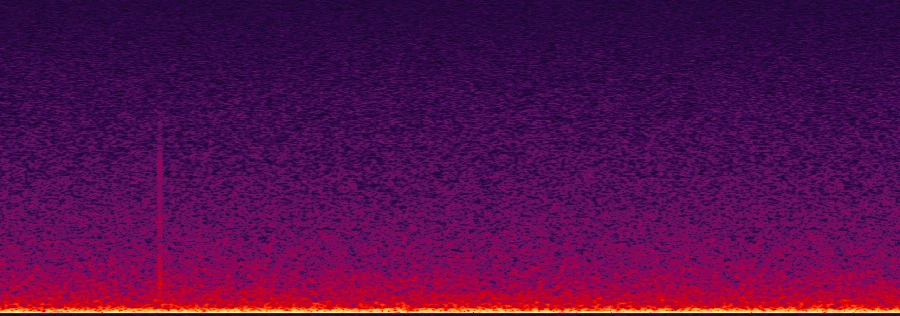
And that's what it looks like after the CTRL+V / CMD+V paste.

Notice that spike at the beginning of the pasted audio? That's definitely unwanted. Frequencies outside of the ones I had selected were affected, and now there's an anomalies that I have to try to remove.

I'm sure there's a logical reason why this happens looking at the code, but as an end user, this is a frustrating unwanted result, and it would be great if the developers could figure out a way to keep this from happening.

Has anyone else had this issue? Does it frustrate you, too?

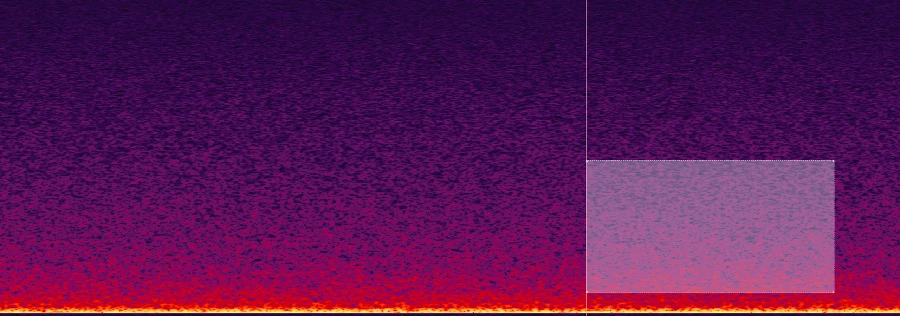
Just for reference, here's approximately what I had copied to the clipboard before the paste:
This topic has been closed for replies.
Correct answer SteveG_AudioMasters_

I figured there was a logical, mathematical reason this was happening. But it does seem like it would be unwanted by users, no? Are there any instances where an artifact like this would actually be a useful result?

Using "bug" in the title was probably misguided, but it does seem like something that could be improved, no?


TeeKayCC  wrote

I figured there was a logical, mathematical reason this was happening. But it does seem like it would be unwanted by users, no? Are there any instances where an artifact like this would actually be a useful result?

Using "bug" in the title was probably misguided, but it does seem like something that could be improved, no?

No, users wouldn't want this, but in the real world there are things that can be done to prevent the very occasional 'click' that this might produce. You can set Audition's snapping so that you can only paste on zero crossings, and if you have major difficulties, then you can increase the edit cross-fade time. Effectively this evens out the rate of transition change (which is what causes this).

Believe me, if this was really an issue it would have been sorted out decades ago! (really - in the mid '90s when Syntrillium did all the basics...)

1 reply

SteveG_AudioMasters_
Community Expert
Community Expert
June 8, 2017

Just out of interest, what do you have these settings set to in your machine?

TeeKayCCAuthor
Inspiring
June 9, 2017

Good question! I kept the defaults; 2 and 5 ms respectively as shown in your screenshot

SteveG_AudioMasters_
Community Expert
Community Expert
June 9, 2017

Basically, you've created a rate-of-change alteration at the point of your insert. Depending upon where you do the paste, you'll get variable results. I tried this, and whilst in some places I got similar results, there were one or two pastes where this worked perfectly. If you alter the rate of change at any given instant in a waveform, you alter the harmonic spectrum at that instant, and since it's a step change, it can easily extend down to DC. And yes, this will show clearly in a FFT view of the spectrum, but you will also notice that the extent of this varies according to the spectral resolution you use; with the best will in the world, a spectral view based on a FFT is not definitive; partly what you are seeing is windowing effects.

In short, there is nothing wrong.