- Home
- Audition
- Discussions
- Re: Problem with Mixdown; impossibile to export
- Re: Problem with Mixdown; impossibile to export

Copy link to clipboard
Copied
Goodmorning everyone,
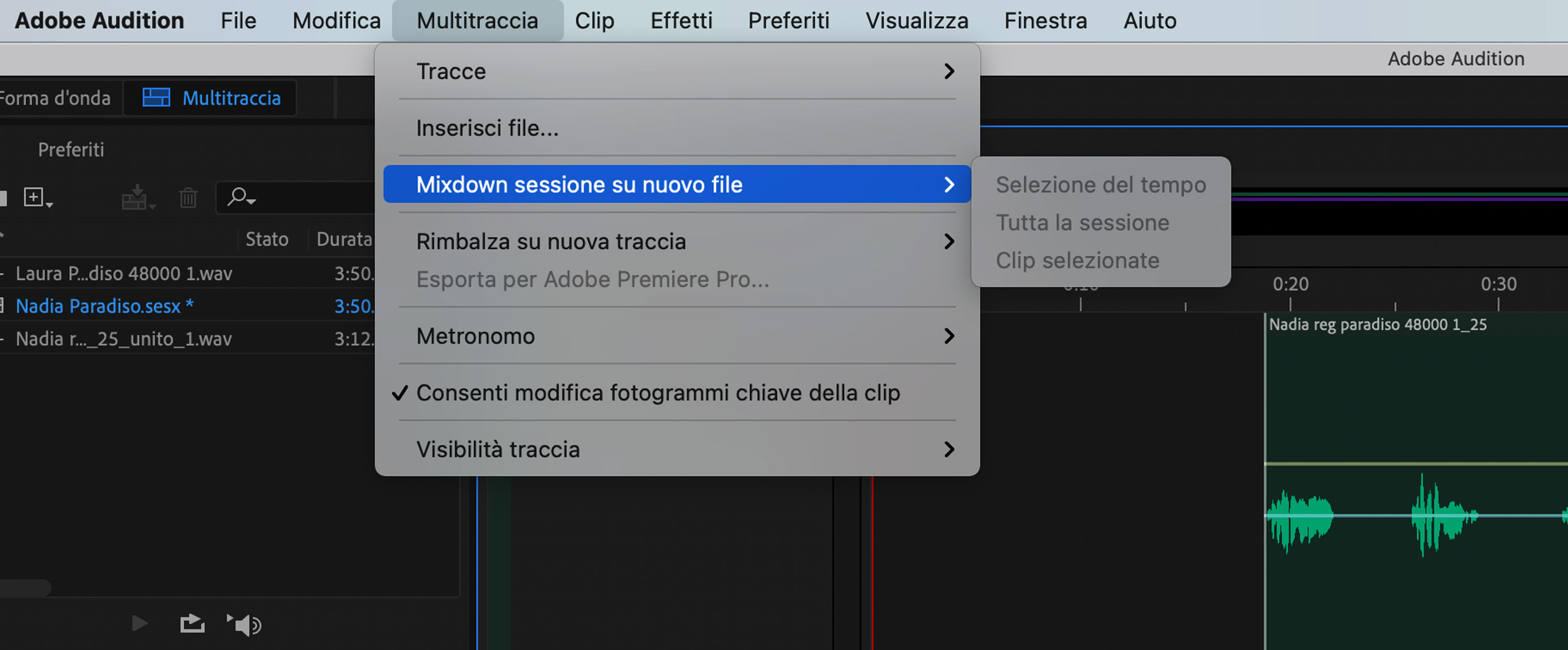
I have a multitrack project with two tuned and processed tracks; I want to export them to Wave as a single file. When I go to select Multitrack and Mixdown it doesn't make me select anything. Why? Can someone help me? I'm new to Audition, I've always used Logic


 1 Correct answer


The default is to mix down everything in your session. The alternative is to highlight everything you need to mix down, and select Multitrack>Mix down session to a new file>Time selection. You will get a similar choice if you go to Export>Multitrack mixdown. This would give you additional choices as to exactly what happens to your mixed file, rather than it just being opened immediately in Waveform view.

 2
Replies
2
2
Replies
2

Copy link to clipboard
Copied
The default is to mix down everything in your session. The alternative is to highlight everything you need to mix down, and select Multitrack>Mix down session to a new file>Time selection. You will get a similar choice if you go to Export>Multitrack mixdown. This would give you additional choices as to exactly what happens to your mixed file, rather than it just being opened immediately in Waveform view.
Copy link to clipboard
Copied
I redid the project by importing the tracks again. The problem was that the Waveform window was gone so I couldn't select the tracks to export. I'm sorry but I've been using Audition since yesterday and I'm following some tutorials to improve, I've always only used Logic but with Audition everything is more intuitive.

Get ready! An upgraded Adobe Community experience is coming in January.
Learn more
 AdChoices