
Participant
January 31, 2020
Answered

Adobe Bridge 2020 and Catalina: "A write permission has occurred"

  • January 31, 2020
  • 1 reply
  • 3074 views

Since upgrading to Catalina (and thus from Bridge to Bridge 2020), I get an error when I start up Bridge 2020, and Bridge does not open after clicking OK on the error box.


I have seen other reports of a permissions issue between Bridge and Catalina but no clear instructions on how to resolve it. I'm not sure if this is the problem or not, but I'm hoping someone can post a step-by-step solution so that I can try it out.
This topic has been closed for replies.
Correct answer davee523043

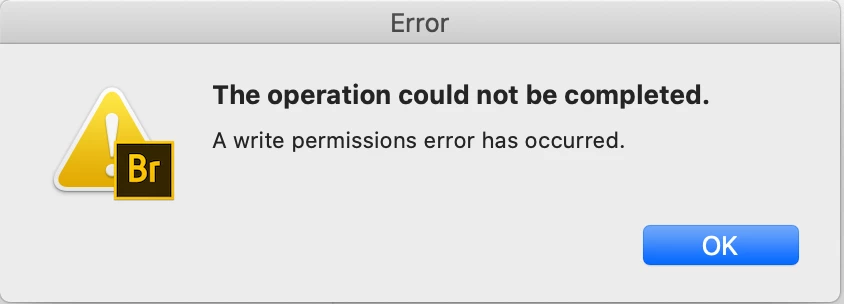
Here is a screenshot of the error. After the error message is displayed, Bridge 2020 crashes. Contrary to what jbm007 says, this issue is not widely reported anywhere. There are lots of other similar issues that have resolutions available, but not this one with Bridge. Other resolutions refer to adding the Adobe product to the Files and Folders Privacy access in the System Preferences, but Bridge does not appear as an option.


The solution can be found here:

Adobe Lightroom Classic User Permissions Issues-Fix-macOS


You open up the terminal application and enter: diskutil resetUserPermissions / `id -u`


Those are backtics (same key as the tilda on a mac). Or you can find your user id in System Preferences. If you only have one account on your mac, you are probably user 501.

1 reply

jbm007
Community Expert
Community Expert
January 31, 2020

Catalina  requires permsions to acees almost evey facet of your machine.


Do a search here and you will find many threads about file permision issues an fixes.


Participant
January 31, 2020
I did a search. I didn’t find what I needed. Does anyone have instructions
on how to resolve the permissions issue in Catalina and Bridge 2020?
Participant
February 1, 2020

Here is a screenshot of the error. After the error message is displayed, Bridge 2020 crashes. Contrary to what jbm007 says, this issue is not widely reported anywhere. There are lots of other similar issues that have resolutions available, but not this one with Bridge. Other resolutions refer to adding the Adobe product to the Files and Folders Privacy access in the System Preferences, but Bridge does not appear as an option.