

Exit
  • Global community
    • Language:
      • Deutsch
      • English
      • Español
      • Français
      • Português
  • 日本語コミュニティ
  • 한국 커뮤니티
0

Adobe Bridge - Error showing photos in preview

New Here ,
Oct 28, 2022 Oct 28, 2022

Hi. After this last bridge update i get an error on photos preview.


In my main monitor it works fine. In the second one (thunderbolt display) it looks like the wrong profile is selected. Although, thumbnails are showing fine.
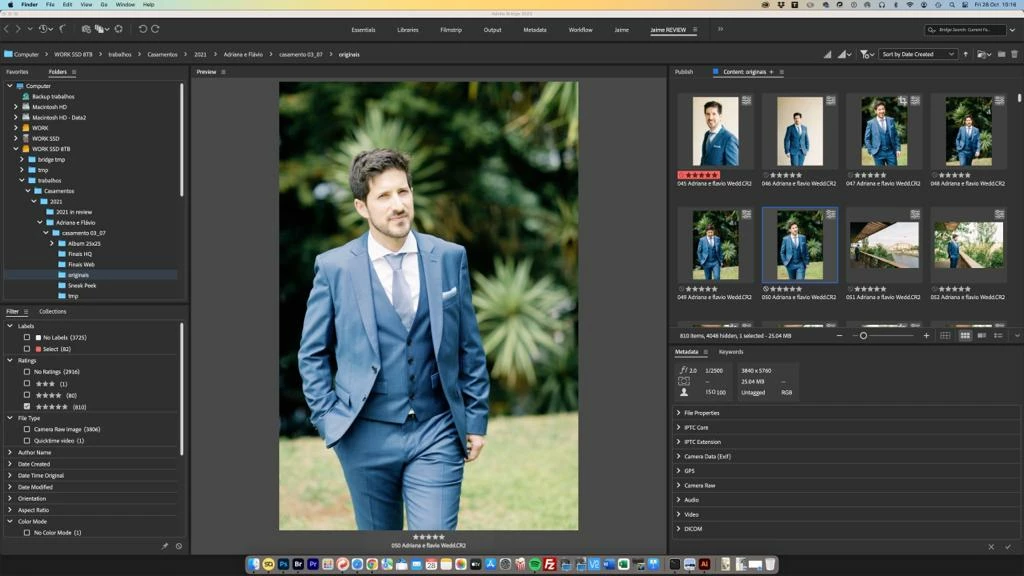
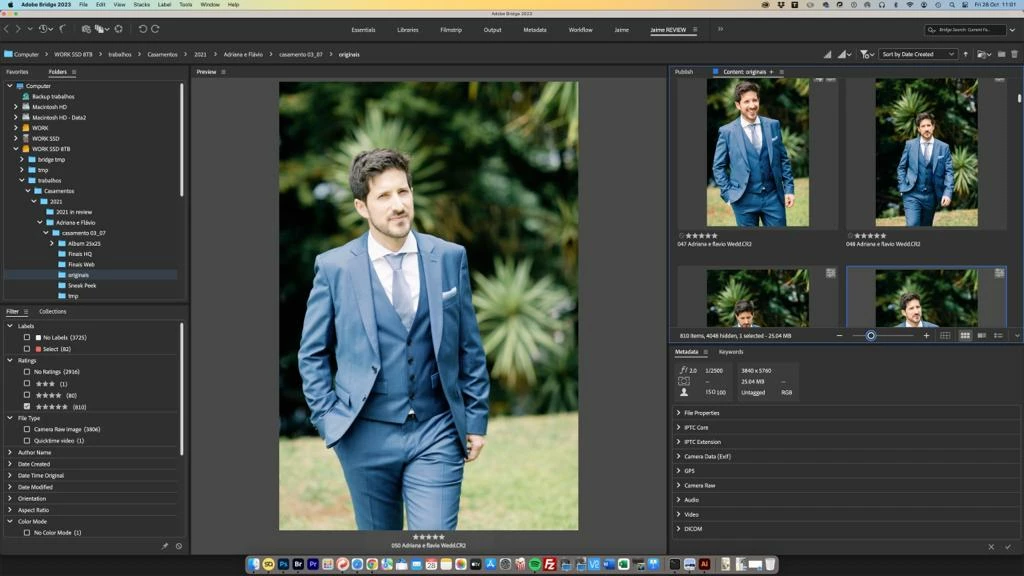
 

WhatsApp Image 2022-10-28 at 10.17.39 AM.jpegWhatsApp Image 2022-10-28 at 11.02.14 AM.jpeg

186
Translate
Report
Community guidelines
Be kind and respectful, give credit to the original source of content, and search for duplicates before posting. Learn more
community guidelines
Community Expert ,
Oct 28, 2022 Oct 28, 2022

Moved to the Bridge forum, from the Photoshop forum.

Translate
Report
Community guidelines
Be kind and respectful, give credit to the original source of content, and search for duplicates before posting. Learn more
community guidelines
Community Expert ,
Oct 28, 2022 Oct 28, 2022

Please forgive the simplistic question but do you calibrate both monitors?

Translate
Report
Community guidelines
Be kind and respectful, give credit to the original source of content, and search for duplicates before posting. Learn more
community guidelines
New Here ,
Oct 28, 2022 Oct 28, 2022
LATEST

It's a legitimate question.


Yes, i do. As you can notice it is calibrated. 


First screenshot is from thunderbolt display (problema fter adobe bridge last update):

Please notice the error only occurs in preview window:

Screenshot 2022-10-28 at 21.14.29.png


If i change bridge to first monitor (iMac), is displays correct on both preview and publish windows:


Screenshot 2022-10-28 at 21.14.48.png

Translate
Report
Community guidelines
Be kind and respectful, give credit to the original source of content, and search for duplicates before posting. Learn more
community guidelines