
Exit
  • Global community
    • Language:
      • Deutsch
      • English
      • Español
      • Français
      • Português
  • 日本語コミュニティ
  • 한국 커뮤니티
0

Adobe Bridge .MP4 preview just shows green
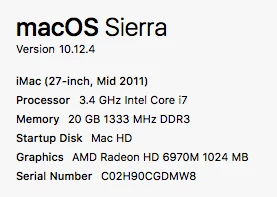
Guest
May 16, 2017 May 16, 2017

Screen Shot 2017-05-16 at 12.44.31 PM.png

Many files dowloaded from youtube show green thumbnails and have a green or white noise image when previewed. But when double clicked and played in QT or finder they play fine. 

I've tried:
- clearing the cache
- moving the cache
- moving the file to my main HDD
- enabling / disabling full screen preview
- enabling / disabling software rendering
- setting all mp4 and quicktime extensions to play with QT
- restarting Bridge
- re-installing Bridge
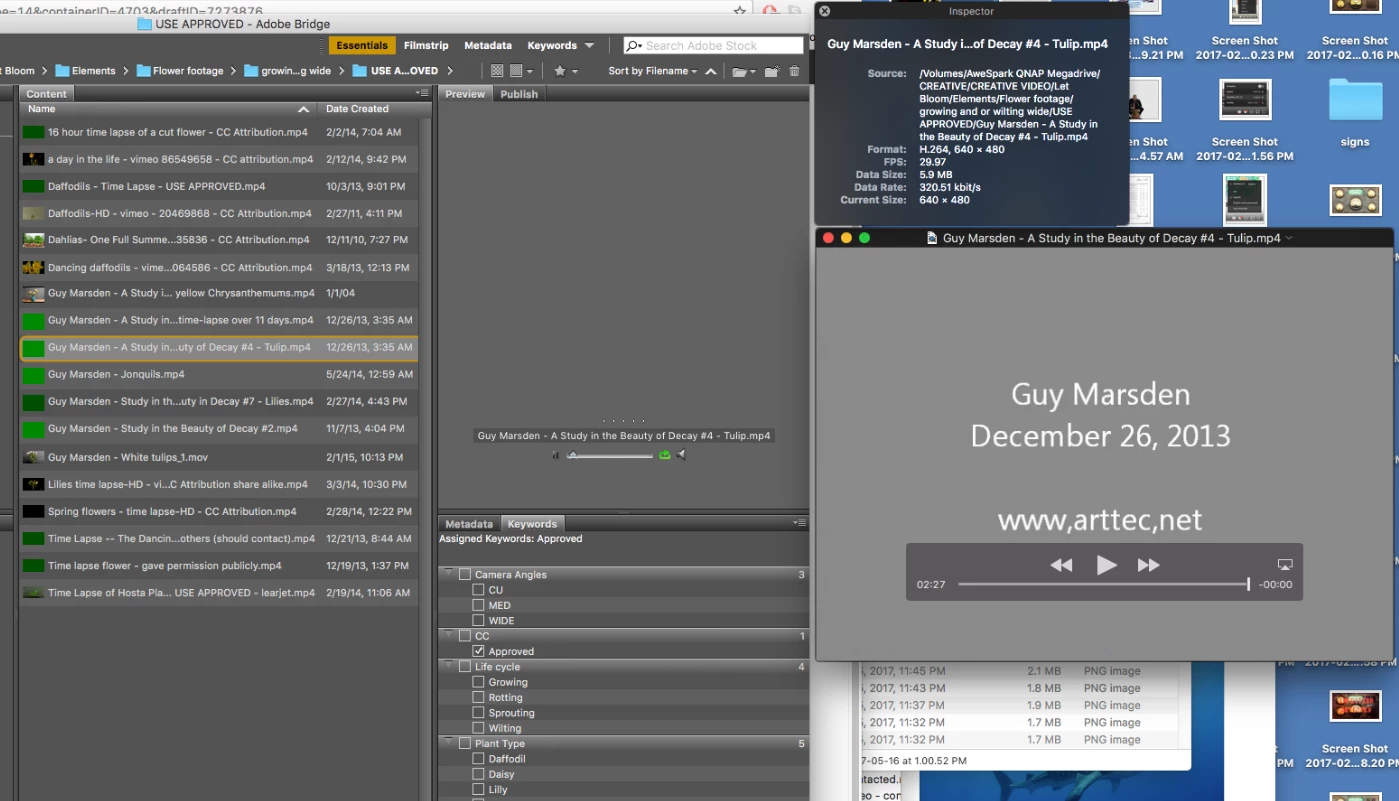
Screen Shot 2017-05-16 at 1.04.27 PM.png

Any suggestions?

Thanks

1.3K
Translate
Report
Community guidelines
Be kind and respectful, give credit to the original source of content, and search for duplicates before posting. Learn more
community guidelines

correct answers 1 Correct answer

Adobe Employee , May 31, 2017 May 31, 2017

Hi Alexeyzorsky,

The issue might be occurring due to some unsupported codecs causing conflict with Adobe Bridge, could you try converting your video to a different format and let us know if that helps?

Regards,

Sahil

Translate
Adobe Employee ,
May 31, 2017 May 31, 2017
LATEST

Hi Alexeyzorsky,

The issue might be occurring due to some unsupported codecs causing conflict with Adobe Bridge, could you try converting your video to a different format and let us know if that helps?

Regards,

Sahil

Translate
Report
Community guidelines
Be kind and respectful, give credit to the original source of content, and search for duplicates before posting. Learn more
community guidelines