
hemag nova grafik
Inspiring
November 8, 2018
Answered

adobe cc colormanagement still not working (after update)

  • November 8, 2018
  • 1 reply
  • 449 views

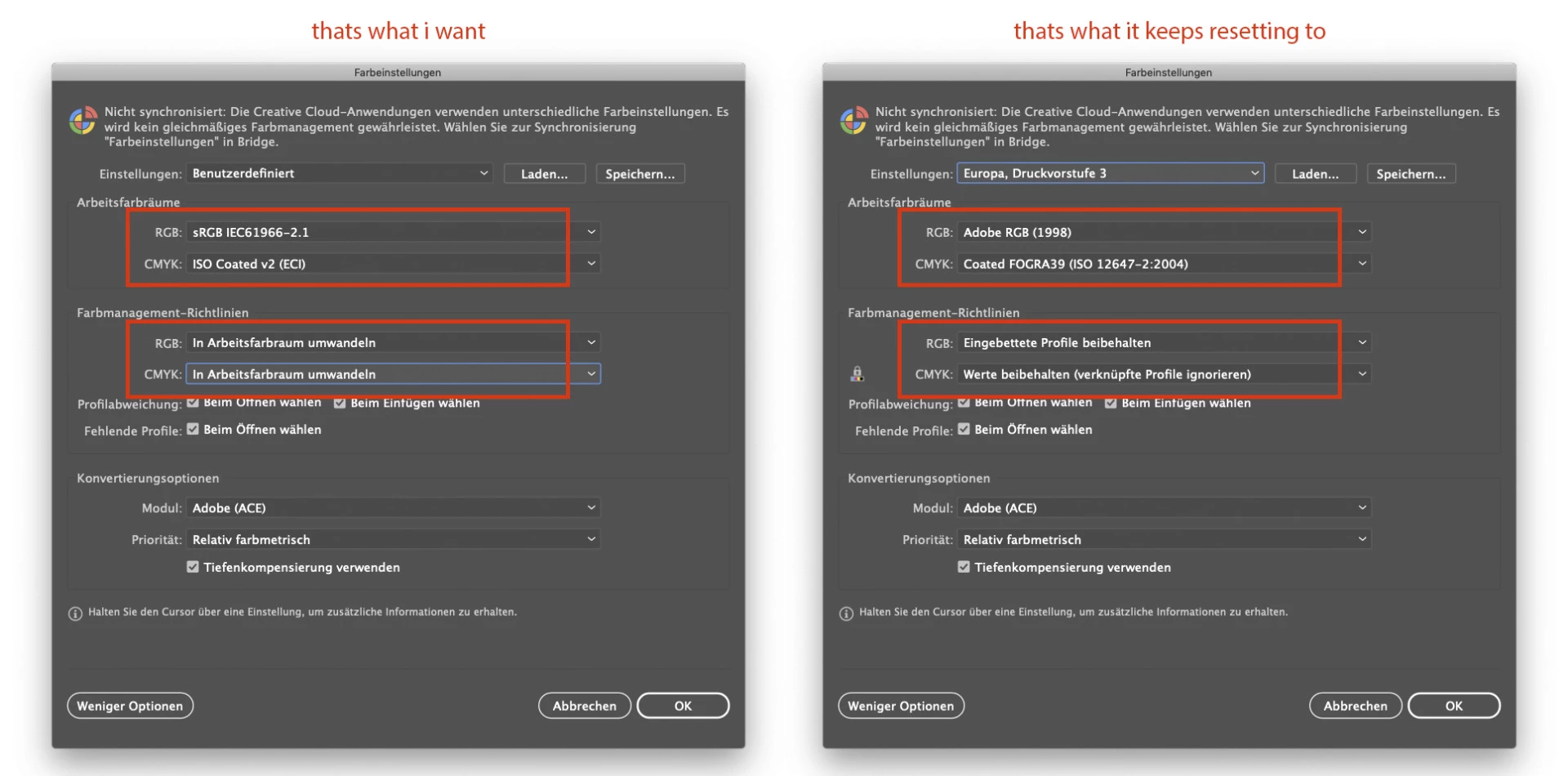
hi there i still got trouble with the color management. no workaround worked, latest update also not working. get back to cc2018 its the only thing that works. doesn't matter what i do in bridge or what i change in the color management of photoshop, indesign and illustrator. i need my own color management and not what bridge gives me. see the screenshot. sometimes it also keeps resetting to emulated mode what's even worse. photoshop, at least, mostly doesn't reset. very sad i cannot use the new versions even when i pay for them...
This topic has been closed for replies.
Correct answer Abhishek.Seth

Hi hemag nova grafik,

Can you please install the latest versions of Adobe Bridge, Photoshop, InDesign and Illustrator and let me know if the issue still persists.

Regards,

Abhishek Seth.

1 reply

Abhishek.SethCorrect answer
Adobe Employee
November 17, 2018

Hi hemag nova grafik,

Can you please install the latest versions of Adobe Bridge, Photoshop, InDesign and Illustrator and let me know if the issue still persists.

Regards,

Abhishek Seth.

hemag nova grafik
Inspiring
November 28, 2018

hi abhishek seth

it looks like its working now. i am still concerned that it will reset and so i will observe it the next few days.

thanks for the uptade!

regards