

Wes Duenkel
Inspiring
June 17, 2020
Question

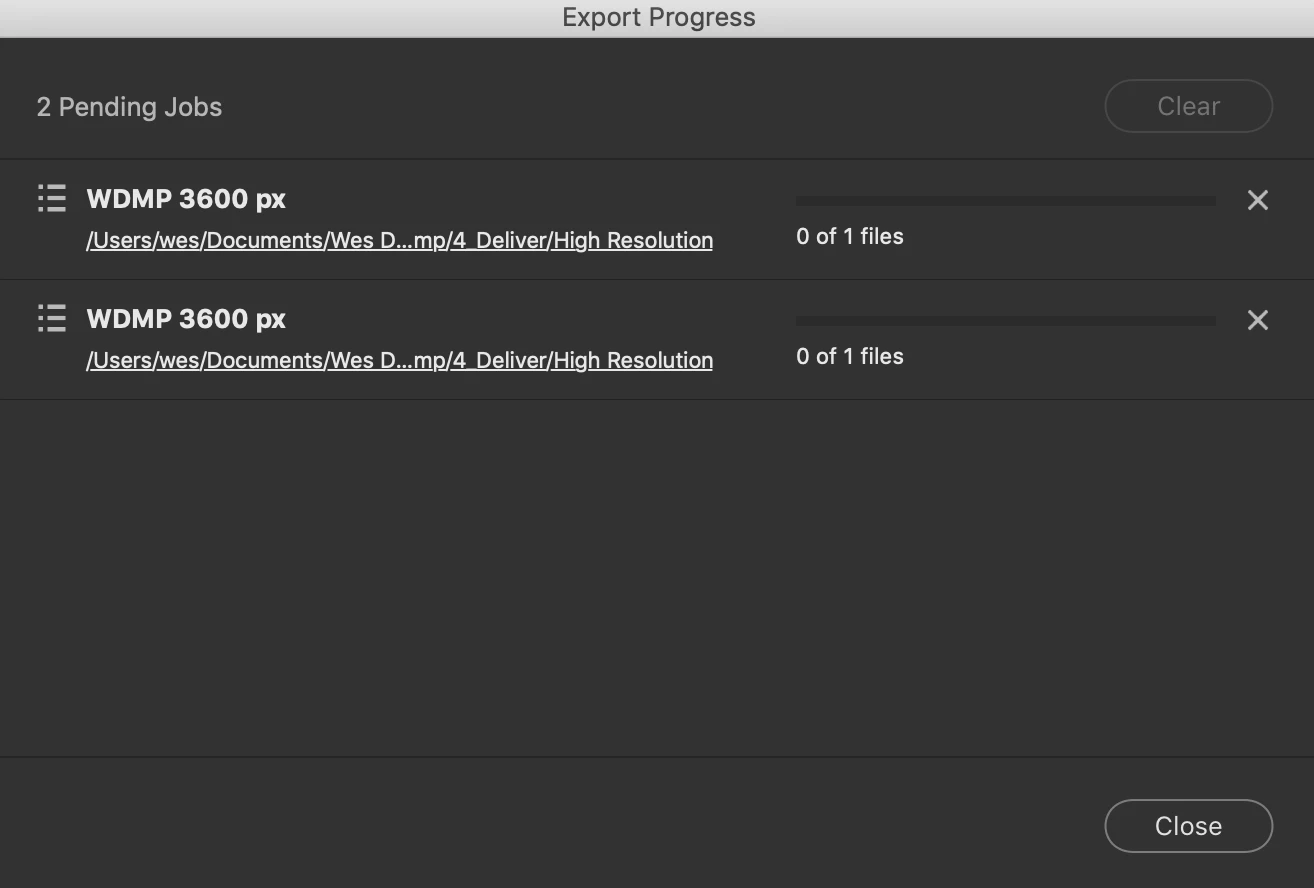
Bridge 2020: "Export to" doesn't work AT ALL. Seriously?!?

  • June 17, 2020
  • 2 replies
  • 665 views

I'm tying to "Export to" and nothing happens. The jobs just sit in the progress window and nothing happens. This has GOT to be a joke.

Any ideas? I'm without words with the incompentence of Adobe on this.
This topic has been closed for replies.

2 replies

Varun Varshney
Adobe Employee
Adobe Employee
June 18, 2020

Hi Wes_Duenkel,


Thank you for reporting this issue with us. To help us investigate on this issue further, could you provide the following details to us : 


1. Export destination format (JPEG/PNG/TIFF/DNG) & the settings which you selected in Export panel

2. Orignal file format, resolution , size and a sample file (if you can share)

3. Is there a particular destination format which is not working for you?


Thank you,

Adobe Bridge team.

Wes Duenkel
Inspiring
June 18, 2020

I uninstalled and and reinsalled, and now it works.

gary_sc
Community Expert
Community Expert
June 17, 2020

Hi Wes,


Please take a breath and please try to be nice. I'm not with Adobe, very few of us here are. We are users like yourself and do not need to have rude comments placed toward us. 


That said, can you please supply what OS you have and what release as well as what version of Bridge you are using and what release.?


In addition, have you tried to either restart and try again. Or, have you tried resetting Bridge's preferences and try again.


When launching Bridge, Command-Option (Mac)/Control-Alt (Win) + Shift to choose “Reset Preferences”, Purge Entire Thumbnail Cache”, and/or Reset Standard Workspaces”.


Also, what format are the images you are working with and what format are you exporting them out?

Wes Duenkel
Inspiring
June 17, 2020

I uninstalled and and reinsalled, and now it works. Ugh.

I understand the "relax" sentiment, but as one who is very frustrated with the constant user interface meddling that Adobe does (see: Camera Raw and Bridge 2018 to 2019), I'm extremely fed up with how Adobe feels the need to move things around for so-called "improvements." If it's not broken don't fix it.

Why doesn't adobe meddle with the UI of photoshop? Because there would be people pitchforks at Adobes door.

Wes Duenkel
Inspiring
June 18, 2020

Wes,


PS gets "treatment" as well but apparently not in areas that you spend much time in.


The amusing thing (if you want to call it amusing) is that they get just about as many complaints for letting their software look old as they do with comments like yours about changing anything. 


Trust me, I have my grievances with things they do as well and I do express myself. But when you are "agressive in tone," it doesn't help anyone. "Spoonfull of sugar" and all that. And yes, things go out their door with big issues but an amazing amount of stuff is caught before that time. In general, if a basic operation doesn't work, such as happened with you, it probably isn't the application that's at fault. Something is wrong with your setup or system or prefrences or instillation or fleshware. I've been helping folks on these forums for a long time and very few actual bugs show up. Yes they do show up, but very few.


And you're welcome.


I'm not an Adobe "hater." I use it to make my living. However, those concerned that Adobe applications "look old" clearly aren't full-time professionals who make their living editing thousands of photos a day. They should be ignored.

Tools aren't supposed to be pretty. They're supposed to make one's job easier. The UI of Bridge 2019/2020 is a major step backwards with all the wasted space. It makes our jobs harder. This is well-documented, and yet Adobe refuses to address it.

Adobe letting Bridge 2019 out the door where deleting a file didn't advance to the next file (and instead going back to the "beginning" of the files is a prime example of major functionality errors. I've volunteerd multiple times to be a BETA tester for Adobe, as I WANT to help. Crickets.

Adobe may have people testing thier BETA software...they just don't have the *right* people.