JarrethHunt
Participant
August 30, 2017
Answered

Bridge auto darkening RAW images

  • August 30, 2017
  • 2 replies
  • 1857 views

I looked everywhere for a solution that worked for me/applied to my situation and found nothing.

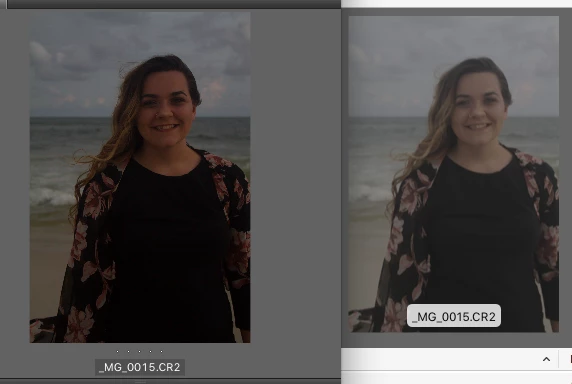
Attached is a screen shot of Bridge previewing an image and Finder previewing the same image.

Finder is showing it how it is IN CAMERA and bridge is auto darkening everything.

Even when I purge/reset/choose camera raw defaults. You can see each thumbnail become darker the second I purge the cache.

I may be missing something but why on earth would anyone want this? I shoot in RAW so that I CAN MAKE THE EDITS!

Please help!
This topic has been closed for replies.
Correct answer Jeff Arola

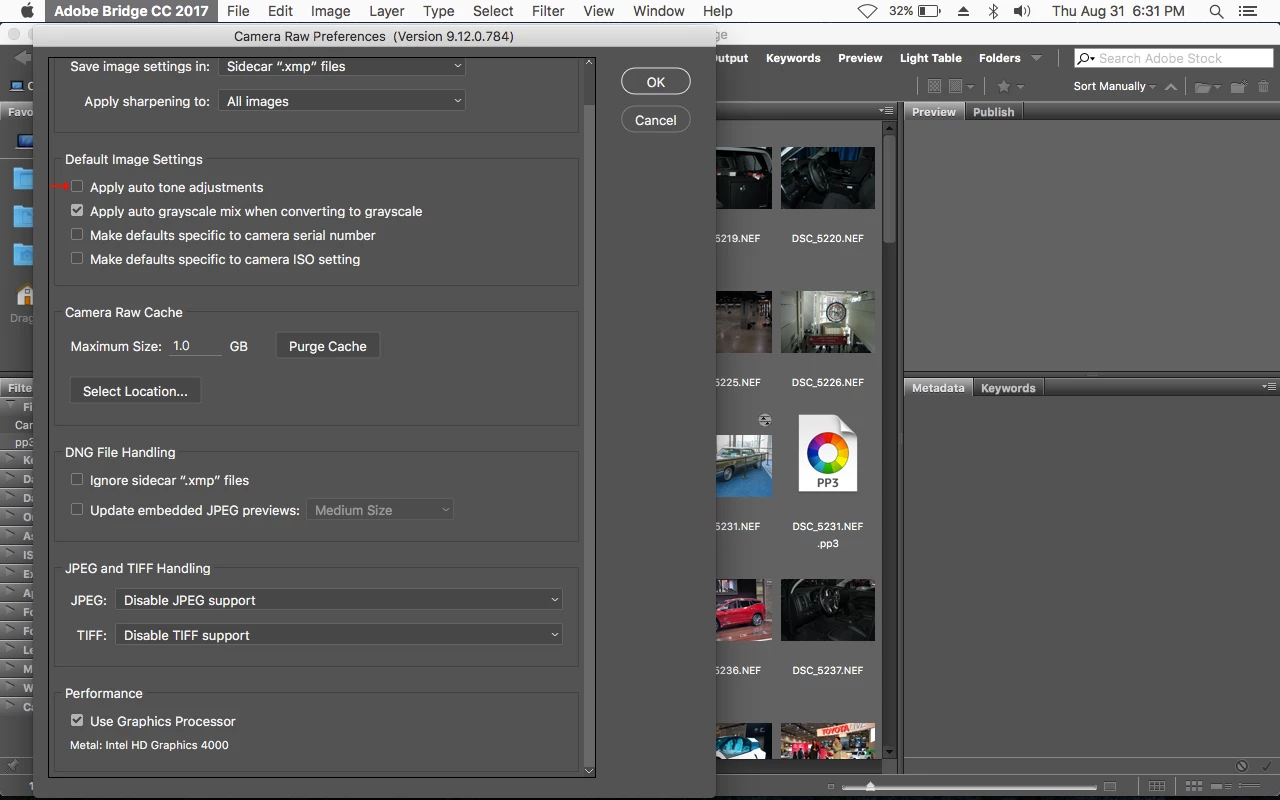
Look at the settings in Edit>Preferences>Camera Raw.

Maybe you have Apply auto-tone adjustments checked?

If so, see if unchecking it makes a difference.

2 replies

Stephen Marsh
Community Expert
Community Expert
September 1, 2017

Exactly, you have to set the default rendering how you wish it to display. The first image that you see is the embedded JPEG preview in the raw file, a few seconds later you see the Bridge preview replace the camera preview. The Bridge preview is based on your ACR default rendering settings. The Apple Finder and your Camera are not ACR, so they have different results.

Jeff Arola
Community Expert
Jeff ArolaCommunity ExpertCorrect answer
Community Expert
August 31, 2017

Look at the settings in Edit>Preferences>Camera Raw.

Maybe you have Apply auto-tone adjustments checked?

If so, see if unchecking it makes a difference.