
Participant
December 12, 2017
Answered

bridge cc 2018 today's update problem

  • December 12, 2017
  • 13 replies
  • 6563 views

hi there,i am unable to update the bridge got the code "146". reinstall the app is not helps. is there any solution for the stupid photographer? thanx in advance!
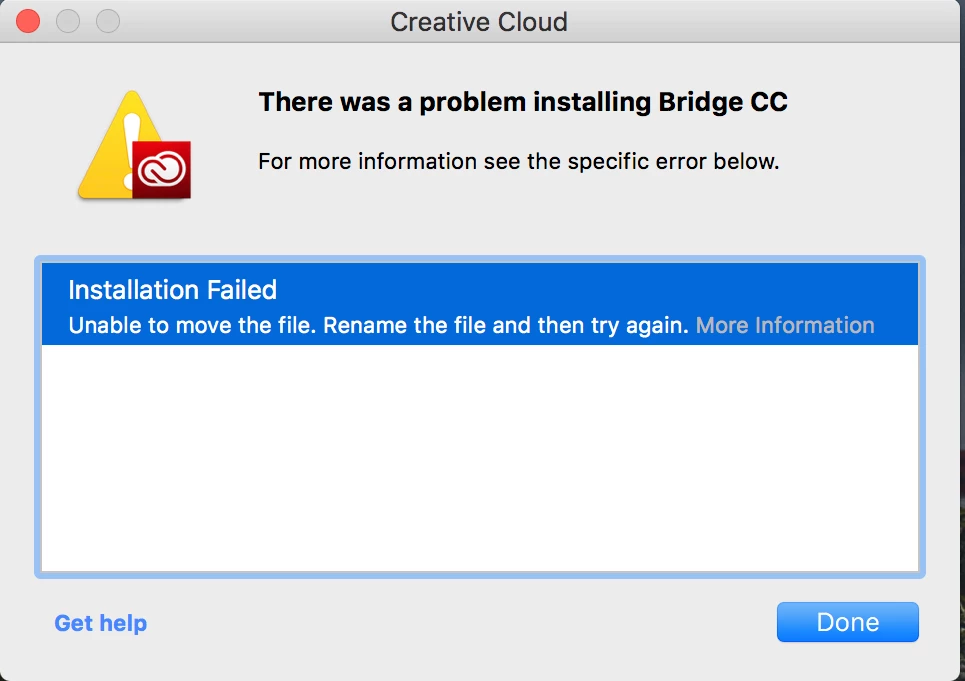
Exit Code: 146

-------------------------------------- Summary --------------------------------------

- 2 fatal error(s), 0 error(s), 1 warnings(s)

FATAL: Error (Code = 146) executing in command 'MoveDirectoryCommand' for package: 'AdobeBridge8.0-mul', version:8.0.1.282

FATAL: Error occurred in install of package (Name: AdobeBridge8.0-mul Version: 8.0.1.282). Error code: '146'

WARN: Failed to move directory '/.adobeTemp/1A3D2103-5AA0-4A87-A4A4-07505E410D15/1/Adobe Bridge' to '/System/Library/Components/PDFImporter.component/Adobe Bridge CC 2018'

-------------------------------------------------------------------------------------

This topic has been closed for replies.
Correct answer Moon_jo

I had the same error. I downloaded Bridge directly from here, Download Creative Cloud apps. Installed using the .dmg. Checked Adobe Application Manager and it still showed an update for Bridge. I clicked install and it worked. Bridge is updated and I no longer see the update for Bridge in Adobe Application Manager.

13 replies

Participating Frequently
December 13, 2017

Same problem as o.p.

Except, I tried trashing original files and re-downloading. Same problem.

"Unable to move the file. Rename the file and then try again"

Moon_jo
Moon_joCorrect answer
Participant
December 13, 2017

I had the same error. I downloaded Bridge directly from here, Download Creative Cloud apps. Installed using the .dmg. Checked Adobe Application Manager and it still showed an update for Bridge. I clicked install and it worked. Bridge is updated and I no longer see the update for Bridge in Adobe Application Manager.

bt61Author
Participant
December 13, 2017

thanx, that helped ... still I do not understand why we can not manage the update process through the ACC app? it is very strange that you can not uninstall the app (bridge) after you tried to update it, only reload to your MAC from a different site ... but anyway it works so thanx again!

AxelMatt
Community Expert
Community Expert
December 12, 2017
My System: Intel i7-8700K - 64GB RAM - NVidia Geforce RTX 3060 - Windows 11 Pro 25H2 -- LR-Classic 15 - Photoshop 27 - Nik Collection 8 - PureRAW 5 - Topaz Photo
bt61Author
Participant
December 12, 2017

... would be too simple ... my ACC is the latest one, I can not create a directory in my system library, it is not allowed ... I have tried to download directly the update from the Adobe site already ... the result is the same, failure code 146 ...