Participant
January 16, 2023
Answered

Bridge e Ventura - incompatibilidades?

  • January 16, 2023
  • 2 replies
  • 734 views

Boa tarde!

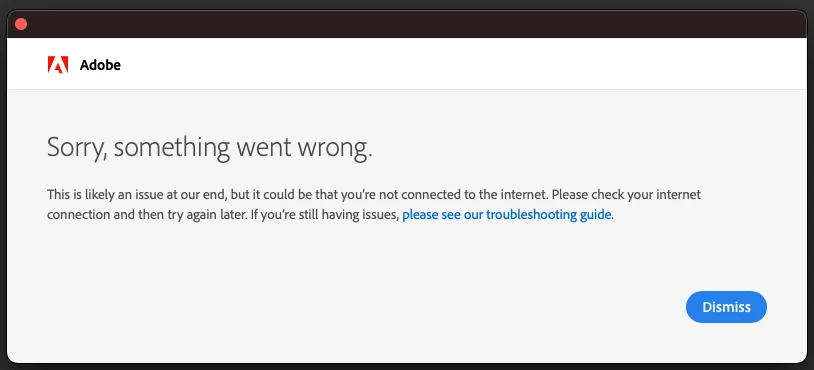
A última versão disponível da Bridge não arranca.

Conseguem ajudar ou dar alguma dica?
This topic has been closed for replies.
Correct answer gary_sc

Hi, @albinoc70467503, there are two issues here; let me explain the bad news first: Bridge was never designed to work with servers or cloud services. There are times when it may work, but that is not intentional. Any update of the system or of Bridge could cause it to once again not work. Because Bridge was designed to work on hard drives and external drives only, Adobe will not work on trying to get Bridge to work with cloud services or servers.


Now, external hard drives: This is an Apple issue, not a Bridge or Adobe issue. Here are the instructions for fixing this issue for Ventura:


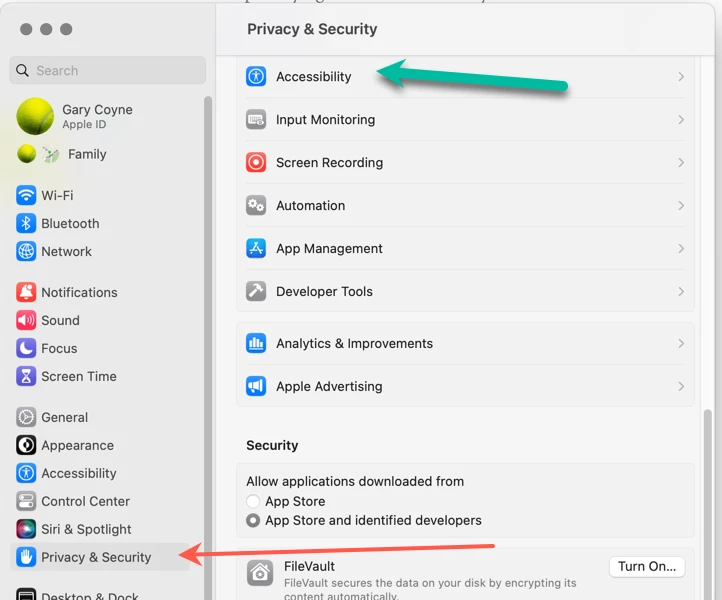
Go into the System Preferences and select the select the Privacy & Security tab on the left, then select the Accessibility tab top.
 

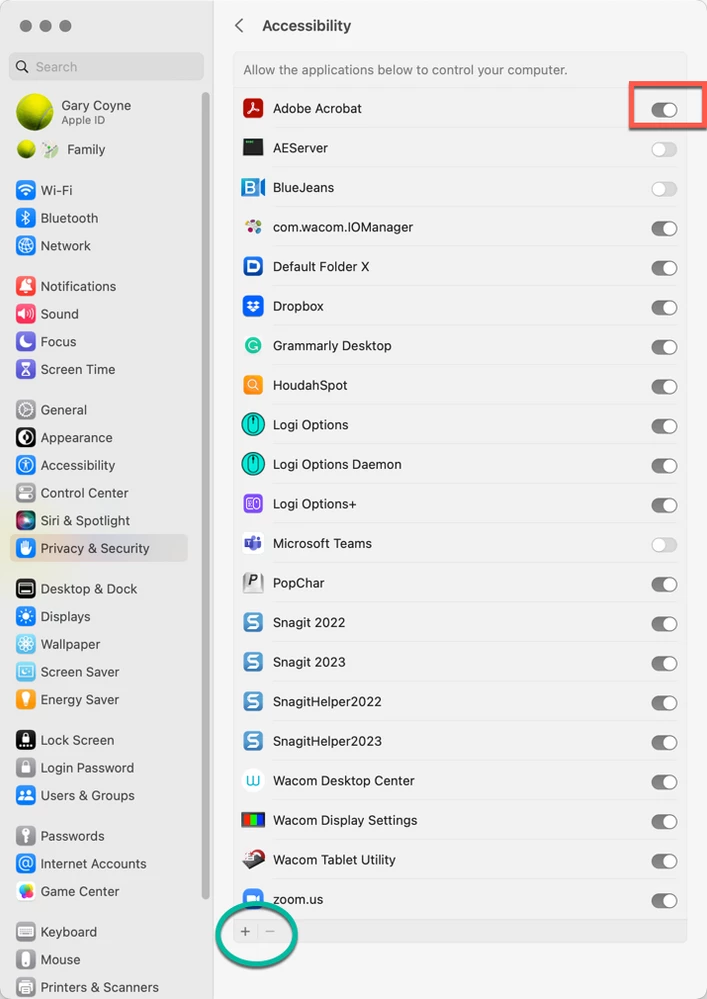
Now, click on the "+" button on the very bottom which will open a Finder's window into the Applications folder. Select Acrobat Pro. Be sure to slide the On/Off button to On (to the right). You may need to enter your administrator's password at some point. You also may need to quit Acrobat and reopen.


Please let us know if that works or not.

2 replies

Adobe Employee
January 20, 2023

Hi @albinoc70467503 @Call me the Breeze  ,
Can you Share the Logs collected with Log Collector Tool with us at sharewithbr@adobe.com so that we can investigate the issue?

Meanwhile, could you please also try the below steps and see if the issue at your end is resolved?

1. Copy file  /Library/Application Support/Adobe/Adobe Bridge 2023/AMT/application.xml  to  

                     /Library/Application Support/Adobe/Bridge/13.0/AMT/application.xml
2. Launch Bridge.

3. You may have to set the desired language after relaunch.

Note: Please create folders that do not exist while copying files in step 1.


Regards,
Bridge Team

Participant
January 25, 2023

Boa tarde!

Resolveu o problema! Ficou a funcionar com o último update. Aproveito para colocar outra questão, trabalho com o google drive, e o bridge não o reconhece como disco ou drive... é mesmo assim ou há forma de ultrapassar isto?

Obrigado pela preciosa ajuda!

gary_sc
Community Expert
gary_scCommunity ExpertCorrect answer
Community Expert
January 25, 2023

Hi, @albinoc70467503, there are two issues here; let me explain the bad news first: Bridge was never designed to work with servers or cloud services. There are times when it may work, but that is not intentional. Any update of the system or of Bridge could cause it to once again not work. Because Bridge was designed to work on hard drives and external drives only, Adobe will not work on trying to get Bridge to work with cloud services or servers.


Now, external hard drives: This is an Apple issue, not a Bridge or Adobe issue. Here are the instructions for fixing this issue for Ventura:


Go into the System Preferences and select the select the Privacy & Security tab on the left, then select the Accessibility tab top.


Now, click on the "+" button on the very bottom which will open a Finder's window into the Applications folder. Select Acrobat Pro. Be sure to slide the On/Off button to On (to the right). You may need to enter your administrator's password at some point. You also may need to quit Acrobat and reopen.


Please let us know if that works or not.

Participant
January 16, 2023
[Adobe Support Community] Adobe Support Community

Hi Call me the Breeze,

Call me the Breeze<> just posted in a community you follow.

________________________________

Jan 15, 2023 07:16 AM in Bridge Discussions<>
Re: Adobe Bridge not working<>

Hi

I deleted Bridge and reinstalled the previous version, seems to be working OK at the moment.

Hope this helps

Alan


Sent from Outlook for Android<>
Participant
January 16, 2023

It works, but it's not the ideal solution. We update and it stops working... Thanks for the help!
