
Royhessey
Inspiring
April 25, 2023
Question

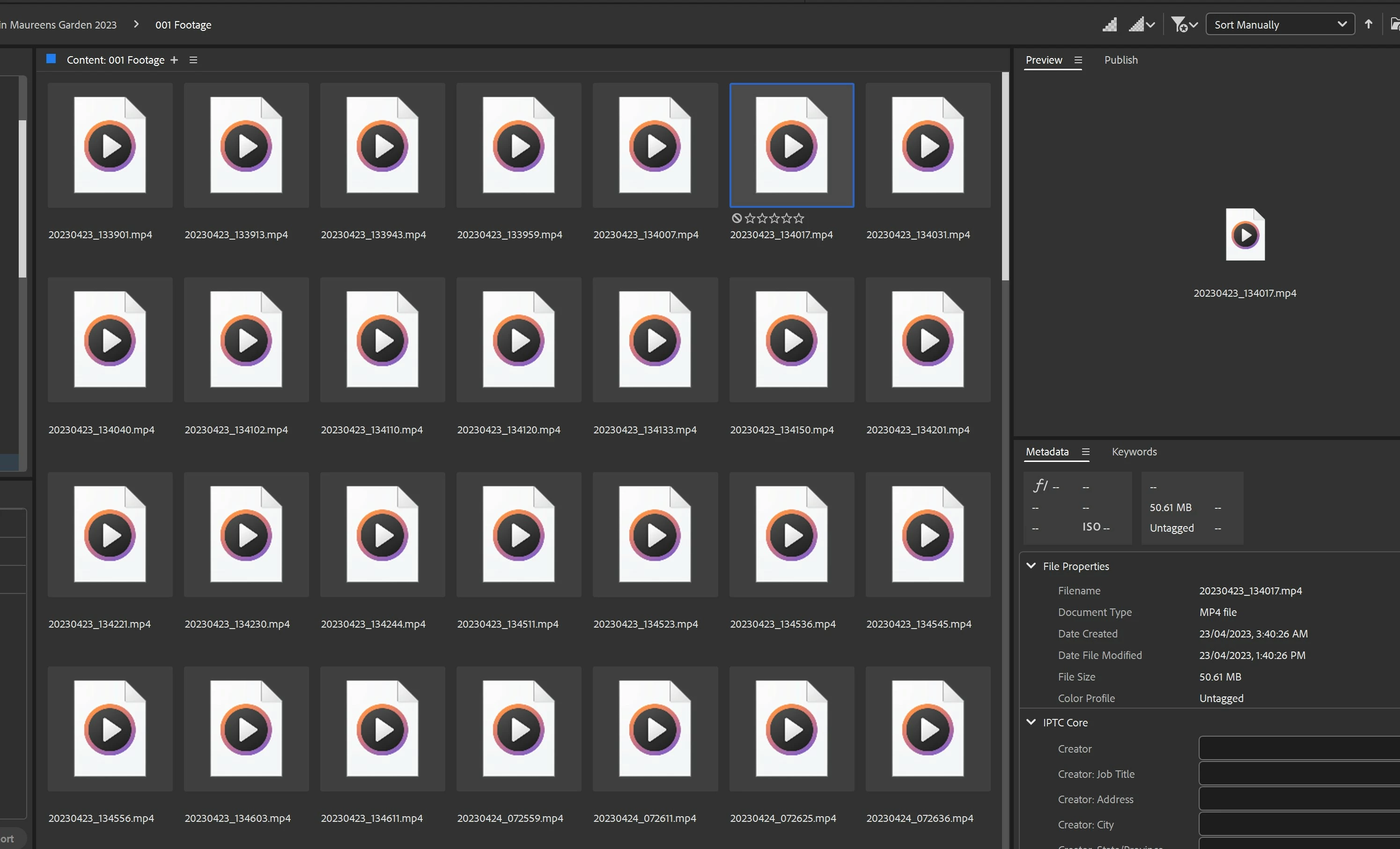
Bridge is not displaying thumbnails for Samsung S23 Ultra.

  • April 25, 2023
  • 3 replies
  • 4783 views

Bridge is not displaying thumbnails for Samsung S23 Ultra MP4 files.

I am at a total loss. Because of this, I have to manually rename my clips in Windows. That takes hours. The files do show in Premiere Pro. Very puzzling and indeed annoying.
3 replies

Participant
February 2, 2025

Hi all, after I bought my Samsung Galaxy S23 Ultra a year ago, I noticed the missing thumbnails, but I didn't give it much thought at the time. Recently I uploaded all of my stuff to my PC and external drive and once again I noticed that the videos made with my new phone don't have thumbnails anywhere, so I started searching on the web for a solution. Long story short:


- The problem is not Adobe.
- The problem comes from Samsung deciding to change the default format for video capturing from AVC (H.264) to HEVC (H.265) without notifying the users. H.265 has some pros like better quality and better compression, but the downside is it is still not fully supported by some softwares and even operating systems like Windows. So the lacking thumbnails come from the format with wich your phone captures the videos, no from the software you're looking them at. 

Fortunately Samsung still gives us the option to change the format:
Settings > Apps > Camera > Camera Settings > (Videos) Advanced video options > (Video format) H.264 (most compatible)


Hope I helped. 🙂 

Rahul Saraogi
Participating Frequently
April 28, 2023

Hello,


Thank you for reaching out to us.


Could you please share the following information with us to better investigate the issue?


1. Are you facing this issue for other video file formats?

2. Bridge and OS version?
3. If you can, could you please share some sample files with sharewithbr@adobe.com


Also, could you please follow the steps which @Ranjisha Sengupta has mentioned earlier and update if that resolves the issue for you?


We might reach out to you for further information.


Thanks,

Bridge Team

Royhessey
RoyhesseyAuthor
Inspiring
April 30, 2023

Thank you Rahul,

Yes I am facing this issue with video I took on a DJI Air 2s 

and video taken with a Samsung S23 Ultra smartphone 

all other formats view properly on Bridge.

Version 13.0.3.693


I have sent you an email with 2 files as you requested.

I have tried these files using Bridge on my laptop and still cannot see the previews.


I would appreciate any help.


Kind regards


flappingtrout
Participating Frequently
April 30, 2024

Hi Rahul, Any luck with this issue? 7 months have expired and the issue remains.


A large collection of S21Ultra .mp4 videos needing to be renamed wouldn't show up in my Windows Explorer, so I rubbed my hands together maniacally knowing that I had the secret weapon with Bridge, but to my dismay, they also would not show in Bridge's thumbnail preview.

Oddly enough, .mp4 videos from other sources show up fine in the thumbnail previews, allowing me to quickly scrub and check the content. 

If Adobe engineers could crack the code, that would be grand.

Anyways, thanks for at least replying.


Ranjisha Sengupta
Legend
April 25, 2023

Hi @Royhessey 


Thanks for reaching out.

Which version of the application are you using? Since when are you seeing this issue? 

Please go to View > Refresh and see if that solves the problem.

If that does not help, reset Bridge Preferences (reinstalling Bridge does not automatically wipe and reset Prefs.)

To reset Preferences:

Start Adobe Bridge and press Ctrl+Alt+Shift (Windows) or Command+Option+Shift (Mac OS) until the Reset Settings dialog box appears. Select all three options--Reset Preferences, Reset Standard Workspaces, and Purge Entire Thumbnail Cache--and click OK.


Let us know how it goes.


Best,

Ranjisha

Royhessey
RoyhesseyAuthor
Inspiring
April 29, 2023

Thank you Ranjisha. Version 13.0.3.693

I started Bridge and pressed CTRL ALT SHIFT (Windows) and the dialogue box did not come up.

I tried this many times.

Again many thanks, but the problem persists.