
Bulgakov
Inspiring
January 1, 2019
Question

Bridge "Open With" function showing only Illustrator

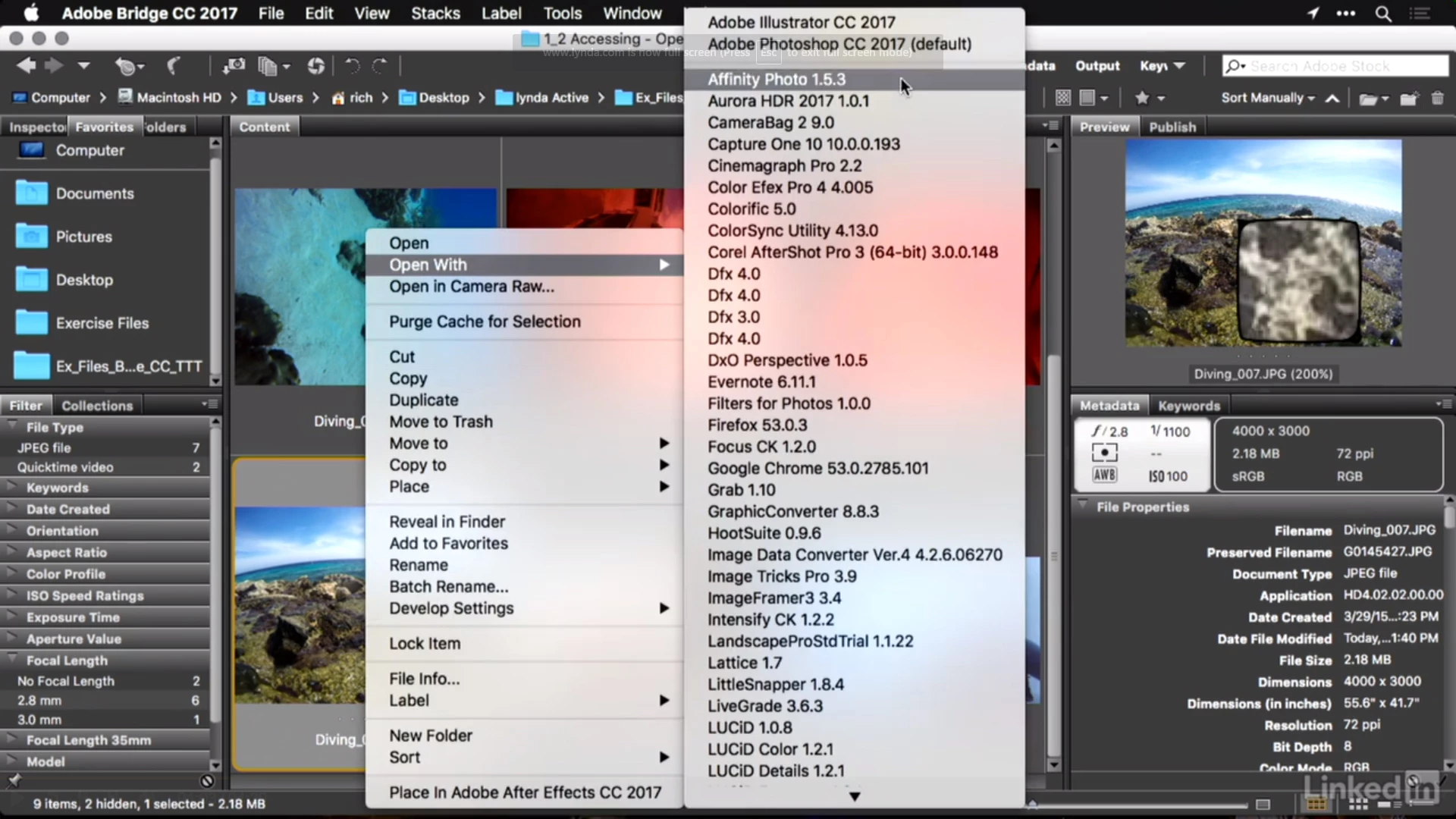
I'm relearning Bridge, and in the Lynda.com tutorial, the guy is able to right-click on any image and it pulls up a menu with an "Open With" option listing a bunch of applications.
On mine, the only option I seem to have is Illustrator.  How do I get Photoshop and others listed? One forum mentioned the file type associations in preferences, but that does not seem to allow for creating multiple options.
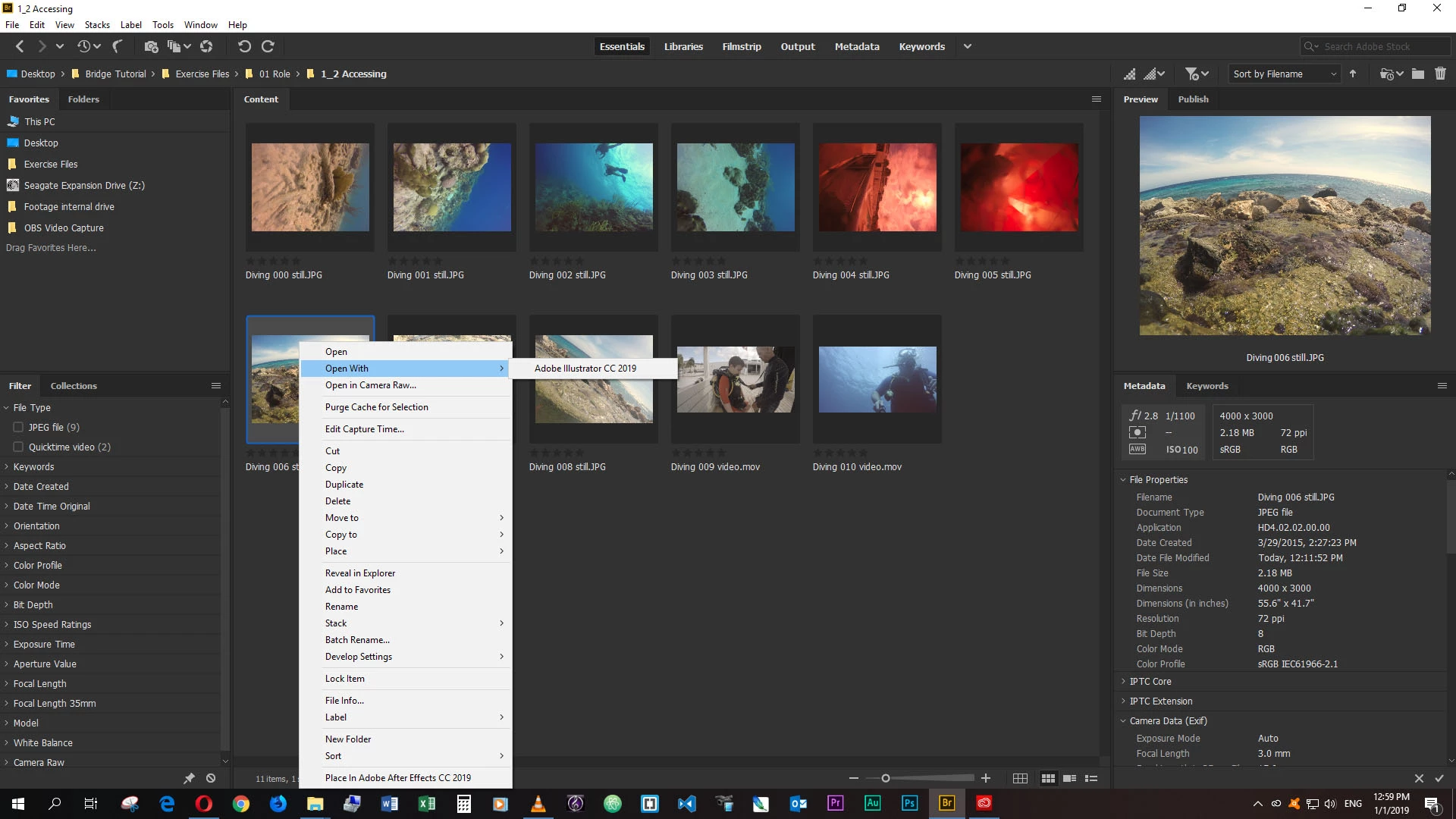
In addition, there is no Open-With option given at all with video files.

Ce sujet a été fermé aux réponses.

1 commentaire

Sahil.Chawla
Adobe Employee
Adobe Employee
January 2, 2019

Hi Bulgakov,

In Bridge, you can go to Edit > Preferences > File Type Associations to change the default associated application, but you can't add an application to the Open With menu via Bridge. Bridge reads the Open With list from OS.


Could you please check out this conversation and see if it helps: Bridge: Editing the list of applications for "open with" context menu on OS X | Photoshop Family Customer Community

Regards,
Sahil

Bulgakov
BulgakovAuteur
Inspiring
January 2, 2019

Thank you for the information. I'm on Windows 10 (and the example is OSX) so does that mean for my system I am stuck with only one option?  I see, for example, I can make a JPEG open with Photoshop (and it does keep the defaul Illustrator) but if I wanted to have the option of Photoshop OR, for example, InDesign, I cannot have both.  That seems rather limiting.

Legend
January 2, 2019

Windows lets you assign one application and then auto-populates the menu. So your choices depend on what you have installed. You can't open a JPEG in InDesign, but you can place it. Do you have choices in your Tools menu?