


- Home
- Bridge
- Discussions
- Re: Bridge suddenly stoped opening photo files in ...
- Re: Bridge suddenly stoped opening photo files in ...
Bridge suddenly stoped opening photo files in Camera Raw, message is " Bridge's parent application is not active",

Copy link to clipboard
Copied
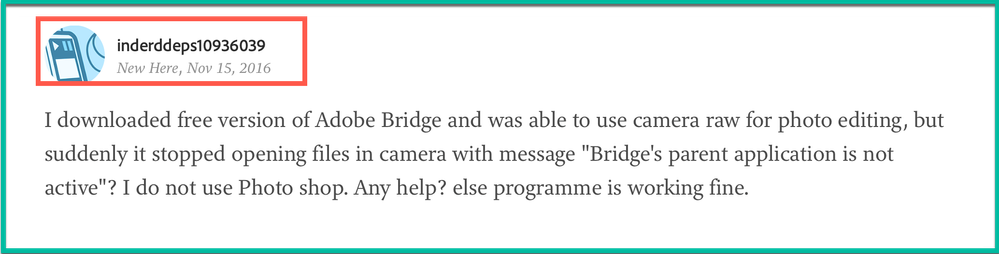
I downloaded free version of Adobe Bridge and was able to use camera raw for photo editing, but suddenly it stopped opening files in camera with message "Bridge's parent application is not active"? I do not use Photo shop. Any help? else programme is working fine.


 15
Replies
15
15
Replies
15


Copy link to clipboard
Copied
Hi Inderddeps,
Could please try the following steps to resolve the issue :-
- Open Bridge
- Go to edit > preferences
- Under behavior section in the middle of options click double-click edits Camera Raw settings in Bridge.
- Click OK
- It must be a double click on the pictures in bridge to open pictures in camera raw.
Regards,
Sahil

Copy link to clipboard
Copied
"It must be a double click on the pictures in bridge to open pictures in camera raw"
Nonsense. I select multiple photos, right click, open in camera raw. Worked until today when Bridge decided to go stupid on me, and all I can find is Adobe employees giving nonsensical answers. That's confidence inspiring.


Copy link to clipboard
Copied
Hi Tony,
Here's the deal: you cannot use ACR unless you also have PS installed and functioning. If you're past the 7 day grace period, then PS will not run and thereby ACR will not run. You can continue to use Bridge to view your images and a few other features (renaming images and other basic functions) but that's about it.
If you want to take advantage of ACR you do need to have a functioning version of PS on your computer.
Your only recorse is to sign up for one of the Photoshop Plans or to use one of the competing image processing applications. I'm sorry about this.
Copy link to clipboard
Copied
"Here's the deal: you cannot use ACR unless you also have PS installed and functioning"
I've had full CC subsription for years. I use Photoshop everyday, it works fine. It's version 20.0.1.
Is there anyone here who actually knows the product?
Copy link to clipboard
Copied
Hi Tony,
I know the product (since version 3) and if I misunderstood your statement I do apologise.
When you said you downloaded the free version of Bridge and you do not use Photoshop, I took that as you downloaded the free 7 day trail of the applications and had hit the 8th day wall.
When you said you "do not use Photoshop," I didn't stop to think that that may mean you "use Photoshop every day."
Please forgive my confusion.
Copy link to clipboard
Copied
"When you said you downloaded the free version of Bridge"
I did not.
I will try to reinstall everyting.
It's a pity that one does not see authoritative replies from Adobe anywhere. There are dozens of thread on this on the net, people proposing cracker software to disable this, and no attempt from Adobe to prevent it by posting a proper solution. Strange.

Copy link to clipboard
Copied
Where did you come into this? The OP is from 2016.
Please BACK UP, post your version of bridge, operating system, whether you have a subscription, and what isn't working.
And please be polite so we can help you. You are complaining without even telling us what is going on.
Copy link to clipboard
Copied
See my last reply. Dozens of posts on the net, no reply from Adobe, no attempt to dissuade people from applying cracker software. I have reinstalled everything, as I said I would, it worked, but that is not an efficient solution. Lack of Adobe comments in various threads (except for one outright wrong reply saying opening from within Bridge required double click on a single photo) is not good.
Copy link to clipboard
Copied
Ok I'm not going to bother with this. Good luck.
Copy link to clipboard
Copied
@Lumi,
Yeah, that's what I thought. I think this guy is just trying to pull us.
Copy link to clipboard
Copied
"I think this guy is just trying to pull us"
Translation, "I have no clue, so it must not exist". If you were not mentally lazy, you could google for that error message and see all the threads on the net, but somehow I doubt you will.
Copy link to clipboard
Copied
Tony, for a guy who says he never uses PS and then says he uses it every day. You started by saying you downloaded the free version of Bridge then you say you didn't. I rest my case.
Should I continue?
Prove me wrong and I'll be glad to try to help you.
Copy link to clipboard
Copied
"Tony, for a guy who says he never uses PS"
Please show me where I said that. For god's sake, can you even figure out who you are responding to?
Copy link to clipboard
Copied
Tony,
My humble apologies. I did not realize that you had joined a thread in process. If you look at the very first message in this thread you can see where I got the statements BUT I didn't catch that the person was completely different.
May I humble ask that you start a brand new thread with your specific issue and this thread can be closed as it has gone off the deep end due to my mistake.
Again I apologize.
Copy link to clipboard
Copied
"May I humble ask that you start a brand new thread with your specific issue"
Since the reinstall solved the issue, it would be difficult to go back through the troubleshooting steps.
There is another thread on the same error message on this support forum, but they dealt with CS6, I believe, and ended up copying a library from Photoshop directory to Bridge directory. I am not a fan of such solutions without Adobe's official blessing, and also, that dll no longer exists in the latest distribution of Photoshop. Nevertheless, it might provide a starting point if someone wants to research it further.


Find more inspiration, events, and resources on the new Adobe Community
Explore Now
 AdChoices