Inspiring
October 16, 2018
Answered

Bridge update 9.0 problem

  • October 16, 2018
  • 1 reply
  • 1995 views

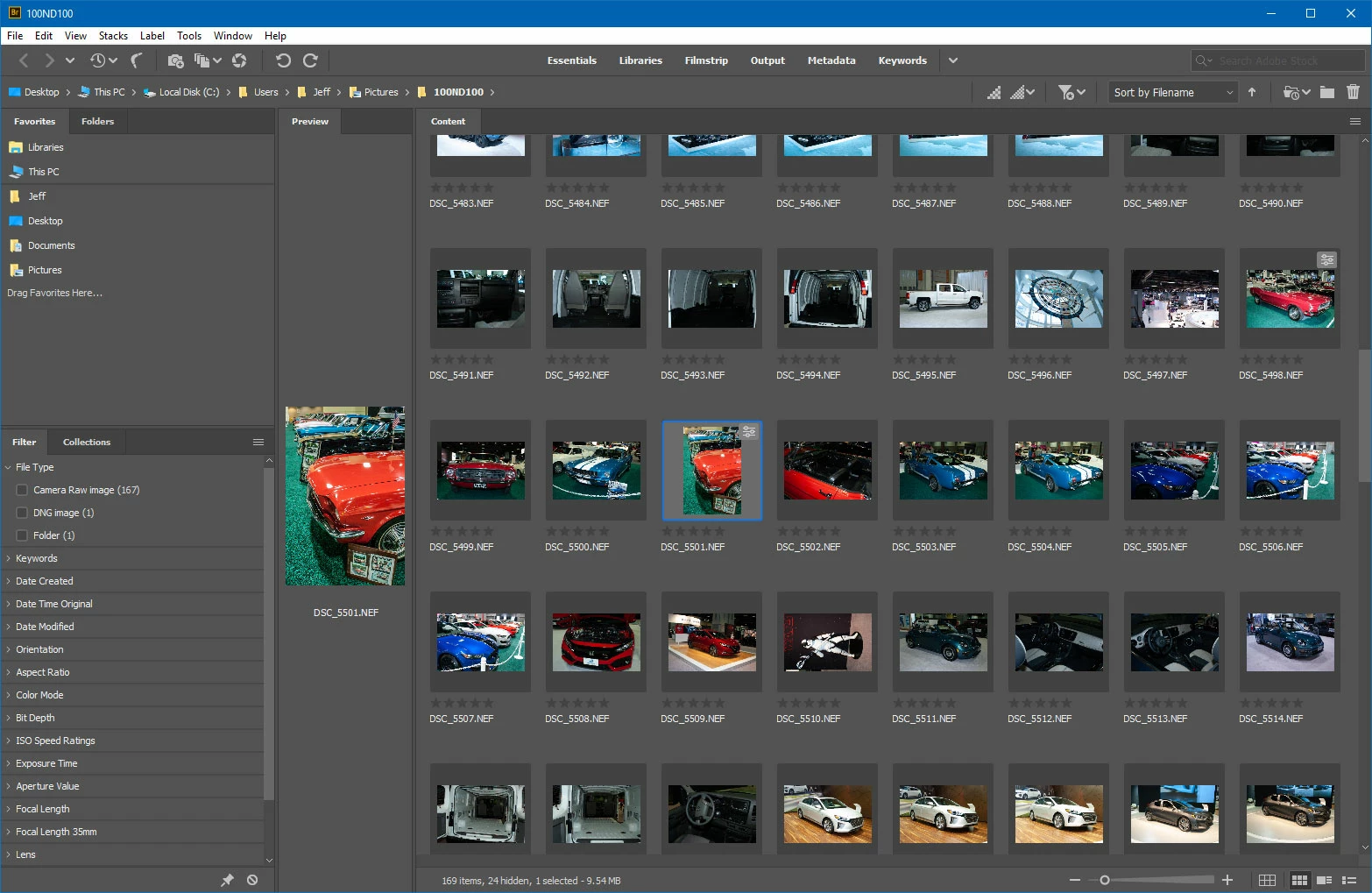
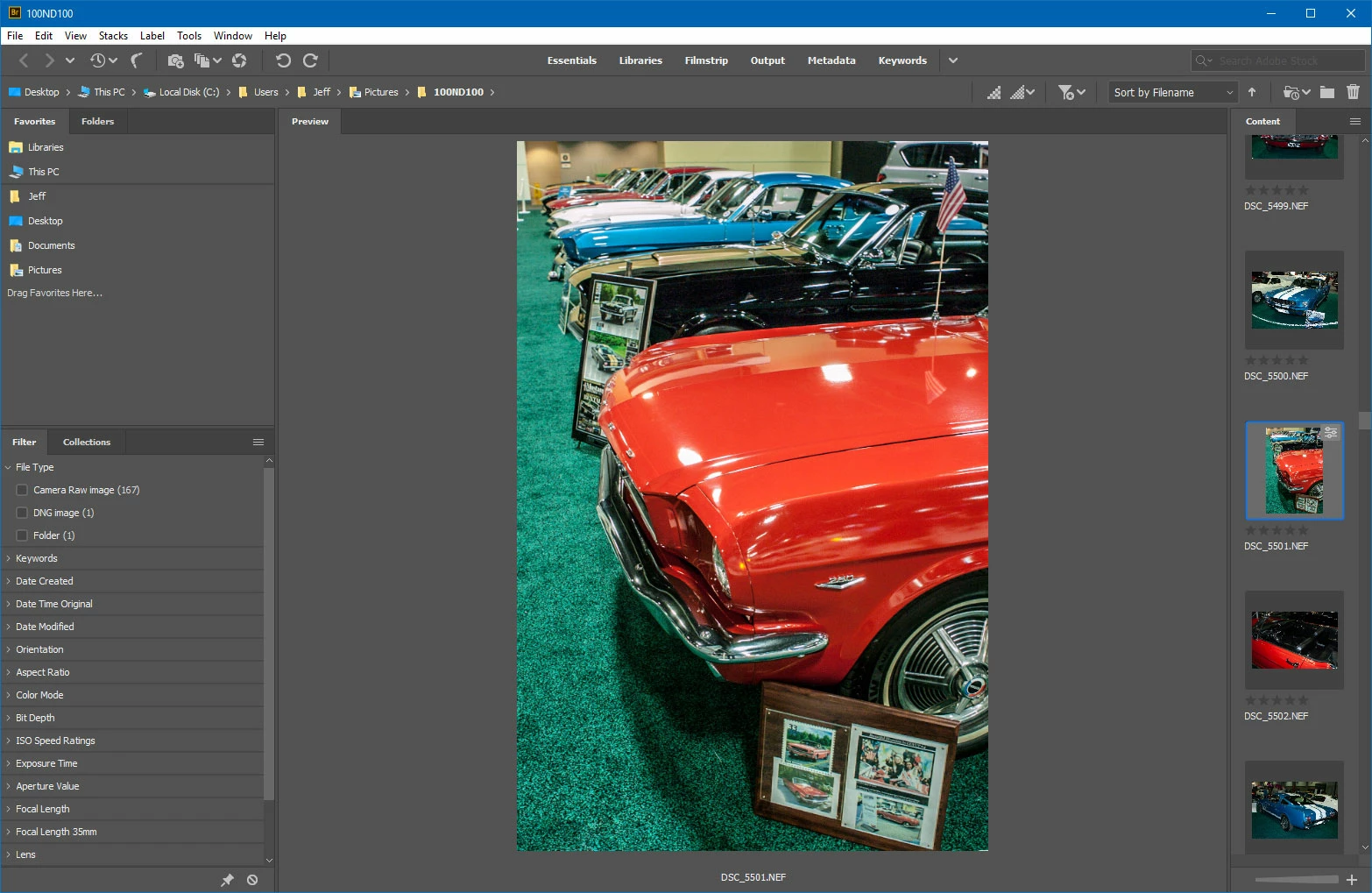
Updated to Bridge v9.0.0.204 X64. In Bridge Filmstrip the Content section is now a horizontal strip on the bottom of the monitor screen. Before this update I had the Content section running down the right hand side of the monitor screen in a vertical position. This allowed the Preview or selected image to appear very large in the middle of the monitor screen. Adobe phone support person claims this arrangement option has been removed by whomever came up with this new version. In Bridge v9.0, in the Filmstrip selection, how do I change the position of the Content from horizontal and bottom of screen to vertical and right side of screen?
    This topic has been closed for replies.
    Correct answer Jeff Arola

    Content panel placed over Preview panel and then the Vertical Layout option is clicked on resulting with a blue square and a black check symbol. This is the result. There's another step I'm missing?


    Lets see if i can explain it better:

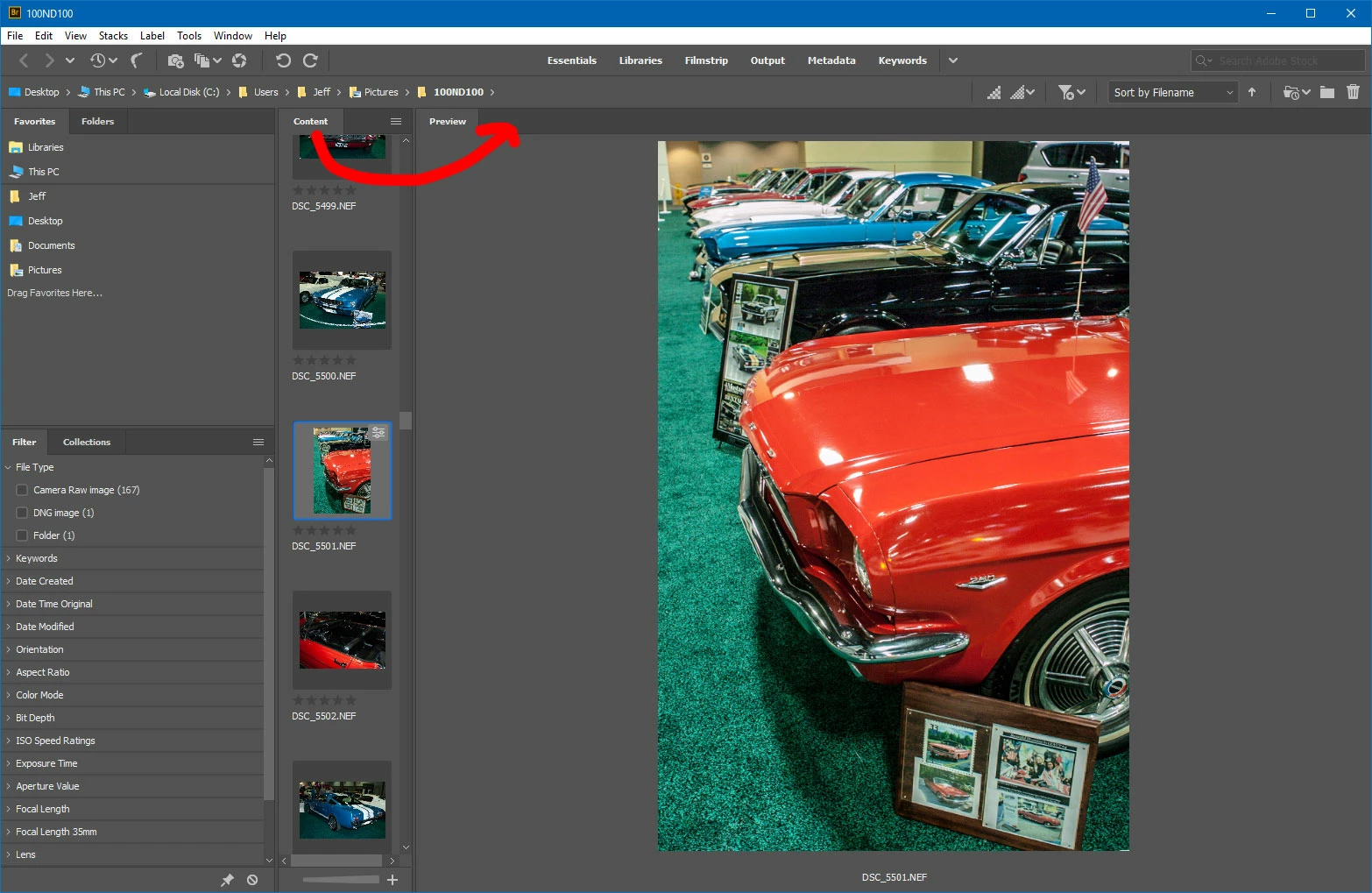
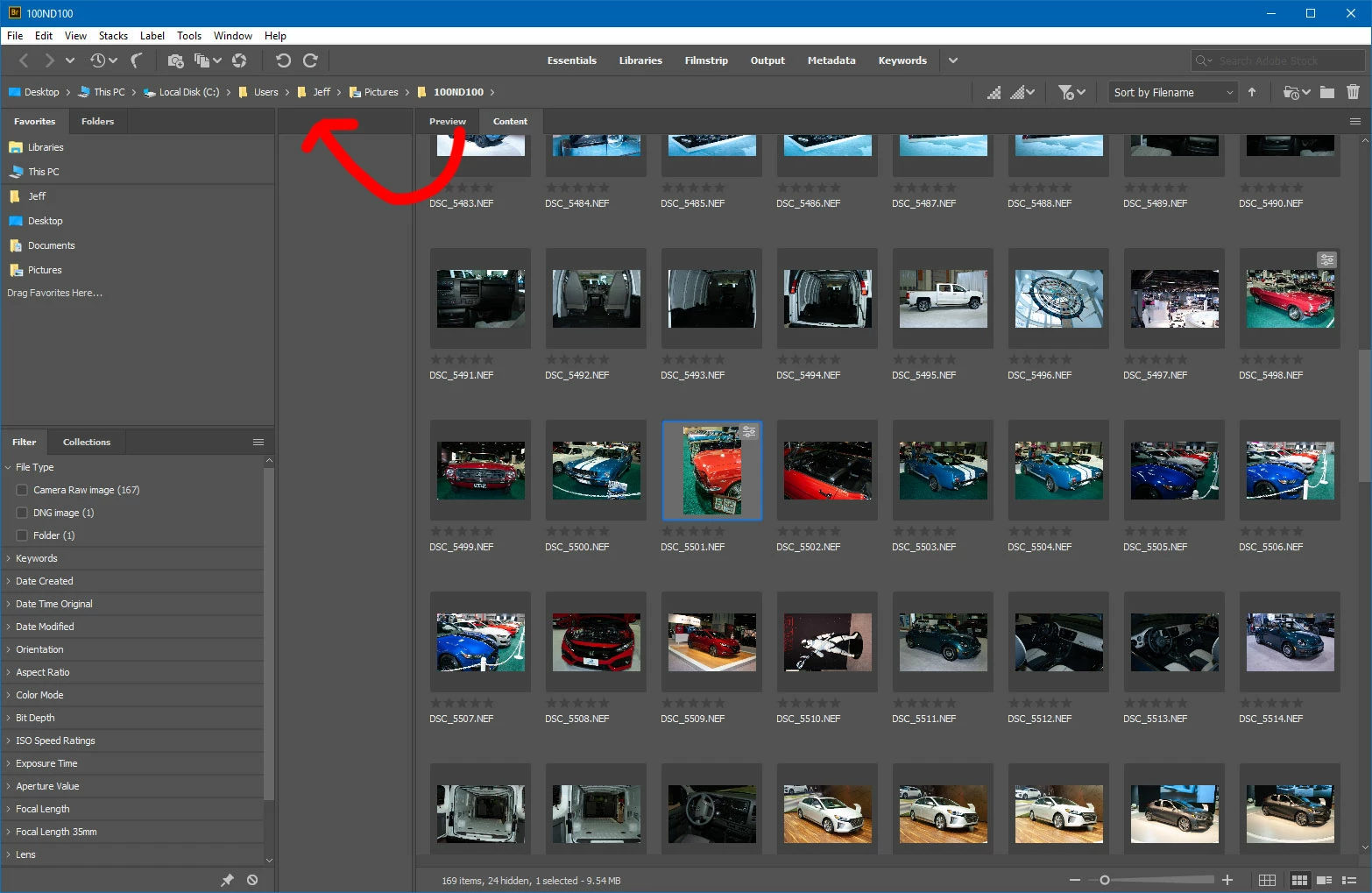
    1. Move the Content tab next to the Preview tab

    2. Move the Preview to where the Content tab was

    3. Grab the left edge of the content panel to resize to a single column by dragging right.

    4. You should end up with this

    1 reply

    Kanikas
    Community Manager
    Community Manager
    October 16, 2018

    Moving to Bridge

    pixelforAuthor
    Inspiring
    October 16, 2018

    Thank you. The choices I was presented with included Creative Cloud or Photoshop but not Bridge.

    jbm007
    Community Expert
    Community Expert
    October 17, 2018

    Adobe tech phone support said the interface doesn't permit Content being vertical. What Jeff Arola posted seems to dismiss that technical advice. Dragging the Content panel to the top right results in placing the panel on top in a horizontal position. The option to migrate preferences was selected before proceeding with the update. That failed. I know from past experience with adobe to save all downloads of all third party apps and plug ins for photo shop in a separate folder on my computer and external drive because adobe technicians want to delete those every chance they get. Adobe only succeeded in deleting about half of them this time.

    Is there a certain trick to dragging the Content panel into the vertical right hand side position? Is there something in the drag down menu, to the right of the word Keywords, that needs to be clicked on first? Is there a certain place on the Content panel which the cursor needs to be place on when clicking?


    Not true.

    Dragging content window to right or left panel well will allow content to scroll vertical.